1
Operation
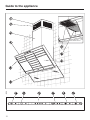
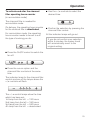
The indicator lamps for fan power levels
I and IV will flash if the automatic
switch-off for the Intensive setting is not
activated.
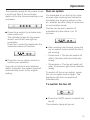
^ Press the + control to activate automatic switch-off.
The indicator lamps for fan power
levels I and IV will now light up
constantly.
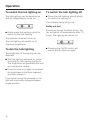
Press the – control to deactivate the
automatic switch-off function.
^ Press the run-on option control to
confirm your selection.
If you do not confirm your selection
within 4 minutes, the cooker hood will
automatically revert to the original
setting.
Run-on option
It is advisable to run the fan for a few
minutes after cooking has finished to
neutralise any lingering odours in the
air, whether you are using air extraction
or recirculation mode.
The fan can be set to switch off
automatically after either 5 or 15
minutes.
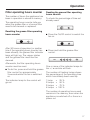
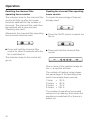
^ After cooking has finished, press the
run-on option control whilst the fan is
still running.
– Press once = The fan will switch off
after 5 minutes (left-hand indicator
lamp).
– Press twice = The fan will switch off
after 15 minutes (right-hand indicator
lamp).
To switch off the run-on option, press
the run-on option control again. The
appliance will then not switch off
automatically.
To switch the fan off
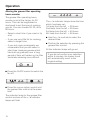
^ Press the On/Off control to switch the
fan off.
The indicator lamp will go out.
15