1
Programmer Instructions for Use
Event Review
Troubleshooting
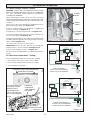
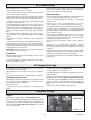
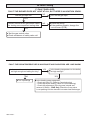
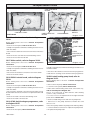
To review the programs at any time, press Prog. key. Events will
appear in the order they were entered with repeated presses of
the Prog. key. After all events have been reviewed, the blank
display will appear to allow entering another event. Another
press of the Prog. key will display the number of free events
available, such as Fr 16 if 4 events have been entered.
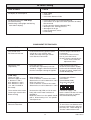
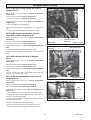
PROBLEM: Days are flashing, pressing any key does nothing
except
SOLUTION: Time of Day and Day of Week have not been set.
See "SETTING THE TIME"
This is the condition after a reset. If the timer is found in this
condition after it has been installed, programmed and operating
for a while, it may indicate that interference has disrupted the
microprocessor causing a loss of programme information.
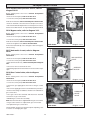
Manual Override
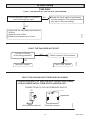
While in the Run Mode, pressing the
key once will reverse
the current mode; ON to OFF or OFF to ON. The symbol
appears in the display to indicate a temporary override.
At the next scheduled switching time, automatic control
resumes, eliminating the override.
A second, but very unlikely cause of loss of programme is a
power failure with the backup capacitor low or dead. Check by
disconnecting power and monitoring how long the capacitor
keeps the time of day in the display. Typically, the capacitor will
maintain the time and programmes for 4 days, but not more
than 5 days.
CONTINUOUS OPERATION: While in the Run Mode, press
the
key twice to turn the output to permanently ON.
symbol appears in display.
Pressing the
permanently.
PROBLEM: Time of day was set while holding the
down, but days are still flashing.
key three times will turn the output OFF
symbol appears in display.
To terminate a continuous override, press the
appears in the display.
key until
PROBLEM: It is 10AM and an ON event for 8AM was entered,
but the output is not ON. Display shows the
and
symbols.
SOLUTION: After programming, the timer does not "look back"
key (temporary
to determine if it should be ON. Press the
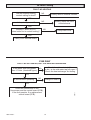
Select the event to be changed with the Prog. key. A new set
of days may be selected with the Day key just as in initial
programming.
override) to turn the output ON;
appears in display.
The timer will assume automatic operation at the next
programmed event.
Hours and minutes can be changed with the h and m keys.
key to store the new programme.
PROBLEM: An event for 8AM Monday through Friday was
entered,
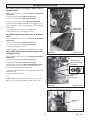
Deleting an Event
but it will not accept it and
To delete only one or a few events: Press Prog. key until the
desired program is displayed.
is flashing.
SOLUTION: The ON
or OFF
was not entered as part
of the program. ON or OFF must be selected.
Press m key to :59 and press once more to blank out.
Press h key to 11PM and press once more to blank out.
key, display will flash for several seconds and then
Press
enter the Run Mode. Using the reset key will delete ALL events,
the time of day, and day of the week.
4000124050-2
key
SOLUTION: Current day of week was not set while holding
the key. See "SETTING THE TIME"
down
Changing an Event
Press Prog. or
key turns output ON and OFF.
10