1
Page 30
Index
A
G
R
Alarm Sounds 23
Arming
Force Arming 12
Quick Arming 10
Turning ON (Arming) the System 8
Auto Bypass 13
Guest Code 23
Read Alarm History 19
Remote Program Dial-out and Answer 20
Remote Programming
Answer for Remote Programming 20
Call for Remote Programming 20
K
Chime Mode 15
Keypads
Backlight Control 4
DS7443 4
DS7445 4
DS7447 4
Volume Control 4
D
M
Disarming
Turning OFF (disarming) the System/Silencing Alarm 10
Duress Code 23
Master Code 6
E
Panic key 25
Personal Identification Numbers 6
Adding a PIN 6
Removing a PIN 7
C
Easy Exit 10
Emergency Alarm Keys 25
Emergency Keypad Alarms 24
Emergency Procedures 23
Error Displays 21
S
Silencing Alarms 10
T
Tests
Communicator Test 18
Local Battery/Sounder Test 17
P
Z
Zone
Bypass 13
Test 15
F
Fire
Alarms 24
Reset 19
Safety 25
Trouble 20
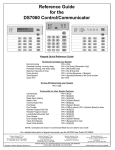
Keypad Quick Reference Guide
Turning On (arming) your System
Normal Arming
PIN + [On]
Perimeter Arming, no entry delay
PIN + [No Entry] [Perimeter Only]
Perimeter Arming, with entry delay
PIN + [Perimeter Only]
Maximum Security Arming
PIN + [No Entry] [On]
Force Arming
PIN + Arming Sequence + [Bypass]
Zone Bypass
PIN + [Bypass] followed by the Zone number
Quick Arm
[#] + [On]
Turning Off (disarming) your System
PIN + [Off]
Commands for other System Features
Chime Mode
PIN + [#] [7]
Zone Test
PIN + [#] [8] [1]
Read Alarm History
PIN + [#] [8] [9]
Battery Test
PIN + [System Reset]
Communicator Test
PIN + [#] [8] [2]
Fire Reset
PIN + [System Reset]
Fire Trouble
PIN + [Off] to silence, PIN + [System Reset] to clear
Remote Program Dial Out
PIN + [#] [8] [3]
Remote Program Answer
PIN + [#] [8] [6]
Local Battery/Sounder Test
PIN + [#] [8] [5]
Error Display
PIN + [#] [8] [7]
Error Display Reset
PIN + [System Reset]
Clear Zone Bypass
PIN + [Bypass] [*] to clear
Guest Code Enable
PIN + [#] [8] [4]
NOTE: Examples are shown in Commercial Mode but are valid for any mode.
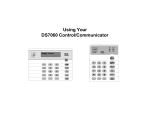
DS7060 User Guide
Copyright © 1996-97 Detection Systems, Inc.
Page 3