1
¢¢¢¢¢¢¢¢¢¢¢¢¢¢
QQQQQQQQQQQQQQ
,,,,,,,,,,,,,,
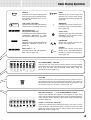
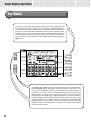
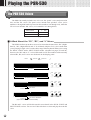
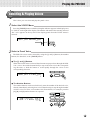
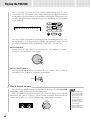
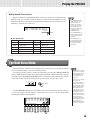
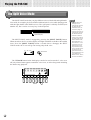
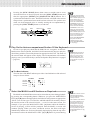
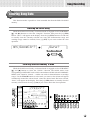
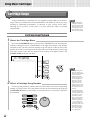
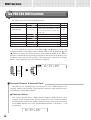
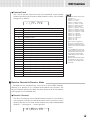
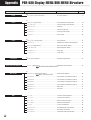
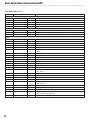
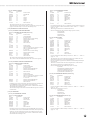
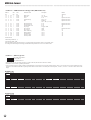
PSR-530 Display MENU/SUB MENU Structure
MENU
SUB MENU
FUNCTION
PAGE
ex
Hall 1 [Reverb] (Reverb type name) ......................... Reverb type selection. .................................... 37
DIGITAL EFFECT
REVERB Button
RevRtnLv ................................................................. Reverb return level setting. ............................ 38
ex
Chorus1 [Chorus] (Chorus type name) ..................... Chorus type selection. .................................... 39
CHORUS Button
ChoRtnLv ................................................................. Chorus return level setting. ............................ 39
ex
Hall 1 [DSP] (DSP type name) .................................. DSP type selection. ........................................ 41
DSP Button
DspRtnLv ................................................................. DSP return level setting. ................................. 42
ex
Duet [Harmony] (Harmony type name) ....................... Harmony type selection. ................................. 43
HARMONY Button
HarmVol .................................................................... Harmony volume setting. ................................ 44
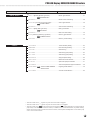
OVERALL
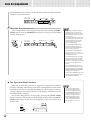
TouchSns ................................................................. Touch sensitivity setting. ................................ 84
PBRange .................................................................... Pitch bend range setting. ................................ 45
Tuning ....................................................................... Overall tuning. ................................................ 84
SC.Note .................................................................... Scale tuning (note) setting. ............................. 84
SC.Tune .................................................................... Scale tuning (tune) setting. ............................. 84
SongTrns ................................................................. Song transpose setting. .................................. 85
Metronom ................................................................. Metronome on/off selection. ........................... 85
S.Split .................................................................... Split mode split point selection. ...................... 21
AccSpPnt ................................................................. Auto accompaniment split point selection. ..... 29
FngrngMd
AUTO ACCOMPANIMENT ......... Fingering mode selection. .............................. 30
ON/OFF Button
VoiceSet ................................................................. Voice set on/off selection. .............................. 85
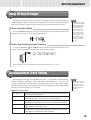
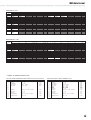
• Sub-menu items with a “ * ” appear only when the record mode is engaged.
• Sub-menu items with a “
✩
” appear only when the record mode is not engaged.
• Sub-menu items with “
” have shortcut access (press and hold the specified button for a few seconds to
jump directly to the associated sub-menu function). In addition to the shortuts listed above, the [DUAL VOICE]
button can be held to jump to the R2 voice revoice function, and the [SPLIT VOICE] button can be held to jump
to the L voice revoice function.
97