1
MIDI
Changing MIDI Settings
You can use this keyboard in combination with an external
sequencer, synthesizer, or other MIDI device to play along
with commercially available General MIDI software. This
section tells you how to make the MIDI settings required
when connecting to an external device.
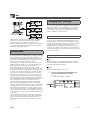
TRANSPOSE/TUNE/MIDI Button
This keyboard is equipped with multi-timbre capabilities,
which means it can receive messages over all 16 MIDI
channels and play up to 16 parts at the same time.
Keyboard and pedal operations performed on this keyboard
are sent out by selecting a MIDI channel (1 to 16) and then
sending the appropriate message.
General MIDI
As we have already seen, MIDI makes is possible to exchange
musical data between devices produced by different
manufacturers. This musical data does not consist of the notes
themselves, but rather information on whether a keyboard
key is pressed or released, and the tone number.
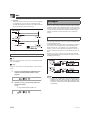
If tone number 1 on a keyboard produced by Company A is
PIANO while tone number 1 on a Company B’s keyboard is
BASS, for example, sending data from Company A’s
keyboard to Company B’s keyboard produces a result
entirely different from the original. If a computer, sequencer
or other device with auto accompaniment capabilities is used
to produce music data for the Company A keyboard which
has 16 parts (16 channels) and then that data is sent to the
Company B keyboard which can receive only 10 parts (10
channels), the parts that cannot be played will not be heard.
The standard for the tone numbering sequence, the number of
pads, and other general factors that determine the sound
source configuration, which was arrived at by mutual
consultations by manufacturers, is called General MIDI.
The General MIDI standard defines the tone numbering
sequence, the drum sound numbering sequence, the number
of MIDI channels that can be used, and other general factors
that determine the sound source configuration. Because of
this, musical data produced on a General MIDI sound source
can be played back using similar tones and identical nuances
as the original, even when played on another manufacturers
sound source.
This keyboard conforms with General MIDI standards, so it
can be connected to a computer or other device and used to
play back General MIDI data that has been purchased,
downloaded from the Internet, or obtained from any other
source.
E-52
Each press of the TRANSPOSE/TUNE/MIDI button cycles
through a total of 12 setting screens: the transpose screen, the
tuning screen, and 10 MIDI setting screens. If you accidentally
pass the screen you want to use, keep pressing the
TRANSPOSE/TUNE/MIDI button until the screen appears
again. Also note that leaving a setting screen is automatically
cleared from the display if you do not perform any operation
for about five seconds.
GM MODE (Default: Off)
J on
This keyboard plays General MIDI data from a computer or
other external device. MIDI IN CHORD JUDGE cannot be
used when GM MODE is turned on.
J oFF
MIDI IN CHORD JUDGE can be used.
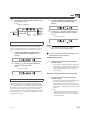
1.
Press the TRANSPOSE/TUNE/MIDI button
until the GM MODE screen appears.
Example:
When GM MODE is turned off
641A-E-054A