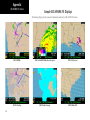
1
Detailed Operation
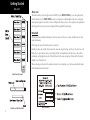
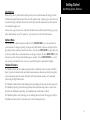
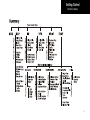
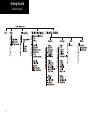
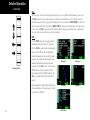
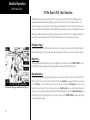
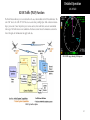
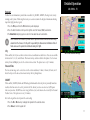
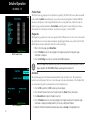
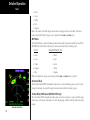
Using this interface, the pilot can easily select the desired message type (such as METAR), then select the
airport of interest (such as KPDX), then select a specific METAR report by time (such as 141512Z).
WSI - FIS
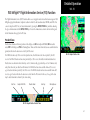
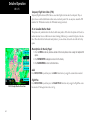
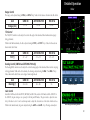
At all times, the message displayed in the upper FIS Message area on the screen matches the highlighted entry
in the FIS Category area below.
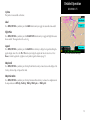
The system shows text METAR and TAF data for the 25 locations nearest the present position and up to the 25
locations nearest to the destination in the flight plan that are reporting weather information. The system will
show all other data provided by the FIS sensor.
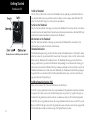
Smart Key Function
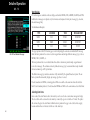
The fourth “smart” key performs special functions within the FIS Function:
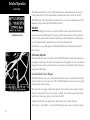
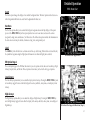
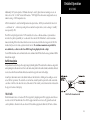
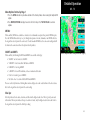
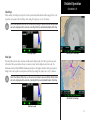
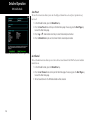
When the Selection Pointer is located in the first of the three columns, the fourth “smart” key displays the label
“Clear”. When pressed, all messages for the currently selected category will be cleared from the MX20. This
feature can be used to clear old, bad or corrupted data received over the data link.
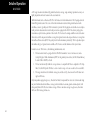
When the Selection Pointer is in the center-most column, the fourth “smart” key displays the label “Sort.” See
below for how the sort option works.
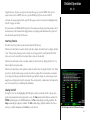
When the Selection Pointer is in the right most column, the fourth “smart” key displays the label “View.” When
pressed, the currently viewed message is presented in a full screen mode. This feature provides a mechanism
to view large textual messages that do not fit within the upper half of the display area. Some messages may be
longer than can be displayed in the full screen mode. These are indicated by a small arrow at the bottom of the
area. Press the arrow keys to scroll through the information.
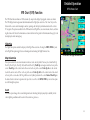
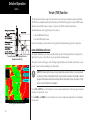
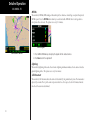
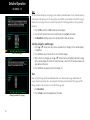
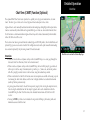
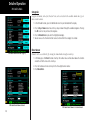
Viewing Text TAFs
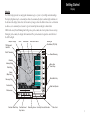
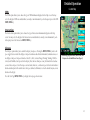
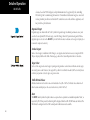
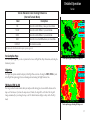
Pressing the “View” key when highlighting TAFs will display a full screen with the text TAF at the top and a
graphic representation in the lower portion of the screen. The Time column includes both date and time. The
METARs column displays active METAR information. The Prev column displays prevailing conditions. The
Tempo column displays temporary conditions. The Prob column displays probable conditions. Press the arrow keys to scroll the information and the View key to exit this view.
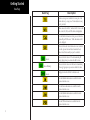
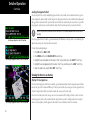
WSI FIS Graphic and Text TAF Weather Messages
67