1
Note:
#
Icon
Item
Description
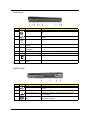
Left View
Icon#
#
Icon
1
Description
Item
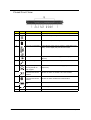
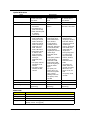
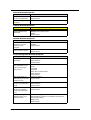
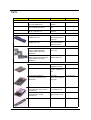
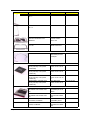
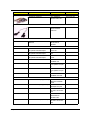
Kensington lock slot
#
2
Item
#
Icon
Item
Two USB 2.0 ports
3
Icon
4
N/A
5
7#
Note:
Connect to USB 2.0 devices (e.g., USB mouse, USB
camera).
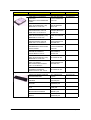
Connects to a phone line.
Item
Description
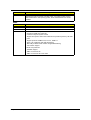
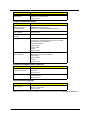
Optical disk access
indicator
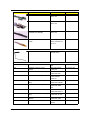
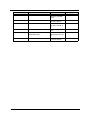
Lights up when the optical drive is active.
N/A
Slot-load optical drive
eject button
Ejects the optical disk from the drive.
N/A
Slot-load optical drive
Icon
N/A
Item slot
ExpressCard/34
Internal
optical drive; accepts CDs or DVDs.
Note:
Description
Accepts
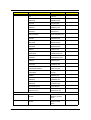
an ExpressCard/34 module.
PC Card slot
Accepts one Type II PC Card.
PC Card slot eject
button
Ejects the PC Card from the slot.
8
9
Description
Modem (RJ-11) port
#
6
Connects to a Kensington-compatible computers security
lock.
Description
Item
Icon
Description
N/A
Note:
NOTE: The slot-load optical drive can only accept 12 cm disks.
Right View
#
#
Note:
Icon
Icon
Item
Item
Description
Description
Note:
#
#
1
#
2
Icon
Icon
#
Icon
N/A
Item
Icon
Item
Item
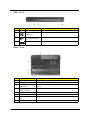
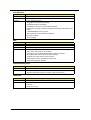
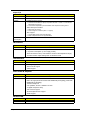
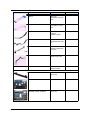
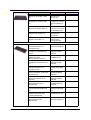
Two USB 2.0 ports
Item
Ventilation slots
Description
Description
Description
Connect to USB 2.0 devices (e.g., USB mouse, USB
camera).
Description
Enable
the computer to stay cool, even after prolonged use.
3
Ethernet (RJ-45) port
Connects to an Ethernet 10/100-based or 10/100/1000based networks.
4
External display (VGA)
port
Item
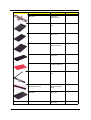
Connects to an external display device (e.g., external
monitor, LCD projector).
Description
#
Icon
Chapter 1
7
#
Icon
Item
Description