1
Customizing Your Phone
volume of the phone’s ring when you get a call
on that line.
Setting the Volume
See “Volume Features” on page 104.
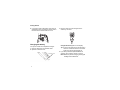
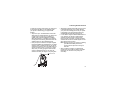
To set the volume of the sound coming from the
phone’s earpiece or speaker:
Setting Your Phone to Not
Ring
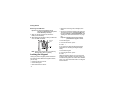
1 From the main menu, select Settings > Volume.
2 Scroll to Earpiece to set the earpiece volume.
-orScroll to Speaker to set the speaker volume.
3 Press A under Change.
4 To select the volume:
Scroll left or right. -orPress the volume controls.
5 Press A under Ok.
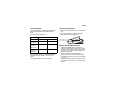
To set the volume of the phone’s ring:
Press the volume controls.
For another way to set the volume of the phone’s
ring, or the volume of many other sounds your
phone makes:
1 From the main menu, select Settings > Volume.
2 Scroll to the option you want and make the
change. Choose Line 1 or Line 2 to set the
102
To set your phone to make no sound when you
receive phone calls, Direct Connect calls, Group
Connect calls, message notifications, and call
alerts, see “Setting Your Phone to Vibrate” on page
63.
To set your phone to vibrate instead of making a
sound when you receive Direct Connect calls and
Group Connect calls, even if you want your phone
to ring for other features:
1 From the main menu, select Settings > DC/GC
Options > Alert Type.
Tip: If Alert Type does not appear: From the
main menu, select Ring Tones. Make sure
Vibrate All is set to Off. Repeat step 1.
2 Press A under Change.
3 Scroll to Vibrate.
4 Press A under Select.