1
Software updates
The Nomad software is easily upd ated . The operating system is "brick" proof. To
update Nomad copy the current software from the Zaxcom web site to a
compact flash card . The card should have a FAT32 format from a PC/ MAC or
Zaxco m recorder product . Insert th e card in the mirror slot. With the power off,
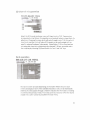
press and hold the "* /lkey, wh ich is located between the headph one and menu
knob. Now switch on the power. After the display screen comes up the ...,11 key
can be rel eased . The Nomad will find the software update on the mirror card and
begin the update process . It is important to have a rel iable power source while
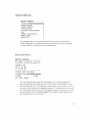
the unit is updat ing. The software version ca n be viewed in the about Nomad
m en u accessed in the main menu.
The boot loader searches for the first program file it finds on the card .
When placing a progra m file onto a card using a PC or MAC be careful to
delet e any older nomad program files on the card BEFORE co ping the
new program file t o the CF card. Th is will prevent the nomad from aCcidenta lly
finding the old program file inadvertently (even though it was deleted).
It may be wise to always format the CF ca rd with a MAC, PC or Nomad before
copying a nomad program file to the CF ca rd.
Boot-Loader programming
The Nomad boot loader (currently version 12) should never need to be updated.
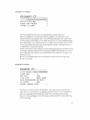
If instructed by the factory, the boot loader can be updated by entering the
"advanced setup menu" from the ENG setup menu. Follow the in structions on
the Nomad screen to update the boot loader.
The boot loader (currently V12) is a sma ll program that runs wh en the unit
pow ers on.
It normally reads the main progra m from ROM and executes it.
If no program is fond in internal ROM the boot loader will attempt to boot from
a program on the CF mirror card automatically.
6