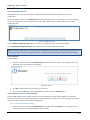
1
Ericsson W40 Mobile Broadband Router for Mobile Networks Ericsson W40 Mobile Broadband Router for Mobile Networks Guide User's Guide MBR W40 – Admin’s Manual Disclaimer No part of this document may be reproduced in any form without the written permission of the copyright owner. The contents of this document are subject to revision without notice due to continued progress in methodology, design and manufacturing. Ericsson shall have no liability for any error or damage of any kind resulting from the use of this document. Trademark List Firefox® Firefox is a registered trademark of Mozilla Foundation. Internet Explorer® Internet Explorer is a registered trademark of Microsoft Corporation. MSN Messenger® MSN Messenger is a registered trademark of Microsoft Corporation. Opera® Opera is a registered trademark of Opera Software ASA. Safari® Safari is a registered trademark of Apple Computer, Inc. Windows® Windows is a registered trademark of Microsoft Corporation. All other brand and product names are trademarks or registered trademarks of their respective holders. 2 MBR W40 – Admin’s Manual Contents 1 INTRODUCTION 1.1 Structure of this Guide 2 W40 MOBILE BROADBAND ROUTER OVERVIEW 2.1 Introduction 2.2 Feature Summary 2.2.1 W40 Data Router 2.2.2 W40 Cellular Gateway 2.2.3 W40 Voice support 2.3 Housing 2.3.1 Back Side Ports 2.3.2 Top Panel Interfaces 2.3.3 Front Panel 2.3.3.1 Built-in Ethernet Indicators 3 CONFIGURATION AND MANAGEMENT 3.1 Access and Login to the Web User Interface 3.1.1 Installation Wizard 3.1.1.1 Step 1: Cellular setup 3.1.1.2 Step 2: WiFi Setup 3.1.1.3 Step 3: Internet Connection Setup 3.1.1.4 Step 4:Cellular VoIP Setup 3.1.1.5 Step 5: Installation Completed 3.2 Navigational Aids 3.3 Managing Tables 3.4 Home Tab 3.4.1 Overview 3.4.2 Map View 3.5 Internet Connection Tab 3.5.1 Settings 3.6 Local Network Tab 3.6.1 Settings 3.6.2 ‘WiFi’ menu item 3.6.2.1 Overview Screen and Settings 3.6.3 Shared Storage 3.6.4 Shared Printer 3.7 Services Tab 3.7.1 Personal Domain Name (DDNS) 3.7.2 Voice Service 3.7.2.1 Extensions 3.7.2.2 External Lines 3.7.2.3 Advanced Calling Operations 3.7.2.4 Incoming Call Routing 3.7.2.5 Outgoing Call Routing 3.7.2.6 CDR (Call’s Detailed Records) 3.7.2.7 Class of Service 3.7.2.8 Hunt Groups 3.7.2.9 Advanced Telephony Options 3.7.3 Firewall 3.7.3.1 Overview 3.7.3.2 Access Control 6 6 7 7 7 7 7 7 8 8 9 10 11 12 12 13 13 15 15 15 16 17 17 19 19 20 22 22 22 22 24 25 30 31 32 32 34 34 38 43 44 45 48 50 50 52 53 54 55 3 MBR W40 – Admin’s Manual 3.7.3.3 Port Forwarding 3.7.3.4 DMZ Host 3.7.3.5 Port Triggering 3.7.3.6 Website Restrictions 3.7.3.7 Network Address Translation (NAT) 3.7.3.8 Connections (Firewall) 3.7.3.9 Advanced Filtering 3.7.4 Quality of Service 3.7.4.1 General 3.7.5 DNS Server 3.7.5.1 Viewing and Modifying the DNS Table 3.7.6 DHCP Server 3.7.6.1 IP Address distribution / DHCP Server Settings 3.7.6.2 IP Address distribution / DHCP Relay Settings 3.7.6.3 DHCP Connections 3.8 System 3.8.1 Overview 3.8.2 Routing 3.8.2.1 Routing Table 3.8.3 Management 3.8.3.1 Universal Plug and Play 3.8.3.2 UPnP on W40 3.8.3.3 UPnP Configuration 3.8.3.4 Remote Administration 3.8.3.5 TR-069 3.8.4 Maintenance 3.8.4.1 Configuration File 3.8.4.2 Restart 3.8.4.3 Restore Factory Default Settings 3.8.4.4 W40 Firmware Upgrade 3.8.4.5 Diagnostics 3.8.4.6 User Passwords 3.8.5 System Debug log 3.9 Advanced 1 APPENDIX 1.1 List of Acronyms 2 GLOSSARY 57 59 60 64 65 73 74 77 77 79 79 80 81 82 84 86 86 87 87 88 88 88 88 89 89 91 91 91 91 92 92 93 95 96 99 99 102 Description Author Date Version TR-069 description added Irena Guy 20/04/2011 1.3 IMEI Number description Irena Guy 16/5 1.4 case sensitive comment added to username, Irena Guy 16/5 1.4 Ericsson Logo removed from the front page Associated W40 version is added 4 MBR W40 – Admin’s Manual password, SSID and WiFi pre-shared key User Define definition in DDNS section is added Irena Guy 16/5 1.4 Cellular Network time – updated as not supported Irena Guy 16/5 1.4 WiFi Authentication methods are updated Irena Guy 16/5 1.4 Network Connection status indicator Irena Guy 30/5 1.4 Review Comments removed Irena Guy 13/6 1.5 Comment about power supply added Irena Guy 11/7 1.7 Comment regarding extensions authentication Irena Guy 11/7 1.7 Irena Guy 11/7 1.7 for this version added Gaming Screen added to the guide 5 MBR W40 – Admin’s Manual 1 Introduction This chapter describes the structure of this guide and provides a list of reference documents. This guide is associated with a W40 firmware (W40_1_00_15) 1.1 Structure of this Guide This User’s Guide contains information that is needed for an end-user to configure and manage the Ericsson Mobile Broadband Router (MBR) W40 product series. The following chapters are included: Chapter 1 – “Introduction” – provides information about this guide and a list of reference documents Chapter 2 – “W40 Overview” gives an overview of the Ericsson W40 product Chapter 3 – “Configuration and Management” – provides detailed information about how to perform the configuration and management of the Ericsson W40 Chapter 4 – “Appendix” – lists the acronyms used in this guide Chapter 5 – “Glossary” – defines the abbreviations and technical terms used in this guide 6 MBR W40 – Admin’s Manual 2 W40 Mobile Broadband Router Overview 2.1 Introduction The W40 Mobile Broadband Router (MBR) product facilitates protected, high-speed Internet access for multiple users in home or in small business environments. It includes capabilities such as router and switch functionality, as well as Circuit Switch Voice and VoIP telephony services (where offered by operators). The W40 provides users with local area connectivity (wired Ethernet and/or Wireless LAN) while providing high speed broadband data access. The W40 can handle download data speed up to 21 Mbps and an up-link speed up to 5.76 Mbps (subject to operator network conditions and capabilities). With its integrated mini-PBX, the W40 can support up to 5 local extensions (one analog and 4 VoIP extensions), it has a single cellular line and supports advanced VoIP services (where provided by the operator). Figure 1: W40 Facilitates Access in Multiple Environments 2.2 Feature Summary 2.2.1 W40 Data Router The W40 model includes a built in data router and firewall. It provides data capabilities such as data access (e.g. Internet) by allowing multiple computers to be connected to the terminal using Ethernet or wireless LAN (WLAN). It also supports file and printer sharing via the USB port. 2.2.2 W40 Cellular Gateway The W40 system supports high quality voice services via VoIP interface where supported by the operator. A broad range of network related services such as CLI (Calling Line Identification), Call Waiting, Call Barring, Call Forwarding, and Multiparty Conference Calls may be supported by the operator. 2.2.3 W40 Voice support The W40 system supports high quality voice services via VoIP interface where supported by the operator. A broad range of network related services such as CLI (Calling Line Identification), Call Waiting, Call Barring, Call Forwarding, and Multiparty Conference Calls may be available if supported by the operator. The MBR system also features a built-in mini-PBX that includes: Up to 4 VoIP extensions and 1 FXS analogue extension; call routing capabilities; hunt groups and pickup groups; and an online Call Data Record tracker. 7 MBR W40 – Admin’s Manual 2.3 Housing Figure 2: W40 – Designed to Sit on a Desk 2.3.1 Back Side Ports The back side of the W40 includes the following interfaces: Figure 3: Ericsson W40 Back Side The interfaces are described in the tables below. Table 1: Ericsson W40 Back Side Interfaces 1 Interface Type Description Ext Ant MCX Optional MCX socket for external antenna connection. 8 MBR W40 – Admin’s Manual 2 Reset Push Button/Switch A small hole with a button inside. It is used to reset the W40 to its factory default configuration. Pressing the button for 30 seconds continuously while the power is on will reset the device to its factory default settings. Pressing the button for less than 30 seconds will reset the device. 3 Phone RJ - 11 Phone port for connecting a standard analog phone (FXS). 4 LAN 1-2 2 x RJ-45 Ethernet LAN ports for connecting the unit to PCs or an Ethernet switch/hub. 5 USB USB – type ‘A’ Usually used for connecting external storage devices and shared printers. 6 12 VDC DC Jack Power socket for connecting the provided power supply adapter. Note: Do not use any other power adapter except the one that accompanies the unit. Use of other adapter could result in damage to the unit. 2.3.2 Top Panel Interfaces The top side of the W40 has a SIM card slot. Figure 4: Ericsson W40 Top Panel The table below describes the interfaces: Table 2: W40 Top Panel Interface Interface SIM Type Description SIM card slot SIM card slot for inserting a SIM card. Note: The W40 must be disconnected from the power mains when inserting or removing the SIM card. 9 MBR W40 – Admin’s Manual 2.3.3 Front Panel The front panel of the W40 includes signal quality indicator LED’s and indicators described in the table below. Figure 5: W40 Front Panel The following LED indicators are visible on the front of the Ericsson W40: Table 3: W40 Front Panel Indicators and LEDs 10 MBR W40 – Admin’s Manual Number 1 Indicator Description Network Connection status indicator. Status “Fast Flashing” - attempting to connect Status “On” - registered at home network Status “Slow Flashing” - registered at roaming Status “Off” – not registered 2 Internet Connection status indicator Status ‘On’: A connection to the Internet has been established. Status ‘Off’: Internet connection has not been established. 3 Wireless Network status indicator Status ‘On’: The WiFi is available. Status ‘Off’: The WiFi LAN is not available. 4 Alarm indicator. When the Alarm LED is “OFF”, there are no alarms in the system. A blinking Alarm LED indicates a problem with the device/system. Go to System>Monitor in the WBM. A description of the problem will be displayed at the bottom of the screen. 5 The signal quality indicator shows the quality of the signal of the mobile network. The more lights displayed, the stronger the signal. When the “Network Connection” symbol is unlit and the segment bar displays signal, there is a connection to a network. 2.3.3.1 Built-in Ethernet Indicators The W40 Ethernet LAN (Ethernet 1- 2) has two built-in LED indicators each. The left indicator shows the speed of data traffic between the Ericsson W40 and the connected client. If the speed is 100 Mbps, the indicator is green. When the indicator is unlit, the speed is 10 Mbps. The indicator to the right is yellow when a LAN connection is established and flashes to show data traffic activity. Figure 6: Rear Panel Ethernet LEDs Indicators 11 MBR W40 – Admin’s Manual 3 Configuration and Management When the installation of the W40 is complete (as described in the Quick Installation Guide), the internal Web Based Management User Interface (WBM) is available for configuration and status control. This chapter provides detailed information about configuration options and management of the W40 using the WBM. 3.1 Access and Login to the Web User Interface The WBM can be accessed locally from a PC connected via the Ethernet LAN port or via the WiFi interface. Note: First time setup must be done via an Ethernet LAN port as the WiFi interface in the W40 is secured by default. When accessing the WBM, the following Web browsers are supported: Internet Explorer® 5.0 or higher Safari® 1.3 or higher Firefox® 1.0 or higher Opera® 8 or higher Start a Web browser on a PC connected to the W40 and type or http://192.168.1.1 in the Address (URL) field. Note: If you change the internal IP address (192.168.1.1) on the W40, you will then need to use the new address to access the Web pages. Figure 7: W40 WBM Login Screen Enter your username and password, and then click OK. The user name is admin, and admin’s default password is “admin2011”. You are logged into the WBM, and your main menu screen appears. Note: The user name and the password parameters are case sensitive Your session automatically times out after a few minutes of inactivity. If you try to operate the WBM after the session has expired, the Login screen appears and you will have to re-enter your user name and password before proceeding. This feature helps to prevent unauthorized users from accessing the WBM and changing the gateway's settings. Note: If your computer is running an operating system that supports UPnP, such as Windows XP, you can easily add the computer to your home network and access the WBM directly from within Windows 12 MBR W40 – Admin’s Manual The first attempt to enter to the WBM from a computer connected to W40 will display the installation wizard. To setup your gateway, follow the wizard procedure steps. 3.1.1 Installation Wizard Once W40 is physically connected, an Installation wizard will be started, and it will automatically analyze your network environment and configure its components. As explained in the first screen, the installation wizard is a step-by-step procedure that guides you through establishing an Internet connection, a cellular network connection, and setting up the WiFi. The wizard progress box, located at the right hand side of the screen, lists all of the wizard’s steps and indicates the current step. Figure 8: First Login Installation Wizard To start the installation wizard, click Next. The installation process will commence, performing the steps listed in the progress box consecutively and stopping only if a step fails or if input is required. The following sections describe the wizard steps along with their success/failure scenarios. If a step fails, use the Retry or Skip buttons to continue. 3.1.1.1 Step 1: Cellular setup Figure 9: Cellular Setup This step is configuring your cellular connection. The W40 will register automatically to the network. You may be asked to enter a 4 digit SIM card PIN code provided by your operator. Check that the SIM card is installed in the SIM card holder Enter the PIN code, permit roaming, etc. 13 MBR W40 – Admin’s Manual If the PIN code is required, you will be notified during the wizard and redirected to a different screen where you will have to enter the missing parameters. The screen looks like this: Figure 10: Entering Missing Parameters Once you have entered all the required parameters, usually only a PIN code is needed and confirming the action by clicking “OK”. You will then be redirected back to the wizard. 14 MBR W40 – Admin’s Manual 3.1.1.2 Step 2: WiFi Setup This step configures your WiFi network. W40 default SSID is "MBR_W40". You may of course change this name according to your preference. Select the WiFi security level and password if required and then click Next. Figure 11: Installation Wizard Wireless Setup 3.1.1.3 Step 3: Internet Connection Setup In this step the W40 will connect to the internet automatically. You may be asked to enter the APN (Access Point Name) parameters manually. Please consult your operator for your APN, user name, and password. Figure 12: Internet Connection Setup Click the “Next” button to continue. 3.1.1.4 Step 4:Cellular VoIP Setup Your W40 telephony service is based on VoIP (Voice over Internet Protocol or Voice over IP). In order to use this feature of the W40: 1. VoIP service must be offered by your service provider. 2. Your W40 VoIP line must be configured by the service provider and register with the service over the internet connection. 3. Public/Fixed IP based SIM card may be required by your service provider. Internal calls between local extensions are always enabled regardless of the availability of VoIP service. You will always get a dial tone when using an analog phone connected to the phone port of the W40. 15 MBR W40 – Admin’s Manual Figure 13 cellular VoIP Line configuration screen In order to setup a cellular VoIP line, you need to enter the following parameters, which need to be obtained from your mobile service provider*: -SIP Server IP, Authentication User Name and Authentication Password * Public/Fixed IP based SIM card may be required. Click the “Next” button to continue, or “Skip” button if you prefer to skip this step. 3.1.1.5 Step 5: Installation Completed Figure 14: Installation Completed Screen This screen provides a summary of all the entire above Cellular, WiFi Internet and VoIP line configuration steps and the setup results. Click Finish to complete the wizard procedure. 16 MBR W40 – Admin’s Manual 3.2 Navigational Aids The Web-Based Management (WBM) is a Web site that can be explored with any Web browser. This section illustrates the WBM's page structure and describes its navigational components and their hierarchical relationships. Figure 15: Navigation Components 1. The top level navigational aids are the tabs, which group the WBM screens into several main categories. 2. Each tab has an Items Menu that lists the menu items relevant for the category. 3. A menu item may have a Links Menu, located at the top-right of the screen. These links further divide the menu item into different subjects. 4. A page may have an optional set of sub-tabs, providing a form of another set of tabs. Some featureproperties pages contain sub-tabs. A link bar appears at the top of every WBM page at all times. This bar provides shortcuts to information and action controls, including the Site Map, Restart, and Logout. Figure 16: Link Bar 3.3 Managing Tables Tables are used throughout the WBM to display and handle user-defined entries relating to elements such as connection status, local servers, restrictions, and configurable parameters. The principles outlined in this section apply to all tables in the WBM. Figure 17: Typical Table Structure This figure illustrates a typical table. Each row defines an entry in the table. The following buttons, located in the Action column, are used to perform various actions on the table entries. 17 MBR W40 – Admin’s Manual Add icon to add a row to the table. Edit icon to edit a row in the table. Remove icon to remove a row from the table. Download icon to download a file from the table. Copy icon to copy an item to the clipboard. Move Up icon to move a row one step up in the table. Move Down icon to move a row one step down in the table. 18 MBR W40 – Admin’s Manual 3.4 Home Tab 3.4.1 Overview The Overview screen presents the status of W40 various modules and parts in one convenient location. You can quickly and efficiently view and configure your WAN and LAN networks, as well as hardware peripherals, Internet connection, IP PBX and bandwidth consuming applications, or computers. Figure 18: Home Tab – Overview The Home tab is not only informative, but also provides shortcuts to different features and their configurations. For example, the Local Network link provides you with access to the Device screen under Local Network. This enables you to view and configure the settings of the W40’s various LAN devices. When a LAN host is connected to a MBR, its link automatically appears in this screen section. Clicking the link redirects you to the Host Information screen which enables you to view the host's detailed information and to perform various LAN host management tasks. Among its information, the Home tab also displays the system's status, which includes the following details: The Internet connection's type, speed capability, and data transmission mode System information, including the gateway's serial number, software version and hardware version 19 MBR W40 – Admin’s Manual 3.4.2 Map View The Network Map screen (Home -> Map View) displays a graphical network map. Figure 19: The Network Map The network map depicts the various network elements, such as the Internet connection, firewall, gateway, and local network computers and peripherals. Represents the Internet Represents the gateway's Firewall. Click this icon to configure your security settings. Represents your gateway The network map dynamically represents the network objects connected to your system. The system recognizes SIP and analog phones, computers, and other network devices. These objects are represented by icons, as follows: 20 MBR W40 – Admin’s Manual Represents a computer (host) connected to the gateway. This host is either a DHCP client that has received an IP lease from W40, or a host with a static IP address that was auto-detected by W40. Note that W40 will recognize a physically connected host and display it in the Network Map only after network activity from that host has been detected (e.g. trying to browse to the WBM or to surf the Internet). Click this icon to view network information for the corresponding host. Represents a host whose DHCP lease has expired and was not renewed. The DHCP lease is renewed automatically unless the host is no longer physically connected to MBR. This icon also represents a static IP host that has no network activity. Represents a telephone connected to your gateway. Represents a USB flash memory stick (external memory) connected to your gateway. 21 MBR W40 – Admin’s Manual 3.5 Internet Connection Tab 3.5.1 Settings The Internet-Connection Settings screen (Internet Connection-> Settings) provides general information regarding your WAN Internet connection, including the connection's status, protocol, speed, duration, and Internet address. Refer to this screen for a quick status reference. Figure 20: Internet Connection – Settings The Settings screen provides basic information and configuration options for Internet connection supported by the W40. To configure Internet connection: 1. Select your WAN connection type based on the method by which you are connected to the Internet. The internet connection can be disabled by choosing “No Internet Connection” for this field. 2. Enter your Cellular service provider’s Access Point Name (APN). If the SIM card contains your cellular service provider APN, by default the W40 will retrieve this information automatically from the SIM card. 3. In some cases, the cellular provider requires user authentication before allowing internet connectivity. If this is the case with your provider, please enter your cellular provider required internet access ‘User Name’ and ‘Password’. 4. Select the cellular provider required authorization protocol. 5. Press the ‘Apply’ and then the ‘OK’ buttons. 3.6 Local Network Tab 3.6.1 Settings The Local-Network Overview screen presents a summary of the W40 network, including a list of all connected devices: computers, shared disks and printers. When this screen is opened, W40 begins the process of automatically detecting 22 MBR W40 – Admin’s Manual the network services available on connected computers (hosts). The screen then refreshes, displaying each computer's network services. Figure 21: Network Services Detection To view more information on a specific computer: Click its link. The Host Information screen appears. Figure 22: Host Information 23 MBR W40 – Admin’s Manual This screen presents all of the information relevant to the connected computer, such as connection information, available services, traffic statistics, and connection list. It also enables you to perform connectivity tests with the computer. The following sections are included in the screen: Section Services More Info This section lists the services on the computer that are available to other computers, either from the LAN, via Web access, or both. Services are accessible only when enabled on the computer. When a service is accessible from the LAN, you can activate it by clicking either its name or the URL that appears (see Figure 22). When a service is accessible via Web access, you can activate it by clicking the Web Access link that appears. Available services are: Shared Files - Access the computer's shared files directory. HTTP - Access the computer's HTTP server (if available). FTP - Open an FTP session with the computer. Telnet - Open a Telnet session with the computer. Remote Desktop - Remotely control a Windows based computer with the Remote Desktop utility. VNC – Indicates if Virtual Network Computing is supported by the host. Add Access Control Rule - Block access to Internet services from the computer, or allow access if the firewall is set to a "High" security level (for more information, refer to section 0.) Add Port Forwarding Rule - Expose services on the computer to external Internet users (for more information, refer to section 0). Connection This section displays various details regarding the computer's connection settings. To Information view the connection's properties, click the network connection type (Bridge in the above example). The relevant properties screen appears. In addition, you can run a Ping or ARP test by clicking the respective Test Connectivity button. The tests are performed in the Diagnostics screen (refer to Section 3.8.4.5). Statistics This section displays the computer's traffic statistics, such as the number and size of transmitted and received packets. Connection This section displays the list of connections opened by the computer on the W40 List firewall. The table displays the computer's source LAN IP address and port, the gateway's IP address and port to which it is translated, and the destination WAN IP address and port. 3.6.2 ‘WiFi’ menu item The W40 system can be used as a WiFi router, connecting to wireless devices according to the IEEE 82.11b/g/n standards. The WLAN interface can be enabled or disabled. The preferred WLAN data rate can be configured to be either B-G-MIXEDMODE, G-MODE-ONLY, B-MODE-ONLY or B-MODE LEGACY. The wireless access to the W40 may be allowed or denied for specific wireless clients MAC addresses. 24 MBR W40 – Admin’s Manual 3.6.2.1 Overview Screen and Settings Figure 23: WiFi Overview To see an overview of the WiFi settings, general section: Navigate to Local Network Wireless. The WiFi screen appears. In the WiFi Overview screen, fill in the fields as follows: Figure 24: WiFi Overview - General Section 25 MBR W40 – Admin’s Manual Parameter Enable WiFi WiFi Network (SSID) More Info Check or uncheck this box to enable or disable the WiFi connection The W40 supports a single SSID. The system arrives with a default preconfigured SSID that may be manually changed. It is also possible to configure the SSID to be hidden. In this case the SSID will not be broadcasted, so wireless clients in the range will not see the SSID, only clients that are aware of the SSID will be able to connect to W40. By default the SSID broadcasting is allowed. Note: The SSID is case sensitive. SSID Broadcast You can decide if the W40 SSID should be viewed by all devices in the range, or not. If you decide to uncheck this option, the SSID will have to be entered manually by every device that wishes to connect the W40 via WiFi interface. 802.11 Mode Select the type of connection. Choose from B-G-MODE, G-MODEONLY, B-G-N-MODE, G-N-MODE, N-MODE-ONLY Channel A specific wireless channel, over which the system will operate, can be chosen. It may also be set up automatically. Channel Wight Mode This option appears on platforms supporting 802.11n only. Select the MHz width of the wireless channel, depending on your selected communication standard. For b and g, select either "20 MHz only" or "20/40 MHz (dynamic)". For 802.11n any mode may be selected. Network Authentication Only the 'Open System Authentication' option is available in this version. MAC Filtering Mode White and Black lists of devices connected to the W40 via WiFi interface can be defined by MAC address. To see an overview of the WiFi settings, MAC Filtering Table: 1. Navigate to Local Network WiFi. The Wireless Overview screen appears. In the Wireless Overview screen, you can find the MAC Filtering Table: Figure 25: MAC Filtering Table 2. Use this section to define advanced WiFi access point settings. Click 'New MAC Address' to define filtering of MAC addresses. The 'MAC Filtering Settings' screen appears. Figure 26: MAC Filtering Settings 26 MBR W40 – Admin’s Manual 3. Enter the MAC address to be filtered and click the 'OK' button. A MAC address list appears, upon which the selected filtering action (allow/deny) will be performed. Figure 27: MAC Filtering Table To see an overview of the WiFi settings, Security section 1. Navigate to Local Network Wireless. The Wireless Overview screen appears. In the Wireless Overview screen, you can find the Security Section Figure 28: Security Section 2. Select the security type for the connection: None, Authentication Only, or Password Protected (WPA, WPA2, WPA and WPA2 combined). Parameter More Info Security Method There are 4 security options in the W40 (WPA, WPA2, WPA and WPA2, Authentication only) Authentication Method If WPA, WPA2 or WPA and WPA2 methods are chosen, use “preshared key” authentication method. Pre-Shared Key This entry appears only if you selected this authentication method. Enter your encryption key in the 'Pre-Shared Key' field. You can use either an ASCII or a Hex value by selecting the value type in the drop-down menu provided. Note: The pre shared key is key sensitive Encryption Algorithm Select between Temporal Key Integrity Protocol (TKIP) and Advanced Encryption Standard (AES) for the encryption algorithm. Note: TKIP can be used in a mixed 802.11g/n or 802.11b/g/n modes Group Key Update Interval Defines the time interval in seconds for updating a group key. To see an overview of the WiFi settings, Transmission Properties section 1. Navigate to Local Network Wireless. The Wireless Overview screen appears. In the Wireless Overview screen, you can find the Transmission Properties Section 27 MBR W40 – Admin’s Manual Figure 29: Transmission Properties Section 2. Specify Transmission Properties as the following: Parameter Transmission Rate Transmit Power CTS Protection Mode CTS Protection More Info The transmission rate is set according to the speed of your WiFi connection. Select the transmission rate from the drop-down menu, or select 'Auto' to have W40 automatically use the fastest possible data transmission rates (the only option when using 802.11ng). Note that if your wireless connection is weak or unstable, it is best to select a low transmission rate. The percentage of maximum transmission power. CTS Protection Mode boosts your gateway's ability to intercept 802.11g and 802.11b transmissions. Conversely, CTS Protection Mode decreases performance. Leave this feature disabled unless you encounter severe communication difficulties between the gateway and 802.11g products. If enabling, select "Always". Select "Auto" to have W40 decide automatically whether or not to use this feature. Select the type of CTS protection—CTS-only or RTS-CTS. Type Frame Burst This feature (also known as packet bursting) increases the speed of a 802.11gbased wireless network by unwrapping short packets and rebundling them into a larger one. Frame Burst – Max Number - At any given time, only one wireless client can communicate with the access point. Therefore, clients, competing for air time, transmit data in frame bursts. Use this field to determine the maximum number of frames that W40 will allow clients to transmit in a single frame burst. Frame Burst – Burst Time - The maximum length of a frame burst. Limit the time of a frame burst to avoid large frames from taking communication precedence. Beacon Interval DTIM Interval - A beacon is a packet broadcast by W40 to synchronize the wireless network. The Beacon Interval value indicates how often the beacon is sent The Delivery Traffic Indication Message (DTIM) is a countdown value that informs wireless clients of the next opportunity to receive multicast and broadcast messages. This value ranges between 1 and 16384. Threshold Packets that are larger than this threshold are fragmented into multiple packets. Try to increase the fragmentation threshold if you encounter high packet error rates. Do not set the threshold too low, as this can result in reduced networking performance. RTS Threshold W40 sends Request to Send (RTS) packets to the wireless client in order to negotiate the dispatching of data. The wireless client responds with a Clear to Fragmentation 28 MBR W40 – Admin’s Manual Send (CTS) packet, signaling that transmission can commence. If the number of packets are less than the preset threshold, then the RTC/CTS mechanism will not be active. If you encounter inconsistent data flow, try a minor reduction of the RTS threshold size. 29 MBR W40 – Admin’s Manual 3.6.3 Shared Storage You can connect an external storage to your W40 and share this storage with all the devices on your home network (LAN and WLAN). The external storage can be connected via the USB port. Once the external storage is connected, it appears on the home screen. The storage management screen can be accessed via it’s link on the home page or via Local Network Shared Storage. In the management screen you can see more information about the disk and also check or format each of the disk partitions. Follow the few next steps to see how. Figure 30: Shared Storage Parameter Status Automatically Create More Info Enable or disable the shared storage Select if the system storage area should be created automatically System Storage Area To Manage the shared storage 1. Click on the link in “Disks” section Figure 31: DisksSection 2. In this screen you can see more information about the disk and the list of the partitions 3. Click the partition for the disk check or for the partition format 30 MBR W40 – Admin’s Manual Figure 32: Partitions 3.6.4 Shared Printer With your W40, you can print documents and pictures from any computer in your local network. When connecting a printer to the W40 USB port, it appears in the Home Overview screen with a status “Connected”. Note: When disconnecting the printer from W40, it reminds in the list with status “disconnected”. Make sure that the printer is recognized on the computer connected to the LAN before printing (use the printer network path for that), and that the printer’s driver is installed on the computer from which you wish to send the printing job. To print a document 1. Connect the printer to the W40 USB port. It will automatically appear on the overview screen. Figure 33: Shared Printer 2. 3. 4. 5. 6. 7. 8. From any computer connected to your LAN or WLAN, click on the “Start” button and type” \\mbr” in the run field The Windows Explorer window will be opened and the printer will appear on it. Double click on the printer icon. An installation window will appear. If the driver is not found, you will be notified asked to point on the location of the driver. Once you install the driver, you will have to repeat step number 4. Now the printer page will be opened. This means the driver is installed properly and your computer is connected to the printer. You can now print any document or picture with a printer connected to your device. To monitor all the printing jobs, go to Local Network Shared Storage. Click on the printer name. This screen will appear. From here, you can monitor all the printer jobs online. Figure 34: Online Print Jobs 31 MBR W40 – Admin’s Manual 3.7 Services Tab The Services Overview screen (see Figure 35) presents a summary of W40 services and the current status (enabled/disabled). These services are configurable via their respective tabs under the Services main tab. Figure 35: Services Overview 3.7.1 Personal Domain Name (DDNS) Typically, when you connect to the Internet, your service provider assigns an unused IP address from a pool of IP addresses. This type of address, called a dynamic IP address, is only assigned to you for the duration of the connection. Each time you connect to the Internet, a different IP address is assigned to you. Dynamically assigning addresses extends the usable pool of available IP addresses. However, since in this configuration the computers have no fixed IP addresses, the access to those computers from the Internet with a specific IP address is not possible. A Dynamic DNS (DDNS) service enables you to alias a dynamic IP address to a static hostname. When you use a DDNS service, each time the IP address provided by your ISP changes, the DNS database is updated to reflect the change. Regardless of the IP address assigned to your computer, it will have a constant domain name. This way, even though your IP address may change often, your domain name will remain constant and your computer will be accessible. Note: In order to use the W40 DDNS feature, you must first obtain a DDNS account. You can open a free account at http://www.dyndns.com/account/create.html. When applying for an account, you will need to specify a user name and password. Then create the free DNS host and activate it. Please have them readily available when you activate the W40 DDNS support. To activate W40 DDNS support: 1. Navigate to Home Personal Domain Name. The Personal Domain Name overview screen appears. Figure 36: Personal Domain Name Overview Screen 2. Click the New Dynamic DNS Entry link to add a new DDNS entry. The Personal Domain Name settings screen appears: 32 MBR W40 – Admin’s Manual Figure 37: Personal Domain Name Settings Screen 3. Specify the DDNS parameters as follows: Parameter Host Name Enter your full DDNS domain name. Connection Select the connection to which you would like to couple the DDNS service. In W40 there is only one option – “WAN Cellular Modem”. Provider Select your DDNS service provider. The screen will refresh, displaying the parameters required by each provider. Click Here to Initiate and Manage your Subscription User Name Password User Define Click this link to open the selected provider's account creation Web page. For example, when dyndns.org is selected, the following page will open: http://www.dyndns.com/account/. Enter your DDNS user name. Enter your DDNS password. Currently not in use Wildcard Select this checkbox to enable the use of special links such as http://www.<your host>.dyndns.com Mail Exchanger To redirect all e-mails arriving at your DDNS address to your mail server, enter your mail exchange server address. Backup MX Select this check-box to designate the mail exchange server to be a backup server. Offline 4. More Info If you wish to temporarily take your site offline (to prevent traffic from reaching your DDNS domain name), check this box to enable redirection of DNS requests to an alternative URL, predefined in your DDNS account. The availability of this feature depends on your account's level and type of service. Click Close. The Personal Domain Name screen appears, and the DDNS entry you defined is listed in the table. 33 MBR W40 – Admin’s Manual Figure 38: Dynamic DNS Activated W40 can handle more than one DDNS hostname. You can define more than one hostname for a single WAN connection by simply repeating the procedure above for the same connection. When you have finished activating the DDNS service, you can verify that it was activated correctly. To verify that DDNS is activated for a hostname: Browse to the hostname (e.g., http://itsp.dyndns.org). If the hostname is resolved correctly, the W40 WBM login page opens. 3.7.2 Voice Service There are two modes of work. One is with a single analog extension and no PBX functionality. The second is with the internal PBX and up to five extensions: call routing, hunt group, pickup group, Class Of service, etc. You can setup either one of the modes by enabling/disabling PBX functionality. 3.7.2.1 Extensions Analog Extension - There is one analog FXS port extension in the system. SIP Extensions - A VoIP SIP local extension is a device that supports VoIP (Voice over IP) services using the Session Initialization Protocol (SIP). It can be a hardware SIP phone unit, a PC with software SIP phone application (SIP softphone) installed, a wireless Wi-Fi phone with SIP client firmware installed, or a cellular phone with SIP client software installed. A SIP device can be connected to the 3W40 unit directly using a wired LAN connection or a Wi-Fi wireless connection. W40 can handle up to 4 VoIP SIP extensions. To view existing PBX phone numbers: Click the Services tab, and select Voice service (or navigate to Home Voice). The Extensions screen appears. Figure 39: Voice – Extensions 34 MBR W40 – Admin’s Manual To open the analog extension settings screen: 1. Navigate to Services Voice (or Home Phones). The Analog Extensions section shows W40 physical telephone port, for which the W40 PBX functions as an Analog Telephone Adaptor (ATA) device. Figure 40: Analog Extension To modify the analog port extensions and other settings: 1. Click the extension number or its action icon. The Edit Extension screen appears. Figure 41: Edit Extension Screen 2. Configure the parameters as follows: Parameter Extension Number Description Specify the extension number as it was set on the device (the SIP phone). The PBX supports extension numbers containing 3 to 9 digits. Last Name, First Name You can specify the last name and first name of the extension's owner. Class of Service Select the classes of service to apply to the extension. Selecting a Class of Service applies the functionality associated with that Class of Service to the extension. For example, a Class of Service can specify a particular dial plan for outgoing calls. Enable Do Not Disturb Select this checkbox to prevent calls from reaching your extension. 35 MBR W40 – Admin’s Manual To enable/disable the VoIP extensions: 1. 2. Click the extension number or its action icon. The Edit Extension screen appears. Check or uncheck the Enable VoIP Extension. Figure 42: Enable VOIP Extension To Configure a SIP Phone This section provides general information about how to configure a SIP phone to work with MBR. It also includes information about SIP phone devices. Configure the phone with the following settings. Refer to the device's documentation if necessary. It is highly recommended to configure a SIP phone as described below: 1. The SIP phone must be configured to get an IP address automatically when it is connected directly to the W40 LAN port. In this case, the appropriate IP address will be of the form 192.168.1.XXX, where XXX is an address provided by the W40’s internal DHCP server. 2. The SIP phone must be configured to perform the SIP registration procedure with the W40 PBX. For this purpose, the SIP phone must create SIP registration parameters (“User name” and “Password”), which must correspond to the SIP extension’s account in W40. (See the next paragraph.) The IP address of the W40 unit must be set as the SIP server registration point for the SIP phone. For a SIP phone that is connected directly to the LAN, the SIP server IP address is 192.168.1.1. 3. A wireless (Wi-Fi) SIP device must first establish a Wi-Fi connection with the W40 wireless network, and then run the SIP registration procedure. To enter the SIP VoIP extension’s parameters: 1. Navigate to Services Voice. The Extensions screen opens. The VoIP Extensions section displays a list of the VoIP extensions that are available in your W40. SIP devices connected directly to the gateway's LAN must be configured to use 192.168.1.1 as their SIP server IP address and an extension account number. 2. Click New VoIP Extension (See Figure 43” Edit Extension Screen). The Edit Extension screen opens. 36 MBR W40 – Admin’s Manual Figure 43” Edit Extension Screen 3. Configure the parameters as follows: Parameter Extension Number Description Specify the extension number as it was set on the device (the SIP phone). The PBX supports extension numbers containing 3 to 9 digits. Last Name, First Name Enter the last name and first name of the extension's owner. Class of Service Select the classes of service to apply to the extension. Selecting a Class of Service applies the functionality associated with that Class of Service to the extension. For example, a Class of Service can specify a particular dial plan for outgoing calls. Enable Do Not Disturb Select this check box to prevent calls from reaching your extension. The caller will be forwarded to voice mail provided by your cellular operator. Require Authentication Select this check-box to secure your IP-PBX. By default, SIP devices register with W40 as their proxy by identifying themselves using extension numbers that are preconfigured on both the devices and on the W40. (You must configure the device's proxy field with the W40 IP address in order for this to work.) If you select the Require Authentication option, W40 will require more than the extension number as identification. In addition to the extension number, it will require a user name and password. This protects your IP-PBX from unauthorized intruders. For example, this will prevent someone from outside your home 37 MBR W40 – Admin’s Manual or office from disguising a Wi-Fi SIP phone as one of your office extensions and making free phone calls at your expense. When this option is selected, the screen refreshes, providing user name and password fields. By default, the W40 does not require extension authentication. Authentication User Name The user name used for SIP device authentication. Note that this user name must first be configured on the SIP device. Authentication Password The password used for SIP device authentication. Note that this password must first be configured on the SIP device. Optimize RTP Path Using re- Select this option if you would like the W40 to attempt to INVITE enable the telephony LAN device and the SIP proxy to exchange Real Time Protocol (RTP) traffic (the audio stream) directly, which is more efficient. Note that in order for this feature to work, it must also be enabled for the VoIP line through which the call is routed. 3.7.2.2 External Lines The W40 telephony service is based on VoIP (Voice over Internet Protocol or Voice over IP). In order to establish external voice calls VoIP line must be configured additionally to the cellular line configuration. The basic VoIP parameters can be configured during the installation wizard process. Additional parameters can be configured in Services Voice External Lines -> Edit VoIP Line. Before configuring the VoIP related parameters, make sure the Cellular Line Parameters are configured. To configure the external line: Navigate to Services Voice External Lines (or Home External Lines). The External Lines screen appears: Figure 44: External Lines Screen When an active SIM card is installed in the unit and there is an adequate cellular network coverage (if not, an external antenna can be connected), Internet connection and VoIP line are configured, W40 can create external line voice calls. 38 MBR W40 – Admin’s Manual To configure cellular related parameters: 1. Information about the cellular related parameters appears in the Cellular Lines section of the screen (Figure 44). The Status column indicates the status of each cellular channel, cellular operator identification information, and its reception level. Figure 45: Cellular Lines Section Note: If the cellular line status is ‘Not registered’, check the following: 3. The SIM card is installed and the PIN code is either disabled or specified correctly. If a PIN code was set manually via the WBM, the system has to be restarted and the WBM screen must be refreshed. 4. It is highly recommended that the cellular channel reception level be no less than 90 dB. Sometimes an external antenna should be connected to W40 to reach this reception level. The reception level is represented in the “Overview” screen. 2. Click the name of a cellular line. The line’s configuration screen opens: 39 MBR W40 – Admin’s Manual Figure 46: Cellular Line Configuration Screen Note: Some cellular line parameters can only be viewed and modified by users with Administrator permissions. 3. The screen contains the following fields: Parameter Description Name Enter a name for the cellular channel (free text). Status Displays the status of the network. Operator Name The name of the service provider that is associated to the SIM card is referenced here. Roaming enabled Select the checkbox to allow the cellular channel to automatically connect to any available cellular network, even if 40 MBR W40 – Admin’s Manual Parameter Description the network is not part of the SIM operator’s network. Uncheck the checkbox to disable roaming. IMEI International Mobile Equipment Identity, used to identify an individual mobile station within a GSM or UMTS network. Note: The IMEI number is displayed when the MBR is registered to the cellular network. IMSI The SIM’s International Mobile Subscriber Identity is referenced here. PIN Enter the PIN (Personal Identification Number) code of the installed SIM card (up to 6 digits), if required. Change PIN The PIN code can be changed, click on the “Change PIN” checkbox and enter a new PIN code. PUK Enter the PUK code (Personal Unblocking Key) of the installed SIM card, if required. To configure VoIP Line 1. In the “External Lines” screen, click “Edit VoIP Line” icon ( ). The Edit Line screen opens. 41 MBR W40 – Admin’s Manual Figure 47: Edit VoIP Line Screen 2. The screen contains the following fields: Parameter Name Limit number of simultaneous calls Description Enter a name for the VoIP line. Select this option if you want to control the maximum number of simultaneous calls put through the VoIP line. This is useful, for example, if your proxy account has a call limit. When you select this option, the screen refreshes, and the Maximum Number of Simultaneous Calls field is added to the screen. Enter the call limit. 42 MBR W40 – Admin’s Manual Parameter Description User Name Authentication User Name Enter the login name used for authentication on the SIP Server. Authentication Password Enter the password used for authentication on the SIP Server. Host name or address Specify the external SIP Server host name or IP address. Port Enter the port number of the External SIP Server. Register with proxy Select this option to enable registration with the SIP Server. When you select this option, the screen refreshes and the Register Expires field is added to the screen. Specify how often you want the registration to be renewed, in seconds. Register expires Specify how often you want the registration to be renewed, in seconds. Use proxy address as user agent domain Select this option to use the proxy’s host name or IP address as a domain name specified in the outgoing SIP messages. When you clear this option, the screen refreshes and the User Agent Domain field is added to the screen. User Agent Domain Use this field to specify another proxy address to use as the user agent domain. Use outbound proxy N/A DTMF Transmission Method Select the method by which DTMFs (the tones generated by your telephone's keypad) should be transmitted, as follows: In-Band The DTMF keypad tones are sent within the voice stream. Out-of-Band Always (RFC2833) The DTMF keypad tones are represented by the keypad number and are sent as separate packets. This is a more reliable transmission method. Out-of-Band by Negotiation (RFC2833) This method allows negotiation with the remote party. DTMF tones will be sent either inband or out-of-band, depending on the remote party's preference. SIP INFO The keypad tones are sent in a separate SIP message. Compatibility Mode If you are using Broadsoft as your SIP provider, select Broadsoft. Otherwise, select Off. Optimize RTP Path Using re-INVITE Select this option if you would like W40 to let the SIP proxy and a telephony LAN device exchange Real Time Protocol (RTP) traffic (the audio stream) directly. This is the most efficient way to transmit the audio stream. CODECs Shows the list of supported codecs and allows changing codec’s ordering by usage arrows action icons. 3.7.2.3 Advanced Calling Operations With its integrated mini-PBX, the W40 can support up to 5 local extensions (one analog and 4 VoIP extensions/SIP phones). 43 MBR W40 – Admin’s Manual Note: call transfer, call switch, 3-way conference call are pending cellular provider waiting call functionality The following table describes some of the calling operations which can be performed by the extensions. Calling operation VoIP Extension Analog Extension Using “hold” function Hitting on hook/flash button. Use a “Transfer” function on the SIP phone. Call the wanted extension. Once the person on the destination extension answered and agreed to accept the call, hook on. Use a “Flash” or “Hook flash” function on the analog phone to put the current call on hold. After hearing the dial tone, establish another call. Once the person on the destination extension answered and agreed to accept the call, hook on. Use a “Transfer” function on the SIP phone. Call the wanted extension and hook on once you hear the dial tone. Use a “Flash” or “Hook flash” function on the analog phone to put the current call on hold. After hearing the dial tone, establish another call. Once you hear a dial tone, hook on. While hearing a waiting call tone, use an appropriate function on the SIP phone to put the current call on hold and switch to a new call. While hearing a waiting call tone, use “Flash” or “Hook Flash” to put the current call on hold and switch to a new call. 3-way conference Put the current call on hold by choosing an appropriate function on the SIP phone. After hearing the dial tone, establish another call. Once the second call established, use the appropriate function on your SIP phone for 3way conference. Use “Flash” or “Hook Flash” to put the current call on hold and to hear a dial tone. Establish another call, and use “Flash” or “Hook Flash” for 3-way conference. Pickup group membership – *8 *8 Placing/Recalling a call to/from hold Supervised call transfer Where the call is placed on hold, a call is placed to another party, a conversation can take place privately before the caller on hold is connected to the new destination Blind call transfer - Where the call is transferred to the other destination with no intervention (the other destination could ring out and not be answered for instance) Switching between waiting calls pick up a ringing call in a group. 3.7.2.4 Incoming Call Routing W40 can receive calls from the cellular line. Such calls are automatically routed to the PBX through their respective lines. Incoming calls can be routed directly to a particular extension or to a hunt group. 44 MBR W40 – Admin’s Manual To configure incoming call handling: 1. On the main PBX screen (Services Voice Incoming Calls or Home Services Voice Incoming Calls), click the Incoming Calls tab. The Incoming Calls screen appears. Figure 48: Incoming Calls Screen The Incoming call routing is enabled by default. You can enable or disable this functionality by checking or unchecking the “Incoming Call’s routing” checkbox. By default, external lines are configured to transfer a call to a default hunt group. You can modify the settings as necessary. To transfer the call to a specific extension: 1. Click the name of the external line (or the action icon). The Edit Incoming Call Handling screen appears. Figure 49: Edit Incoming Call Handling Screen 2. Under Route To, select and configure the actions that will occur when a call arrives as follows. When a Call Comes in Transfer to Extension - When this option is selected, the screen refreshes. The second drop-down menu then displays a list of the available extensions. Select the extension to which you would like to route the call to. Transfer to Hunt Group - When this option is selected, the screen refreshes. The second drop-down menu then displays a list of the available hunt groups. Select the hunt group to which you would like to route the call. This option will be available only if at least one hunt group is defined on the W40. 3.7.2.5 Outgoing Call Routing W40 PBX provides a sophisticated mechanism called a dial plan for handling outgoing calls. A dial plan is a set of rules you define for routing outgoing calls. Each dial plan rule is referred to as a dial plan entry. You can add, edit, or remove dial-plan entries as required. The dial-plan mechanism enables you to manipulate the number dialed by the caller by adding or omitting digits. This can be used for various purposes, such as connecting to an external line, replacing telephony proxy dialing codes, and even defining speed-dial shortcuts. 45 MBR W40 – Admin’s Manual To define a new dial-plan entry: 1. Navigate to the External Lines screen (Services Voice External Lines or Home External Lines). 2. At the top right of the External Lines screen, click Outgoing Calls. The Outgoing Calls screen appears and displays a list of the existing dial-plan entries. Figure 50: Outgoing Calls Screen 3. Click the New Dial Plan Entry link. The Edit Dial Plan Entry screen appears: Figure 51: Edit Dial Plan Entry Screen 4. Fill in the fields as follows: Dial Plan Parameter Dial Pattern Syntax Description Type the digits pattern. Use the pattern syntax described below the field to define the pattern. The new dial-plan rule will only be applied to outgoing calls and to destination numbers that match the specified pattern. Class of Service Select the Class of Service to which the entry should be applied. The entry will only be applied to outgoing calls from extensions that belong to the selected Class of Service. Line Group to Use Show available external line interface to route the call through a 46 MBR W40 – Admin’s Manual cellular line (Cellular 1). Remove Digits From the Select this option to remove one or more of the digits from the Beginning of the Dialed beginning of the target phone number before dialing the number. Number When this option is selected, the screen refreshes, and the following field is added: Number of Digits to Remove – Enter the number of digits to remove from the number. Add Digits to the Select this option to add digits before dialing the telephone number. Beginning of the Dialed When this option is selected, the screen refreshes, and the following Number field is added: Digits to Add – Specify the digits to be added at the beginning of the telephone number. If All Lines in Group Are in Select this option to provide an alternate route for the dialed call in Use or Unavailable, Use case all lines in the specified line group are in use. When this option Alternate Route 1 is selected, the screen refresh, and the following section is added: Alternate Route 1 This section is identical to the Main Route section above. Use it to select the parameters of the alternate route. You can add additional alternate routes as required, by selecting If All Lines in Group Are in Use or Unavailable, Use Alternate Route x at the end of the previous alternate route. 47 MBR W40 – Admin’s Manual To define a new Emergency Call dial-plan entry: Users with cellular VoIP line service must register their location with their mobile service provider to enable emergency services. Contact your mobile service provider for more details. Important: If SIM card is not inserted or if the cellular VoIP line is not registered, emergency services are not available via the W40. 1. 2. Navigate to the External Lines screen (Services Voice External Lines or Home External Lines). At the top right of the External Lines screen, click Outgoing Calls. The Outgoing Calls screen appears and displays a list of the existing emergency calls entries. Figure 52: Outgoing Calls Screen 3. Click the New Dial Plan Entry link. The Edit Emergency Call Entry screen appears: Figure 53: Edit Emergency Call Entry Screen 4. 5. Add the emergency call entry here. Click the “OK” button to save the new emergency call entry. 3.7.2.6 CDR (Call’s Detailed Records) The CDR (Call’s Detailed Records) section (Service Voice CDR) provides a list of incoming and outgoing telephony calls that took place. 48 MBR W40 – Admin’s Manual Figure 54: CDR screen The box at the top of the screen provides the following information about the list of calls that appears in the table below it. Total Calls The total number of calls released during the specified time period (see Start time/End time below). Start time / End time Specify the time period to include in the CDR report. Number of last calls to Specify the maximum number of report lines to display on the screen. display CDR Files After the CDR report is generated, the report files appear on this line. The number of files depends on the report size and the time period covered by the report. Prev Page/Next Page If the report is longer than one page, use these buttons to navigate buttons between the pages. Update button Click this button to refresh the CDR report presentation. Create Report button Click this button to start generating the report. When this button is clicked, the report files are listed on the CDR Files line. Reset Report button Click this button to renew the report in the system. The CDR table includes the following fields: Number The number of the telephony events in the list. From The Caller ID of the call – the number from which it originated. This number may be a registered extension number, an external cellular subscriber number, or a VoIP line number. Note that if a Caller ID is not detected, No Number will appear in this field. To The destination number of the call. Start Time The start date and time of the call, in YYYY – MM – YY HH:MM:SS format. End Time The end date and time of the call, in YYYY – MM – YY HH:MM:SS format. Call Duration The specific call duration. Status The final status of the call. Possible values: Answered, No Answer, Failed. 49 MBR W40 – Admin’s Manual All call-record information is stored in the csv files listed under CDR Files in the upper section of the screen. The name of each CDR file includes the date covered by the report date and a file number. These files can be downloaded to the PC for handling by external applications such as MS Excel. To download a csv file: Right-click the name of the file and specify the storage place on the PC or in a shared directory on the network. 3.7.2.7 Class of Service A Class of Service is used to group PBX extensions. This simplifies the process of assigning telephony functionality, such as dial plans, to extensions. Each set of telephony options is applied to a Class of Service instead of individual extensions. The PBX allows you to create up to 9 classes of services. More than one Class of Service can be applied to a single extension. For information about applying a Class of Service to an extension, see the Analog Extensions and VoIP Extensions sections. For information about assigning a Class of Service to a dial plan, see outgoing calls routing section. To create a new Class of Service: 1. Navigate to Services Voice Class of Service. The Class of Service screen appears. Figure 55 Class of Service Screen 2. Click the New Class link. The Edit Class screen appears. Figure 56: Edit Class Screen 3. Under Class Name, enter a name for the new Class of Service. The name can contain up to 32 characters. 4. Click OK. The Edit Class screen closes, and the Class of Service screen is displayed again. The new Class of Service appears in the list of classes. It can be applied to extensions and assigned to dial plans. 3.7.2.8 Hunt Groups The W40 PBX features Hunt Groups for automatic distribution of incoming calls to two or more extensions. This allows you to set up groups of extensions to handle different types of operations. In this case, Transfer to Hunt Group is added as a menu option in the Edit Incoming Call Routing screen (see section 3.7.2.4). 50 MBR W40 – Admin’s Manual To define a hunt group: 1. In the main IP-PBX screen (Services Voice), click the Hunt Groups tab. The Hunt Groups screen appears. Figure 57: Hunt Groups screen 2. Click the New Hunt Group link to create new hunt group. The Hunt Group Parameters screen appears. Figure 58: Hunt Group Parameters Screen 3. Set the parameters as follows: Parameter Description Name Specify a name for the hunt group. Ring Mode Select whether to ring all extensions at once when a call arrives, (where the first extension that answers, accepts the call), or to ring one extension at a time. Selecting the second choice will refresh the screen. Extensions to Ring Select the extensions to include in this hunt group. The drop-down menu displays all available extensions. Note that this step is mandatory; otherwise the hunt group is empty. If you chose to ring one extension at a time as your ring mode, by default the ring will be routed between the extensions in their order of appearance in this table. When adding multiple extensions, the and action icons appear. Use these icons to move the selected extension up or down in the list. If you chose simultaneous ringing, the order of extensions is not relevant. 51 MBR W40 – Admin’s Manual 3.7.2.9 Advanced Telephony Options This section (Services Voice Advanced) mostly provides advanced options intended for a technician or a system administrator. The following settings can be modified by the user: Parameter End of number Description Dialing option which indicates to PBX that the destination number’s dialing is finished and can be transmitted to the destination. 52 MBR W40 – Admin’s Manual 3.7.3 Firewall The W40 gateway security suite includes security services: Stateful Packet Inspection Firewall, user-authentication protocols, and password protection mechanisms. These features together allow users to connect their computers to the Internet and simultaneously be protected from the security threats of the Internet. The firewall, the cornerstone of your gateway's security suite, has been tailored to the needs of the residential/office user and has been preconfigured to secure your LAN. Figure 59: W40 Firewall in Action W40 secures the use of interactive applications, such as Internet gaming and video-conferencing. Additional features, including Web site restrictions and access control, can also be configured locally by the user through W40 WBM or remotely by a service provider. The W40 firewall supports advanced filtering, which is designed to allow control over the firewall's behavior. You can define specific input and output rules, control the order of logically similar sets of rules and make a distinction between rules that apply to WAN and LAN network devices. The Firewall service includes the following management screens: An Overview screen allowing you to choose the security level for the firewall (refer to section 3.7.3.1). An Access Control screen that can be used to restrict access from the home network to the Internet (refer to section 3.7.3.2). A Port Forwarding screen that can be used to enable access from the Internet to specified services provided by computers in the home network and special Internet applications (refer to section 3.7.3.3). A DMZ Host screen that allows you to configure a LAN host to receive all traffic arriving at your gateway that does not belong to a known session (refer to section 3.7.3.4). A Port triggering screen that allows you to define port triggering entries to dynamically open the firewall for some protocols or ports (refer to section 3.7.3.6). A Website Restrictions screen that allows you to block LAN access to a certain host or Web site on the Internet (refer to section 3.7.3.7). The NAT screen allows you to manually control the translation of network addresses and ports (refer to section 3.7.3.8). The Connections screen allows you to view all the connections that are currently open (refer to section 3.7.3.9). The Advanced Filtering screen allows you to implicitly control the firewall setting and rules (refer to section 3.7.3.10). 53 MBR W40 – Admin’s Manual 3.7.3.1 Overview The firewall regulates the flow of data between the local network and the Internet. Both incoming and outgoing data are inspected and then either accepted (allowed to pass through the W40) or rejected (barred from passing through the W40) according to a flexible and configurable set of rules. These rules are designed to prevent unwanted intrusions from the outside while allowing home users access to the Internet services that they require. The firewall rules specify what types of services available on the Internet may be accessed from the local network and what types of services available in the local network may be accessed from the Internet. Each request for a service that the firewall receives, whether originating in the Internet or from a computer in the home network, is checked against the set of firewall rules to determine whether the request should be allowed to pass through the firewall. If the request is permitted to pass, then all subsequent data associated with this request (a "session") will also be allowed to pass, regardless of its direction. For example, when you point your Web browser to a Web page on the Internet, a request is sent out to the Internet for this page. When the request reaches the W40, the firewall will identify the request type and origin—HTTP and a specific PC in your home network in this case. Unless you have configured access control to block requests of this type from this specific computer, the firewall will allow the request to pass onto the Internet. When the Web page is returned from the Web server, the firewall will associate it with this session and allow it to pass, regardless of whether HTTP access from the Internet to the home network is blocked or permitted. The important issue to note here is that it is the origin of the request, not subsequent responses to this request, that determines whether a session can be established or not. These services include Telnet, FTP, HTTP, HTTPS, DNS, IMAP, POP3 and SMTP. The list of allowed services at Maximum Security mode can be edited in the Access Control page. Note: Some applications (such as some Internet messengers and Peer-To-Peer client applications) tend to use these ports if they cannot connect with their own default ports. When opening those ports, these applications will not be blocked outbound, even at Maximum Security Level. To configure W40 basic security settings: 1. Navigate to Services Firewall (or Home Firewall). Figure 60: Firewall - General 2. Choose between the three predefined security levels described in the table above. 54 MBR W40 – Admin’s Manual 3. Select Block IP Fragments to protect the local network from a common type of hacker attack that could make use of fragmented data packets to sabotage your home network. Note that VPN over IPSec and some UDPbased services make legitimate use of IP fragments. You should be careful not to block IP fragments from the local network if you want to make use of these select services. 4. Click OK to save the settings. Note: Using the Minimum Security setting may expose the home network to significant security risks, and therefore should only be used when necessary and only for short periods of time. 3.7.3.2 Access Control You may want to block specific computers within the local network (or even the whole network) from accessing certain services on the Internet. For example, you may want to prohibit one computer from surfing the Web, another computer from transferring files using FTP, and the whole network from receiving incoming e-mail. Access Control defines restrictions on the types of requests that may pass from the local network out to the Internet, and thus may block traffic flowing in both directions. It can also be used to allow specific services when maximum security is configured. In the e-mail example given above, you may prevent computers in the local network from receiving e-mail by blocking their outgoing requests to POP3 servers on the Internet. There are numerous services you may want to consider blocking, such as popular games and file sharing servers. Note: When Web Filtering is enabled, HTTP services cannot be blocked by Access Control. To allow or restrict services: 1. In the Firewall menu, click the Access Control link. The Access Control screen appears. Figure 61: Firewall - Access Control 2. Click the New Entry link. The Add Access Control Rule screen appears. Figure 62: Add Access Control Rule 3. Under Address, select the computer or group of computers on which you would like to apply the accesscontrol rule. Select an address or a name from the list, or any to apply the rule on all the hosts that are connected to W40 local network. 55 MBR W40 – Admin’s Manual If you want to add a new address, select User Defined. Add a new Network Object to represent the new host, as explained in section Error! Reference source not found.. 4. Under Protocol, select the type of protocol to use. To expand the list of available protocols, select Show All Services. To add a new protocol, select User Defined. Add a new Service to represent the protocol, as explained in section Error! Reference source not found.. Note: When Web Filtering is enabled, HTTP services cannot be blocked. 5. To display the following message to the client: “Access Denied – this computer is not allowed to surf the WAN. Please contact your admin,” select Reply an HTML page to the blocked client. When this option is cleared, the client's packets are simply ignored and no notification is issued. 6. Under Schedule, select a schedule rule that defines the time period during which the access-control rule is to be applied. To define a new schedule rule go to System->Object and Rules->Scheduler Rules and then follow the instructions in section Error! Reference source not found.. 7. Click OK. The Access Control screen displays a list of all the rules that are currently defined, including the rule you added. Figure 63: Firewall - Access Control Rules Once an access-control rule has been defined, you can edit it as necessary. To modify an access-control entry: 1. In the Access Control screen, click the action icon of the rule. The Edit Access Control Rule screen appears (see Figure 64). Figure 64: Edit Access Control Rule 2. Edit the parameters as necessary. 3. Click the OK button to save your changes and return to the Access Control screen. 56 MBR W40 – Admin’s Manual You can disable an access control rule in order to make a service available without having to remove the rule from the Access Control screen. This may be useful if you wish to make the service available only temporarily and expect that you will want to reinstate the restriction in the future. To temporarily disable a rule: Clear the check box next to the service name. To reinstate a rule at a later time Reselect the check box. To remove a rule: Click the action icon for the service. The service will be permanently removed. 3.7.3.3 Port Forwarding In its default state, the W40 blocks all external users from connecting to or communicating with your network. Therefore the system is safe from hackers who may try to intrude on the network and damage it. However, you may want to expose your network to the Internet in certain limited and controlled ways in order to enable some applications to work from the LAN (game, voice and chat applications, for example) and to enable Internet-access to servers in the local network. The Port Forwarding feature supports both of these functionalities. If you are familiar with networking terminology and concepts, you may have encountered this topic referred to as "Local Servers". The Port Forwarding screen enables you to define the applications that require special handling by the W40. All you have to do is select the application's protocol and the local IP address or name of the computer that will be using or providing the service. If required, you may add new protocols in addition to the most common ones provided by W40. For example, if you wanted to use a File Transfer Protocol (FTP) application on one of your PCs, you would simply select FTP from the list and enter the local IP address or host name of the designated computer. All FTP-related data arriving at the W40 from the Internet will henceforth be forwarded to the specified computer. Similarly, you can grant Internet users access to servers inside your local network, by identifying each service and the PC that will provide it. This is useful, for example, if you want to host a Web server inside your local network. When an Internet user points his/her browser to the W40 external IP address, the gateway will forward the incoming HTTP request to your Web server. However, there is a limitation that must be considered. With one external IP address (the W40 main IP address), different applications can be assigned to your LAN computers, however each type of application is limited to use one computer. For example, you can define that FTP will use address X to reach computer A and Telnet will also use address X to reach computer A, but attempting to define FTP to use address X to reach both computers A and B will fail. W40 therefore provides the ability to add additional public IP addresses to port forwarding rules, which you must first obtain from your ISP and enter into the NAT IP Addresses Pool (refer to Section 3.7.3.8 ). You will then be able to define FTP to use address X to reach computer A and address Y to reach computer B. Additionally, port forwarding enables you to redirect traffic to a different port instead of the one to which it was designated. For example, you have a Web server running on your PC on port 8080 and you want to grant access to this server to anyone who accesses W40 via HTTP. To accomplish this, you will have to define a port forwarding rule for the HTTP service, with the PC's IP or host name, as well as specify 8080 in the Forward to Port field. All incoming HTTP traffic will now be forwarded to the PC running the Web server on port 8080. When setting a port forwarding service, you must ensure that the port is not already in use by another application, which may stop functioning. A common example is when using SIP signaling in Voice over IP—the port used by the gateway's VoIP application (5060) is the same port on which port forwarding is set for LAN SIP agents. To add a new port forwarding service: 1. In the WBM, select the Firewall menu item under the Services tab, and click the Port Forwarding link. The Port Forwarding screen appears. 57 MBR W40 – Admin’s Manual Figure 65: Port Forwarding 2. Click the New Entry link. The Add Port Forwarding Rule screen appears. Figure 66: Add Port Forwarding Rule 3. Select the Specify Public IP Address check box if you would like to apply this rule on the W40 non-default IP address defined in the NAT screen (refer to Section 3.7.3.8 ). The screen refreshes. Figure 67: Specify Public IP Address 4. Enter the additional external IP address in the Public IP Address field. 5. The Local Host drop-down menu lists your available LAN computers. Select a computer that will provide the service (the "server"). If you want to add a new computer, select the User Defined option in the drop-down menu. This will initiate a sequence that will add a new Network Object that represents the new host. Refer to section Error! Reference source not found. to learn how to do this. Note that unless an additional external IP address has been added, only one LAN computer can be assigned to provide a specific service or application. 6. The Protocol drop-down menu lets you select or specify the type of protocol that will be used. Selecting the Show All Services option expands the list of available protocols. Select a protocol or add a new one using the User Defined option. This will initiate a sequence that will add a new Service, representing the protocol. Refer to section Error! Reference source not found. order to learn how to do so. 58 MBR W40 – Admin’s Manual 4. By default, the W40 will forward traffic to the same port as the incoming port. If you wish to redirect traffic to a different port, select the Specify option in the Forward to Port drop-down menu. The screen refreshes, and an additional field appears, enabling you to enter the port number. Figure 68: Forward to a Specific Port 8. By default, the rule will always be active. However, you can configure scheduler rules by selecting User Defined, in order to define time segments during which the rule may be active. Once a scheduler rule(s) is defined, the Schedule drop-down menu will allow you to choose between the available rules. To learn how to configure scheduler rules, refer to section Error! Reference source not found.. 9. Click the OK button to save your changes. The Port Forwarding screen displays a summary of the rule that you have just added. You can edit a port-forwarding rule as necessary. To edit a port-forwarding rule: Click its entry under the Local Host column in the Port Forwarding screen. You can disable a rule in order to make a service unavailable without having to remove the rule from the Port Forwarding screen. This may be useful if you wish to make the service unavailable only temporarily with plans to reinstate it in the future. To temporarily disable a rule: Clear the check box next to the service name. To reinstate it at a later time, simply reselect the check box. To remove a rule: Click the action icon for the service. The service will be permanently removed. 3.7.3.4 Gaming Gaming feature allows one of the devices connected to act as a gaming station by opening gaming related ports. 59 MBR W40 – Admin’s Manual To enable Gaming Mode 1. 2. 3. Click “Gaming Mode Enabled” Type the IP of the local device connected to the W40 that will act as a gaming server Click “OK” to save a settings 3.7.3.5 DMZ Host The DMZ (Demilitarized) Host feature allows one of the local computers to be exposed to the Internet. Designate a DMZ host when: You wish to use a special-purpose Internet service, such as a video-conferencing program, that is not present in the Port Forwarding list and for which no port range information is available. You are not concerned with security and wish to expose one computer to all services without restrictions. Warning: A DMZ host is not protected by the firewall and may be vulnerable to attack. Designating a DMZ host may also put other computers in the local network at risk. When designating a DMZ host, you must consider the security implications and protect it if necessary. An incoming request for access to a service in the local network, such as a Web server, is fielded by the W40. The W40 will forward this request to the DMZ host (if one is designated) unless the service is being provided by another PC in the local network (assigned in Port Forwarding), in which case that PC will receive the request instead. To designate a local computer as a DMZ Host: 1. Click DMZ Host under the Firewall menu. The DMZ Host screen appears. Figure 69: DMZ Host 2. Enter the local IP address of the computer that you would like to designate as a DMZ host and select the check box. Note that only one LAN computer may be a DMZ host at any time. 3. Click OK to save the settings. You can disable the DMZ host so that it will not be fully exposed to the Internet, but keep its IP address recorded on the DMZ Host screen. This may be useful if you wish to disable the DMZ host but expect that you will want to enable it again in the future. To disable the DMZ host so that it will not be fully exposed to the Internet: Clear the check box next to the DMZ IP designation, and click OK. To reinstate it at a later time, simply reselect the check box. 3.7.3.6 Port Triggering Port triggering can be used for dynamic port forwarding configuration. By setting port triggering rules, you can allow inbound traffic to arrive at a specific LAN host using ports different than those used for the outbound traffic. This is called port triggering since the outbound traffic triggers to which ports inbound traffic is directed. For example, consider a gaming server that is accessed using UDP protocol on port 2222. The gaming server responds by connecting the user using UDP on port 3333 when starting gaming sessions. In such a case you must use port triggering, since this scenario conflicts with the following default firewall settings: 60 MBR W40 – Admin’s Manual The firewall blocks inbound traffic by default. The server replies to W40 IP, and the connection is not sent back to your host, since it is not part of a session. In order to solve this you need to define a Port Triggering entry, which allows inbound traffic on UDP port 3333 only after a LAN host generated traffic to UDP port 2222. This will result in accepting the inbound traffic from the gaming server and sending it back to the LAN Host which originated the outgoing traffic to UDP port 2222. Select the 'Port Triggering tab in the Security management screen. The Port Triggering screen will appear (see Figure 70). This screen will list all of the port triggering entries. Figure 70: Port Triggering To add an entry for the gaming example above: 1. Select the User Defined option in the Protocol column to add an entry. The Edit Port Triggering Rule screen will appear (see Figure 71). Figure 71: Edit Port Triggering Rule 2. 3. Enter a name for the service (e.g. "game_server") Click the New Trigger Ports link. The Edit Service Server Ports screen will appear (see Figure 70). 61 MBR W40 – Admin’s Manual Figure 72: Edit Service Server Ports 4. 5. 6. 7. In the Protocol combo-box, select UDP. The screen will refresh, providing source and destination port options (see Figure 72). Leave the Source Ports combo-box at its default "Any". In the Destination Ports combo-box, select "Single". The screen will refresh again, providing an additional field in which you should enter "2222" as the destination port. Figure 73: Edit Service Server Ports 8. 9. Click OK to save the settings. Back in the Edit in Outgoing Trigger Ports table new added entry screen; click the New Opened Ports link. The Edit Service Opened Ports screen will appear (see Figure 74). Figure 74: Edit Service Opened Ports 62 MBR W40 – Admin’s Manual 10. Similar to the trigger ports screen, select UDP as the protocol, leave the source port at "Any", and enter a 3333 as the single destination port (see Figure 75). Figure 75: Edit Service Opened Ports 11. Click OK to save the settings. You can disable a port triggering rule without having to remove it from the Port Triggering screen. To temporarily disable a rule, clear the check box next to the service name. To reinstate it at a later time, simply reselect the check box. To remove a rule, click the action icon for the service. The service will be permanently removed. Note: There may be a few default port triggering rules listed when you first access the port triggering screen. Please note that disabling these rules may result in non-existent gateway functionality. 63 MBR W40 – Admin’s Manual 3.7.3.7 Website Restrictions You may configure the W40 to block specific Internet Web sites so that they cannot be accessed from computers in the local network. Furthermore, restrictions can be applied to a comprehensive and automatically-updated table of sites to which access is not recommended. To block access to a Website: 1. Click the Website Restrictions link of the Firewall menu item under the Services tab. Figure 76: Website Restrictions 2. Click the New Entry link. The Restricted Website screen appears. Figure 77: Restricted Website 3. 4. 5. 6. 7. Enter the URL that you would like to make inaccessible from your local network (all Web pages within this URL will also be blocked). If the URL has multiple IP addresses, the W40 will resolve all additional addresses and automatically add them to the restrictions table. The Local Host drop-down menu provides you the ability to specify the computer or group of computers on which you would like to apply the Web site restriction. Select an address or a name from the list to apply the rule on the corresponding host, or any to apply the rule on all W40 LAN hosts. If you would like to add a new address, select the User Defined option in the drop-down menu. This will initiate a sequence that will add a new Network Object, representing the new host. Refer to Section Error! Reference source not found. for further instruction. By default, the rule will always be active. However, you can configure scheduler rules by selecting User Defined in order to define time segments during which the rule may be active. Once a scheduler rule(s) is defined, the Schedule drop-down menu will allow you to choose between the available rules. To learn how to configure scheduler rules, refer to Section Error! Reference source not found. Click OK to save the settings. You will be returned to the previous screen while the W40 attempts to find the site. Resolving... will appear in the Status column while the site is being located (the URL is resolved into one or more IP addresses). 64 MBR W40 – Admin’s Manual Figure 78: Resolving 8. Click the Refresh button to update the status if necessary. If the site is successfully located then Active will appear in the status bar. Figure 79: Active Status Note: If the site wasn’t successfully located, Hostname Resolution Failed will appear. When the W40 fails to locate the Website, do the following: Use a Web browser to verify that the Website is available. If it is, then you probably entered the Website address incorrectly. If the Website is not available, then return to the Website Restrictions screen at a later time and click the Resolve Now button to verify that the Website can be found and blocked by MBR. You may edit the Website restriction by modifying its entry under the Local Host column in the Website Restrictions screen. To modify an rule: 1. 2. 3. 4. Click the action icon for the restriction. The Restricted Website screen appears (see Figure 77). Modify the Website address, group or schedule as necessary. Click the OK button to save your changes and return to the Website Restrictions screen. To ensure that all current IP addresses corresponding to the restricted Websites are blocked, click the Resolve Now button. The W40 will check each of the restricted Website addresses and ensure that all IP addresses at which this Website can be found are included in the IP addresses column. You can disable a restriction in order to make a Website available again without having to remove it from the Website Restrictions screen. This may be useful if you wish to make the Website available only temporarily and plan to block it again in the future. To modify an entry: 1. 2. Clear the check box next to the service name. To reinstate it at a later time, simply reselect the check box. To modify an rule: Click the action icon for the service. The service will be permanently removed. 3.7.3.8 Network Address Translation (NAT) The W40 features a configurable Network Address Translation (NAT) and Network Address Port Translation (NAPT) mechanism, allowing you to control the network addresses and ports of packets routed through your gateway. When enabling multiple computers on your network to access the Internet using a fixed number of public IP addresses, you can statically define which LAN IP address will be translated to which NAT IP address and/or ports. By default, the W40 operates in NAPT routing mode (refer to Section 3.7.3.8.1 Using NAT/NAPT.) However, you can control your network translation by defining static NAT/NAPT rules. Such rules map LAN computers to NAT IP addresses. The NAT/NAPT mechanism is useful for managing Internet usage in your LAN and for complying with various application demands. For example, you can assign your primary LAN computer with a single NAT IP address, in order to assure its permanent connection to the Internet. Another example is when an application server with which 65 MBR W40 – Admin’s Manual you wish to connect, such as a security server, requires that packets have a specific IP address – you can define a NAT rule for that address. To Configure the Network Address Translation: 1. Click the NAT link of the Firewall menu item under the Services tab. The NAT screen appears. Figure 80: Network Address Translation 2. 3. Before configuring NAT/NAPT rules, you must first enter the additional public IP addresses obtained from your ISP as your NAT IP addresses in the NAT IP Addresses Pool section. The primary IP address used by the WAN device for dynamic NAPT should not be added to this table. To add a NAT IP address, click the New IP Address link. The Edit Item screen appears. Figure 81: Edit Item 4. 5. Select from IP address, IP Subnet, IP Range or the DHCP option in the Network Object Type drop-down menu. Enter the information respectively and click OK to save the settings. To add a new NAT/NAPT rule, click the New Entry link in the NAT/NAPT Rule Sets section of the NAT screen. The Add NAT/NAPT Rule screen appears. Figure 82: Add NAT/NAPT Rule 66 MBR W40 – Admin’s Manual This screen is divided into two main sections: Matching and Operation. The Matching section defines the LAN addresses to be translated to the external addresses which are defined in the Operation section. 6. Matching Use this section to define characteristics of the packets matching the rule. Source Address The source address of packets sent or received by the W40. The drop-down menu provides you the ability to specify the computer or group of computers on which you would like to apply the rule. Select an address or a name from the list to apply the rule on the corresponding host, or Any to apply the rule on all W40 LAN hosts. If you want to add a new address, select the User Defined option in the dropdown menu. This will initiate a sequence that will add a new Network Object which represents the new host. Refer to Section Error! Reference source not found. for further instruction. Destination Address The destination address of packets sent or received by MBR. This address can be configured in the same manner as the source address. This entry enables further filtration of the packets. Protocol You may also specify a traffic protocol. Selecting the Show All Services option from the drop-down menu expands the list of available protocols. Select a protocol or add a new one using the User Defined option. This will commence a sequence that will add a new Service, representing the protocol. Refer to Section 7. for further instruction. Operation - Use this section to define the operation that will be applied on the IP addresses matching the criteria defined above. The operations available are NAT or NAPT. Selecting each from the drop-down menu refreshes the screen accordingly. Figure 83: Add NAT Rule NAT Addresses The NAT address into which the original IP address will be translated. The drop-down menu displays all of your available NAT addresses/ranges from which you can select an entry. If you want to add a single address or a sub-range from the given pool/range, select the User Defined option in the drop-down menu. This will initiate a sequence that will add a new Network Object, representing the new host. Refer to Section Error! Reference source not found.for further instruction. Figure 84: Add NAPT Rule NAPT Address The NAPT address into which the original IP address will be translated. The drop-down menu displays all of your available NAPT addresses/ranges from which you can select an entry. If you want to add a single address or a sub-range from the given pool/range, select the User Defined option in drop-down menu. This will initiate a sequence that will add a new Network Object, representing the new host. Refer to Section 67 MBR W40 – Admin’s Manual Error! Reference source not found. for further instruction. Note, however, that in this case the network object may only be an IP address since NAPT is port-specific. NAPT Ports Specify the port(s) of the IP address to which the original IP address will be translated. Enter a single port or select Range in the drop-down menu. The screen refreshes, enabling you to enter a range of ports. Figure 85: Add NAPT Rule 8. Logging section allows you to monitor the rule. Log Packets Matched by This Rule Select this check box to log the first packet from a connection that was matched by this rule. 9. Schedule By default, the rule will always be active. However, you can configure scheduler rules by selecting User Defined, in order to define time segments during which the rule may be active. Once a scheduler rule(s) is defined, the Schedule drop-down menu will allow you to choose between the available rules. For further instruction on configuring scheduler rules, refer to Section Error! Reference source not found.. 3.7.3.8.1 Using NAT/NAPT This section demonstrates the NAT/NAPT usage and capabilities by creating several rules and observing their implementation. To Add NAT/NAPT IP Addresses In the following examples, LAN IP addresses are marked 192.168.1.X, while NAT addresses are marked 192.168.71.X. Assuming your obtained public IP addresses are 192.168.71.12 through 192.168.71.20, add them as NAT IP addresses to the WAN Ethernet settings, as follows: 1. 2. 3. Click the NAT link of the Firewall menu item under the Services tab. The NAT screen appears (see Figure 80). Click the New IP Address link in the NAT IP Addresses Pool section. The Edit Item screen appears (see Figure 86). Select the IP address option and enter 192.168.71.12. Figure 86: Edit Item 4. 5. 6. Click OK to save the settings. Click the New IP Address link again to add an additional Public IP to NAT IP Addresses Pool. This sequence is for demonstration purposes; you may enter your public IP addresses in the method that suits you. Select the IP range option and enter 192.168.71.13 through 192.168.71.20. Figure 87: Edit Item 68 MBR W40 – Admin’s Manual 7. Click OK to save the settings. The new IP addresses are displayed in the NAT IP Addresses Pool section. Figure 88: NAT IP Addresses 8. Click OK to save the settings. You can now add NAT/NAPT rules based on these IP addresses. To add a NAT/NAPT rule: 1. Click the New Entry link in the NAT/NAPT Rule Sets section. The Add NAT/NAPT Rule screen appears. Figure 89: Add NAT/NAPT Rule 2. Follow the example to create the required NAT/NAPT rules. 69 MBR W40 – Admin’s Manual Example 1: Translate the address 192.168.1.10 to 192.168.71.12 In this example, we assume that LAN addresses (192.168.1.X) are not yet connected. Therefore, they do not appear as drop-down menu options, and network objects must be created in order to represent them. 1. Select User Defined in the Source Address drop-down menu. The Edit Network Object screen appears. Figure 90: Edit Network Object 2. Click New Entry. The Edit Item screen appears. Figure 91: Edit Item 3. In the Network Object Type drop-down menu, select IP Address, and then enter 192.168.1.10. 4. Click OK to save the settings. 5. Click OK once more in the Edit Network Object screen. 6. Back in the Add NAT/NAPT Rule screen, in the NAT Addresses drop-down menu, select the 192.168.71.12 option. The screen refreshes, adding this address as a NAT IP address. 7. Click OK to save the settings. The NAT rule is displayed in the NAT screen. Figure 92: NAT/NAPT Rule Sets 70 MBR W40 – Admin’s Manual This rule translates one LAN IP address to one NAT IP address which means that this LAN computer will have WAN access at all times. The status is therefore set to "Active". Example 2: Translate the range 192.168.1.11-192.168.1.15 to 192.168.71.12-192.168.71.15 Define this NAT rule in the same manner depicted above with the exception of selecting IP Range (instead of IP Address) as the network object type. Since neither range is predefined (and therefore not found in the drop-down menu options), network objects must be created in order to represent them. This is done with the User Defined option. The rule is displayed in the NAT screen. Figure 93: NAT/NAPT Rule Sets This rule translates five new LAN IP addresses to four NAT IP addresses, which would normally mean that only four of the five LAN computers may have WAN access at the same time. However, note that the NAT address 192.168.71.12 is already in use by the first rule. The W40 will therefore allow these five LAN computers to use only the three remaining IP addresses: 71.13, 71.14 and 71.15. The status is set to "Active". Example 3: Translate the range 192.168.1.21-192.168.1.25 to 192.168.71.13-192.168.71.14 1. Define this NAT rule in the same manner depicted above. The following attention message is displayed. Figure 94: Attention 2. Click OK. The rule is displayed in the NAT screen. Figure 95: NAT/NAPT Rule Sets 71 MBR W40 – Admin’s Manual This rule translates five new LAN IP addresses to two NAT IP addresses, both of which are already in use by the second rule. W40 is therefore unable to resolve this situation and the rule's status is set to "Error". Notice that had this rule been defined as the second rule, all three rules would be valid. This is because the NAT address 192.168.71.15 would still be available for rule number 1. This can easily be amended: You can use the green arrow icons to move a rule entry up or down, changing its priority relative to the other rules. Click this rule's action icon once. All rules will now be set to "Active". Figure 96 NAT/NAPT Rule Sets Note: Rule number 1 now maps five LAN addresses to one NAT address. W40 subtracts all previously used NAT addresses, requested by previous rules, from the requested NAT addresses of the current rule. The requested range of addresses does not determine how many will be available; the number of available addresses is determined by the previous rules configuration and order. Rules will appear as "Active" even if they only have one usable NAT address. Example 4: Translate the address 192.168.1.5 to 192.168.71.16 to ports 1024-1050 1. Define this NAPT rule in the same manner depicted above, with the following exception: Select the NAPT option in the Operation section drop-down menu. The screen refreshes. Figure 97: Add NAPT Rule 2. Add a NAPT address by selecting the User Defined option. 3. Enter 1024-1050 as the range of ports in the NAPT Ports section. 4. Click OK to save the settings. The rule is displayed in the NAT screen. 72 MBR W40 – Admin’s Manual Figure 98: NAT/NAPT Rule Sets This rule translates a LAN IP address to a NAT IP address with specific ports. Its status is set to "Active". 3.7.3.9 Connections (Firewall) The connection list displays all the connections that are currently open, as well as various details and statistics. You can set this list to close an undesired connection by clicking its action icon. The basic display includes the name of the protocol, the different ports it uses, and the direction in which the connection was initiated. Figure 99: Connection List Click the Advanced button to display the following details: The connection's time-to-live The number of kilobytes and packets received and transmitted The device type The routing mode Use the Connections per Page combo box to select the number of connections to display at once. The “Approximate Max. Connections” value represents the number of additional concurrent connections possible. 73 MBR W40 – Admin’s Manual 3.7.3.10 Advanced Filtering Advanced filtering is designed to allow comprehensive control over the firewall's behavior. You can define specific input and output rules, control the order of logically similar sets of rules, and make a distinction between rules that apply to WAN and LAN devices. To view the W40 advanced filtering options, click the Advanced Filtering link of the Firewall menu item under the Services tab. The Advanced Filtering screen appears. Figure 100: Advanced Filtering 3.7.3.10.1 Input and Output Rule Sets The first two sections of the Advanced Filtering screen—'Input Rule Sets' and ‘Output Rule Sets', are designed for configuring inbound and outbound traffic respectively. Each section is comprised of subsets which can be grouped into three main subjects: Initial rules – rules defined here will be applied first, on all gateway devices Network device rules – rules can be defined for each gateway device Final rules – rules defined here will be applied last, on all gateway devices The order of the rules appearance represents both the order in which they were defined and the sequence by which they will be applied. You may change this order after your rules are defined (without having to delete and then re-add them), by using the and action icons. Figure 101: Move Up and Move Down Action Icons There are numerous rules that are automatically inserted by the firewall in order to provide improved security and block harmful attacks. To an advanced filtering rule: 1. 2. Choose the traffic direction and the device on which to set the rule. Click the appropriate New Entry link. The Add Advanced Filter screen appears. 74 MBR W40 – Admin’s Manual Figure 102: Add Advanced Filter The Matching and Operation sections of this screen define the operation to be executed when matching conditions apply. 3. Use the Matching Section to define characteristics of the packets matching the rule. Source Address The source address of packets sent or received by the W40. The drop-down menu provides the ability to specify the computer or group of computers on which you would like to apply the rule. Select an address or a name from the list to apply the rule on the corresponding host, or click Any to apply the rule on all W40 LAN hosts. If you want to add a new address, select the User Defined option in the drop-down menu. This will initiate a sequence that will add a new Network Object, representing the new host. Refer to Section Error! Reference source not found. for further instruction. Destination Address The destination address of packets sent or received by W40. This address can be configured in the same manner as the source address. This entry enables further filtration of the packets. Protocol You may also specify a traffic protocol. Selecting the Show All Services option from the drop-down menu expands the list of available protocols. Select a protocol or add a new one using the User Defined option. This will initiate a sequence that will add a new Service representing the protocol. Refer to Section Error! Reference source not found. for further instruction. Using a protocol requires observing the relationship between a client and a server in order to distinguish between the source and destination ports. For example, let's assume you have an FTP server in your LAN, serving clients inquiring from the WAN. You want to apply a QoS rule on incoming packets from any port on the WAN (clients) trying to access FTP port 21 (your server) and the same for outgoing packets from port 21 trying to access any port on the WAN. 4. You must set the following Traffic Priority rules in the Operation Section: Figure 103: Restricted Website Operation Section options: Drop Deny access to packets that match the source and destination IP 75 MBR W40 – Admin’s Manual addresses and service ports defined above. Reject Accept Connection Accept Packet 5. 6. 7. Deny access to packets that match the criteria defined and send an ICMP error or a TCP reset to the origination peer. Allow access to packets that match the criteria defined. The data transfer session will be handled using Stateful Packet Inspection (SPI), meaning that other packets matching this rule will be automatically allowed access. Allow access to packets that match the criteria defined. The data transfer session will not be handled using SPI, meaning that other packets matching this rule will not be automatically allowed access. This can be useful, for example, when creating rules that allow broadcasting. Click OK to save the settings. Define a QoS output rule in the same way as the input rule. Logging section helps you to monitor the rule. Log Packets Matched by This Rule - Select this check box to log the first packet from a connection that was matched by this rule. 8. By default, the rule will always be active. However, you can configure scheduler rules by selecting User Defined to define time segments during which the rule may be active. Once a scheduler rule(s) is defined, the Schedule drop-down menu will allow you to choose between the available rules. To learn how to configure scheduler rules, refer to Section Error! Reference source not found.. 76 MBR W40 – Admin’s Manual 3.7.4 Quality of Service Quality of Service refers to the capability of a network device to provide better service to a selected network traffic. This is achieved by shaping the traffic and processing higher priority traffic before lower priority traffic. The Broadband Connection to the Internet is typically the most significant bottleneck of the network. This is where the high speed LAN (100 Mbps) meets limited broadband bandwidth of few Mbps. Special QoS mechanisms must be built into routers to ensure that this sudden drop in connectivity speed is taken into account when prioritizing and transmitting real-time service-related data packets. Figure 104: End-to-end QoS Challenge Areas 3.7.4.1 General The General screen provides a Quality of Service "wizard" with which you can configure your QoS parameters according to predefined profiles and in just a few clicks. A chosen QoS profile will automatically define QoS rules, which you can view and edit in the rest of the QoS tab screens, described later. Note: Selecting a QoS profile will cause all previous QoS configuration settings to be permanently lost. Click the QoS tab under Services. The General screen appears with the Overview link selected. 77 MBR W40 – Admin’s Manual Figure 105: General WAN Devices Bandwidth (Rx/Tx) Before selecting the QoS profile that most suits your needs, select your bandwidth from this drop-down menu. If you do not see an appropriate entry, select User Defined, and enter your Tx and Rx bandwidths manually. Tx Bandwidth This parameter defines the gateways outbound transmission rate. Enter your Tx bandwidth in Kbits per second. Rx Bandwidth This parameter defines the gateways Internet traffic reception rate. Enter your Rx bandwidth in Kbits per second. Note: Entering inaccurate Tx/Rx values will cause incorrect behavior of the QoS module. It is important to set these fields as accurately as possible. QoS Profiles. Select the profile that most suits your bandwidth usage. Every profile entry displays a quote describing what the profile is best used for and the QoS priority levels granted to each bandwidth consumer in this profile. Default P2P User Triple Play User Home Worker No QoS profile, however the device is limited by the requested bandwidth, if specified. Peer-to-peer and file sharing applications will receive priority. VoIP and video streaming will receive priority. VPN and browsing will receive priority. 78 MBR W40 – Admin’s Manual Gamer Priority By Host Game-related traffic will receive priority. This entry provides the option to configure which computer in your LAN will receive the highest priority and which the lowest. If you have additional computers, they will receive medium priority. High Priority Host - Enter the host name or IP address of the computer to which you would like to grant the highest bandwidth priority. Low Priority Host - Enter the host name or IP address of the computer to which you would like to grant the lowest bandwidth priority. 3.7.5 DNS Server Domain Name System (DNS) provides a service that translates domain names into IP addresses and vice versa. The gateway's DNS server is an auto-learning DNS, which means that when a new computer is connected to the network the DNS server learns its name and automatically adds it to the DNS table. Other network users may immediately communicate with this computer using either its name or its IP address. In addition your gateway's DNS: Shares a common database of domain names and IP addresses with the DHCP server. Supports multiple subnets within the LAN simultaneously. Automatically appends a domain name to unqualified names. Allows new domain names to be added to the database using W40 WBM. Permits a computer to have multiple host names. Permits a host name to have multiple IPs (which is needed when a host has multiple network cards). The DNS server does not require configuration. However, you may wish to view the list of computers known by the DNS, edit the host name or IP address of a computer on the list, or manually add a new computer to the list. 3.7.5.1 Viewing and Modifying the DNS Table To view the list of computers stored in the DNS table: Access this feature from Services Tab->DNS Server, or by clicking its icon in the Advanced screen. The DNS table will be displayed (see Figure 106). Figure 106: DNS Table To add a new entry to the list: 1. Click the New DNS Entry button. The DNS Entry screen will appear (see Figure 107). 2. Enter the computer's host name and IP address. 3. Click OK to save the settings. 79 MBR W40 – Admin’s Manual Figure 107: Add or Edit a DNS Entry To edit the host name or IP address of an entry: 1. Click the Edit button that appears in the Action column. The DNS Entry screen appears. If the host was manually added to the DNS Table, then you may modify its host name and/or IP address, otherwise you may only modify its host name. 2. Click OK to save the settings. To remove a host from the DNS table: Click the Delete button that appears in the Action column. The entry is removed from the table. 3.7.6 DHCP Server Your gateway's Dynamic Host Configuration Protocol (DHCP) server makes it possible to easily add computers that are configured as DHCP clients to the local network. It provides a mechanism for allocating IP addresses and delivering network configuration parameters to such hosts. W40 default DHCP server is the LAN bridge. A client (host) sends out a broadcast message on the LAN requesting an IP address for itself. The DHCP server then checks its list of available addresses and leases a local IP address to the host for a specific period of time while simultaneously designating this IP address as `taken'. At this point the host is configured with an IP address for the duration of the lease. The host can choose to renew an expiring lease or let it expire. If it chooses to renew a lease, then it will also receive current information about network services, as it did with the original lease, allowing it to update its network configurations to reflect any changes that may have occurred since it first connected to the network. If the host wishes to terminate a lease before its expiration, it can send a release message to the DHCP server, which will then make the IP address available for use by others. 80 MBR W40 – Admin’s Manual Figure 108: DHCP Server Your gateway's DHCP server: Defines the range of IP addresses that can be allocated in the LAN. Defines the length of time for which dynamic IP addresses are allocated. Provides the above configurations for each LAN device and can be configured and enabled/disabled separately for each LAN device. Can assign a static lease to a LAN PC so that it receives the same IP address each time it connects to the network, even if this IP address is within the range of addresses that the DHCP server may assign to other computers. Provides the DNS server with the host name and IP address of each PC that is connected to the LAN. Additionally, W40 can act as a DHCP relay, escalating DHCP responsibilities to a WAN DHCP server. In this case, the W40 will act merely as a router, while its LAN hosts will receive their IP addresses from a DHCP server on the WAN. 3.7.6.1 IP Address distribution / DHCP Server Settings Figure 109: IP Address Distribution Note: If a device is listed as Disabled in the Service column, then DHCP services are not being provided to hosts connected to the network through that device. This means that the gateway will not assign IP addresses to these computers, which is useful if you wish to work with static IP addresses only. 81 MBR W40 – Admin’s Manual To edit the DHCP server settings for a device: 1. 2. In the Service section, in the IP Address Distribution combo-box, select the DHCP service: Disabled Disable the DHCP server for this device. DHCP Server Enable the DHCP server for this device. DHCP Relay Set this device to act as a DHCP relay (refer to section 3.7.6.2). Assuming you have chosen DHCP Server, complete the following fields: Start IP Address The first IP address that may be assigned to a LAN host. Since the gateway's default IP address is 192.168.1.1, this address must be 192.168.1.2 or greater. End IP Address The last IP address in the range that can be used to automatically assign IP addresses to LAN hosts. Subnet Mask A mask used to determine what subnet an IP address belongs to. An example of a subnet mask value is 255.255.0.0. WINS Server OpenRG can operate as a Windows Internet Naming Service (WINS) server, handling name registration requests from WINS clients and registering their names and IP addresses. WINS is a name resolution software from Microsoft that converts NetBIOS names to IP addresses. Windows machines that are named as PCs in a workgroup rather than in a domain, use NetBIOS names which must be converted to IP addresses if the underlying transport protocol is TCP/IP. Lease Time In Minutes Each device will be assigned an IP address by the DHCP server for this amount of time when it connects to the network. When the lease expires, the server will determine if the computer has disconnected from the network. If it has, the server may reassign this IP address to a newly-connected computer. This feature ensures that IP addresses that are not in use will become available for other computers on the network. Provide Host Name If Not Specified by Client If the DHCP client does not have a host name, the gateway will automatically assign one for him. 1. Click OK to save the settings. 3.7.6.2 IP Address distribution / DHCP Relay Settings Figure 110: DHCP Settings for LAN Bridge To configure a device as a DHCP relay: 1. In the Local IP Settings combo-box, select Obtain an IP Address Automatically. 2. In the IP Address Distribution combo-box, select the DHCP Relay option (see Figure 110). 3. Click the New IP Address link. The DHCP Relay Server Address screen appears: 82 MBR W40 – Admin’s Manual Figure 111: DHCP Relay Server Address 4. Specify the IP address of the DHCP server. 5. Click OK to save the settings. 6. Click OK once more in the DHCP Settings screen. 83 MBR W40 – Admin’s Manual 3.7.6.3 DHCP Connections To view a list of computers currently recognized by the DHCP server: Click the Connection List button that appears at the bottom of the IP Address Distribution screen (see Figure 109). The DHCP Connections screen appears: Figure 112: DHCP Connections To define a new connection with a fixed IP address: 1. Click the New Static Connection link. The DHCP Connection Settings screen appears: Figure 113: DHCP Connection Settings 2. Enter a host name for this connection. 3. Enter the fixed IP address that you would like to have assigned to the computer. 4. Enter the MAC address of the computer's network card. Note: A device's fixed IP address is actually assigned to the specific MAC address installed on the LAN computer. If you replace this network card, then you must update the device's entry in the DHCP Connections list with the new network card's MAC address. 5. Click OK to save the settings. 84 MBR W40 – Admin’s Manual The DHCP Connections screen will reappear (see Figure 114), displaying the defined static connection. This connection can be edited or deleted using the standard action icons. Figure 114: DHCP Connections 85 MBR W40 – Admin’s Manual 3.8 System 3.8.1 Overview The Overview screen presents a summary of W40 system status indication. This includes various details such as version number, release date, type of platform and wireless network status information. There is an option to upgrade the software version by clicking Upgrade link. Figure 115: Overview screen 86 MBR W40 – Admin’s Manual 3.8.2 Routing Access W40 routing settings by clicking the Routing menu item under the System tab or by clicking the Routing icon in the Advanced screen. The Routing screen appears in its basic view. Figure 3116: Routing – Basic View 3.8.2.1 Routing Table You can add, edit and delete routing rules from the routing table in the manner described in section 3.3 To add a routing rule, click the New Route link or the action icon. The Route Settings screen appears. Figure 117: Route Settings When adding a routing rule, specify the following: Name Select the network device. Destination Enter the destination host, subnet address, network address, or default route. The destination for a default route is 0.0.0.0. Netmask The network mask is used in conjunction with the destination to determine when a route is used. Gateway Enter the gateways IP address. Metric A measurement of a routes preference. Typically, the lowest metric is the most preferred route. If multiple routes have the same metric value, the default route will be the first in the order of appearance. 87 MBR W40 – Admin’s Manual 3.8.3 Management 3.8.3.1 Universal Plug and Play Universal Plug-and-Play is a networking architecture that provides compatibility among networking equipment, software and peripherals. W40 UPnP enabled products can seamlessly connect and communicate with other Universal Plug-and-Play enabled devices, without the need for user configuration, centralized servers, or product-specific device drivers. This technology leverages existing standards and technologies, including TCP/IP, HTTP 1.1 and XML, facilitating the incorporation of Universal Plug-and-Play capabilities into a wide range of networked products for the home. Universal Plug-and-Play technologies are rapidly adopted and integrated into widely-used consumer products such as Windows 7. Therefore it is critical that today’s Residential Gateways be UPnP-compliant. Your gateway is at the forefront of this development, offering a complete software platform for UPnP devices. This means that any UPnPenabled control point (client) can dynamically join the network, obtain an IP address and exchange information about its capabilities and those of other computers on the network. They can subsequently communicate with each other directly, thereby further enabling peer-to-peer networking. And this all happens automatically, providing a truly zeroconfiguration network. 3.8.3.2 UPnP on W40 If your computer is running an operating system that supports UPnP, such as Windows XP, you can add the computer to your home network and access the Web-based Management directly from within Windows. To add a UPnP-enabled computer to the home network: 1. 2. 3. Connect the PC to the gateway. The PC will automatically be recognized and added to the home network. W40 will be added to My Network Places as the Internet Gateway Device and will allow configuration via a standard Windows interface. A message appears on the notification area of the Taskbar notifying that the PC has been added to the network. To access the WBM directly from Windows: 1. 2. Open the My Network Places window by double-clicking its desktop icon. Double-click the Internet Gateway Device icon. The WBM login screen appears in a browser window. This method is similar to opening a browser window and typing in 192.168.1.1. 3.8.3.3 UPnP Configuration The UPnP feature is enabled by default. Access its settings either from the Management tab under the System screen or by clicking the Universal Plug and Play icon in the Advanced screen. The Universal Plug and Play settings screen appears: Figure 118: Universal Plug and Play Allow Other Network Users to Control OpenCPEs Network Features Select this check-box to enable the UPnP feature. This will enable you to define UPnP services on any of the LAN hosts. 88 MBR W40 – Admin’s Manual Enable Automatic Cleanup of Old Unused UPnP Services Select this check-box to enable automatic cleanup of invalid rules. This feature checks the validity of all UPnP services every 5 minutes, and removes old and obsolete services unless a user-defined rule depends on them (see chapter Section ). WAN Connection Publication W40 will publish only one WAN connection. 3.8.3.4 Remote Administration It is possible to access and control W40 not only from within the home network, but also from the Internet. This allows you to view or change settings while travelling. It also enables you to allow your ISP to change settings or help you troubleshoot functionality or communication issues from a remote location. Note: Remote Web Administration disabled in default system configuration Remote access to W40 is blocked by default to ensure the security of your home network. However, remote access is supported by the following services, and you may use the Remote Administration screen to selectively enable these services if they are needed. To view W40 remote administration options, click the Management menu item under the System tab, or the Remote Administration icon in the Advanced screen. The Remote Administration screen appears. Figure 119: Remote Administration Allow Incoming Access to Web-Management - Used to obtain access to the WBM and to all system settings and parameters using a browser. Both secure (HTTPS) and non-secure (HTTP) access is available. Allow Incoming Access to the Telnet Server - Used to create a command-line session and gain access to all system settings and parameters (using a text-based terminal). Note: Web Management and Telnet may be used to modify settings of the firewall or disable it. The user may also change local IP addresses and other settings making it difficult or impossible to access the gateway from the home network. Therefore, remote access to Telnet or HTTP services should be blocked and should only be permitted when it is absolutely necessary. Diagnostic Tools – The tool is used for troubleshooting and remote system management by you or your Internet Service Provider. The utilities that can be used are Ping and Traceroute (over UDP). 3.8.3.5 TR-069 CWMP (TR-069) defines an application layer protocol for remote management of W40 and provides the communication between a Customer Premises Equipment (CPE –W40) and an Auto Configuration Server (ACS). Go to System > Management > TR-069 to configure CWMP capabilities on the W40 system. 89 MBR W40 – Admin’s Manual Figure 120 TR-069 configuration screen Parameter CWMP enable ACS URL ACS User Name ACS Password MBR Port for ACS access CPE Username CPE Password Enable Periodic Info Exchange Description The remote management by TR 069 can be enabled or disabled The Configuration Server URL The Configuration Server User Name for authentication The Configuration Server Password for authentication The Port that the Configuration Server will use to access the W40 The User name that the Configuration Server will use to access the W40 The Password that the Configuration Server will use to access the W40 Enable/Disable periodic information exchange between the W40 and the remote configuration server 90 MBR W40 – Admin’s Manual 3.8.4 Maintenance 3.8.4.1 Configuration File W40 enables you to view, save and load its configuration file in order to backup and restore your current configuration. Access this feature either from the Maintenance tab under the System screen, or by clicking its icon in the Advanced screen. The Configuration File screen appears (see Figure 121 ), displaying the complete contents of the W40 configuration file. Figure 121: Configuration File Click the Upload Configuration File button to restore your configuration from a file and restart W40. Click the Download Configuration File button to back up your current configuration to a file. Note: Upon Restart, W40 restores the settings from its configuration file. However, if Restart attempts fail three times consecutively, W40 will reset the configuration file by restoring factory defaults before attempting to Restart again. 3.8.4.2 Restart To restart W40: 1. Access this feature either from the Maintenance tab under the System screen, or by clicking its icon in the Advanced screen. The Restart screen appears: Figure 122: Restart 2. Click OK to restart W40. This may take up to one minute. 3. To re-enter the WBM after restarting the gateway, click the browser’s Refresh button. 3.8.4.3 Restore Factory Default Settings Restoring W40 default factory settings removes all of the configuration changes made to MBR. This is useful, for example, when you wish to build a new network from the beginning or when you cannot recall changes made to the network and wish to go back to the default configuration. To restore the factory settings: 1. Access this feature either from the Maintenance menu item under the System tab or by clicking its icon in the Advanced screen. The Restore Defaults screen appears. 91 MBR W40 – Admin’s Manual Figure 123: Restore Factory Settings 2. Click OK to restore W40 factory settings. Note: All W40 settings and parameters, not only those in the Advanced section, will be restored to their default values. This includes the a user-specified password for accessing management GUI. 3.8.4.4 W40 Firmware Upgrade W40 offers a built-in mechanism for upgrading its software image without losing any of your custom configurations and settings. In order to upgrade the firmware, you must receive an authorized software image file from your operator. The file should have an rmt extension. Make sure the firmware file is on your PC, on a CD loaded on you PC, or on another PC on the network, before you begin the upgrade process. To upgrade the firmware using a locally available .rmt file: 1. Access this feature either from the Maintenance tab under the System screen, or by clicking its icon in the “Advanced” screen. The W40 Firmware Upgrade screen appears. Figure 124: W40 Firmware Upgrade 2. Click the Update Now button. 3. Locate the authorized W40 firmware file by using the Browse button. 4. Click OK. The file starts loading from your PC to the gateway. When loading is completed, a confirmation screen appears, asking if you would like to upgrade to the new version. 5. Click OK to confirm. When the upgrade process ends, W40 automatically restarts, and the login screen of the updated image is displayed. Your configuration and settings are retained. 3.8.4.5 Diagnostics The Diagnostics screen can assist you in testing network connectivity and viewing statistics, such as the number of packets transmitted and received, round-trip time and success status. 92 MBR W40 – Admin’s Manual To access the Diagnostics screen: In the Maintenance menu, select the Diagnostics, or click the Diagnostics icon in the Advanced screen. Figure 125: Maintenance – Diagnostics screen To diagnose network connectivity: 1. Under the Ping section, enter the IP address or URL to be tested in the Destination field. 2. Enter the number of pings you would like to run. 3. Click Go. In a few moments, diagnostic statistics will be displayed. If no new information is displayed, click Refresh. The Address Resolution Protocol (ARP) test is used to query the physical address (MAC) of a host. To run the ARP test: 1. In the Destination field, enter the IP address of the target host. 2. Click Go. In a few moments, diagnostic statistics will be displayed. If no new information is displayed, click Refresh. To run a trace-route test: 1. Under the Traceroute section, enter the IP address or URL to be tested in the Destination field. 2. Click Go. The traceroute test begins, constantly refreshing the screen. 3. To stop the test and view the results, click Cancel. 3.8.4.6 User Passwords The User passwords screen shows existing W40 Web access users accounts and can assist you to change their Web login passwords. Note: Account with User permission can change a password for ‘user’ account only 93 MBR W40 – Admin’s Manual Figure 126: User password screen To change a password: 1. 2. Type existing and new passwords for the user Press OK button 94 MBR W40 – Admin’s Manual 3.8.5 System Debug log The system debug log page allows tracing system events and creating reports which can be downloaded to a remote PC during a Web administration session. Figure 127: System Debug Log screen To configure System debug functionality: 1. Press the Settings button. The System Debug configuration screen appears. It provides a list of debug parameters Parameter Log level Description Specifies the level of detail in the debugging trace file. Range: 1-8. Remote logging Activate this option to forward debugging information to an external System log server software application. Remote IP address The IP address of the network PC where the external System log server software application is installed. Remote port The port on the external Sys log server for forwarding debugging data. 95 MBR W40 – Admin’s Manual PBX Logging Start the PBX activity tracing. Debug level Specifies the level of detail in the debugging trace file. Range: 1-8. Verbose Level Specifies the level of detail in the PBX activity used protocols debugging trace file. Range: 112. Create syslog file Activate saving trace in the debug report file. Max size of log Specifies the maximum size of the debug file. File continue to fill information in FIFO mode when size expired. Note: The external server application must have an option to receive the system log network information via an IP connection. An example of an application that is compatible is TFTPd32. 2. Click OK or Apply. You are returned to the Internal Trace screen which displays the debug file in the viewer window. Figure 128: Internal Trace debugging viewer 3.9 Advanced This section of the Web-based Management offers shortcuts to W40 frequently used features. The different icons redirect to their respective screens that are described throughout this manual. Note that changes to advanced settings may adversely affect the operation of W40 and your home network; they should be made with caution. 96 MBR W40 – Admin’s Manual Figure 129: Advanced Tab 97 MBR W40 – Admin’s Manual This screen enables you to configure the following features: DHCP server – Modify the behavior of the DHCP server for each LAN device and view a list of DHCP clients in the local network. This icon redirects to the DHCP menu item under the Services tab (refer to section 3.7.6) DNS Server - View and Modify the DNS Table. This icon redirects to the DNS server menu item under Services tab (refer to section 3.7.5) Firewall – Monitor and define firewall rules. This icon redirects to the Firewall menu item under Services tab (refer to section 3.7.3) Internet Connection – Configure WAN Cellular Internet connection parameters. This icon redirects to the Settings menu Internet Connection tab (refer to section 3.5) Restart – Restart MBR. This icon redirects to the Maintenance menu item under the System tab (refer to section 3.8.4.2) Restore Default Factory Settings – Restore the gateway’s default factory settings. This icon redirects to the Maintenance menu item under the System tab (refer to section 3.8.4.3) System Backup – Provide an option to download existing configuration file from W40 and save it on a remote PC (refer to section 3.8.4.1). System Restore – Provide an option to upload a previously saved configuration file from the PC to the MBR (refer to section 3.5.1). User Password – Configure W40 users passwords. This icon redirects to the User Passwords menu item under the System tab (refer to section 3.8.4.6). Voice – Manage the Voice services. This icon redirects to the Voice menu item under the System tab (refer to section 3.7.2) System Firmware Upgrade – Links to the System Firmware Upgrade item menu under System > Maintenance tab(refer to section 3.8.4.4) Wi-Fi – Configure wireless LAN parameters. This icon redirects to the WiFi menu item under the Local Network tab (refer to section 3.6.2). 98 MBR W40 – Admin’s Manual 1 Appendix 1.1 List of Acronyms Acronym Definition ALG Application-Level Gateway API Application Programming Interface CPE Customer Premise Equipment DHCP Dynamic Host Configuration Protocol DMZ Demilitarized Zone DNS Domain Name System DOCSIS Data Over Cable Service Interface Specification DSL Digital Subscriber Line FTP File Transfer Protocol HomePNA Home Phone line Network Alliance HTTP HyperText Transport Protocol IAD Integrated Access Device ICMP Internet Control Message Protocol IGMP Internet Group Multicast Protocol IP Internet Protocol IPSec IP Security 99 MBR W40 – Admin’s Manual Acronym Definition LAN Local Area Network MAC Media Access Control MTU Maximum Transmission Unit NAPT Network Address Port Translation OAM Operations and Maintenance OEM Original Equipment Manufacturer PDA Personal Digital Assistant POP3 Post Office Protocol 3 PPP Point-to-Point Protocol PPTP Point-to-Point Tunneling Protocol RIP Routing Information Protocol SPI Stateful Packet Inspection TCP Transmission Control Protocol TFTP Trivial File Transfer Protocol UDP User Datagram Protocol UPnP Universal Plug and Play URL Universal Resource Locator 100 MBR W40 – Admin’s Manual Acronym Definition USB Universal Serial Bus VPN Virtual Private Network WAN Wide Area Network 101 MBR W40 – Admin’s Manual 2 Glossary 100Base-T Also known as "Fast Ethernet," an Ethernet cable standard with a data transfer rate of up to 100 Mbps. 10Base-T An older Ethernet cable standard with a data transfer rate of up to 10 Mbps. 802.11, 802.11b A family of IEEE (Institute of Electrical and Electronics Engineers)-defined specifications for wireless networks. Includes the 802.11b standard, which supports high-speed (up to 11 Mbps) wireless data transmission. 802.3 The IEEE (Institute of Electrical and Electronics Engineers - defined specification that describes the characteristics of Ethernet (wired) connections. Access point A device that exchanges data between computers on a network. An access point typically does not have any Firewall or NAT capabilities. Ad hoc network A solely wireless computer-to-computer network. Unlike an infrastructure network, an ad hoc network does not include a gateway router. Adapter Also known as a "network interface card" (NIC). An expansion card or other device used to provide network access to a computer, printer, or other device. Administrator A person responsible for planning, configuring, and managing the day-to-day operation of a computer network. The duties of an administrator include installing new workstations and other devices, adding and removing individuals from the list of authorized users, archiving files, overseeing password protection and other security measures, monitoring usage of shared resources, and handling malfunctioning equipment. Authentication The process of identifying an individual usually based on a username and password. In security systems, authentication is distinct from authorization, which is the process of giving individuals access to system objects based on their identity. Authentication merely ensures that the individual is who he or she claims to be, but says nothing about the access rights of the individual. Bandwidth The amount of information, or size of file, that can be sent through a network connection at one time. A connection with more bandwidth can transfer information more quickly. Bridge A device that forwards packets of information from one segment of a network to another. A bridge forwards only those packets necessary for communication between the segments. Broadband connection A high-speed connection, typically 256 Kbps or faster. Broadband services include cable modems and DSL. Broadband modem A device that enables a broadband connection to access the Internet. The two most common types of broadband modems are cable modems, which rely on cable television infrastructure, and DSL modems, which rely on telephone lines operating at DSL speeds. Broadcast Broadcasting sends a message to everyone on the network whereas multicasting sends a message to a select list of recipients. Bus A set of hardware lines used for data transfer among the components of a computer system. A bus essentially allows different parts of the system to share data. For example, a bus connects the disk-drive controller, memory, and input/output ports to the microprocessor. Cable modem A device that enables a broadband connection to access the Internet. Cable modems rely on cable television infrastructure, in other words, the data travels on the same lines as your cable television. CAT 5 cable Abbreviation for "Category 5 cable." A type of Ethernet cable that has a maximum data rate of 100 Mbps. Channel A path or link through which information passes between two devices. CHAP Challenge Handshake Authentication Protocol, a type of authentication in which the authentication agent (typically a network server) sends the client program a random value, that is used only once, and an ID value. The sender and peer must share a predefined secret key. 102 MBR W40 – Admin’s Manual Client Any computer or program that connects to, or requests the services of, another computer or program on a network. For a local area network or the Internet, a client is a computer that uses shared network resources provided by a server. Client/server network A network of two or more computers that rely on a central server to mediate the connections or provide additional system resources. This dependence on a server differentiating a client/server network from a peer-to-peer network. Computer name A name that uniquely identifies a computer on the network so that all its shared resources can be accessed by other computers on the network. One computer name cannot be the same as any other computer or domain name on the network. Crossover cable A type of cable that facilitates network communications. A crossover cable is a cable that is used to interconnect two computers by "crossing over" (reversing) their respective pin contacts. DHCP Acronym for Dynamic Host Configuration Protocol. A TCP/IP protocol that automatically assigns temporary IP addresses to computers on a local area network (LAN). W40 supports the use of DHCP. You can use DHCP to share one Internet connection with multiple computers on a network. Dial-up connection An Internet connection of limited duration that uses a public telephone network rather than a dedicated circuit or some other type of private network. DMZ Acronym for demilitarized zone. A collection of devices and subnets placed between a private network and the Internet to help protect the private network from unauthorized Internet users. DNS Acronym for Domain Name System. A data query service chiefly used on the Internet for translating host names into Internet addresses. The DNS database maps DNS domain names to IP addresses so that users can locate computers and services through user-friendly names. Domain In a networked computer environment, a collection of computers that share a common domain database and security policy. A domain is administered as a unit with common rules and procedures and each domain has a unique name. Domain name An address of a network connection that identifies the owner of that address in a hierarchical format: server.organization.type. For example, http://www.whitehouse.gov identifies the Web server at the WhiteHouse, which is part of the U.S. government. Drive An area of storage that is formatted with a file system and has a drive letter. The storage can be a floppy disk (which is often represented by drive A), a hard disk (usually drive C), a CD-ROM (usually drive D), or another type of disk. You can view the contents of a drive by clicking the drives icon in Windows Explorer or My Computer. Drive C (also known as the hard disk), contains the computers operating system and the programs that have been installed on the computer. It also has the capacity to store many of the files and folders that you create. Driver Within a networking context, a device that mediates communication between a computer and a network adapter installed on that computer. DSL Acronym for Digital Subscriber Line. A constant, high-speed digital connection to the Internet that uses standard copper telephone wires. DSL modem A device that enables a broadband connection to access the Internet. DSL modems rely on telephone lines that operate at DSL speeds. Duplex A mode of connection. Full-duplex transmission allows for the simultaneous transfer of information between the sender and the receiver. Half-duplex transmission allows for the transfer of information in only one direction at a time. Dynamic IP address The IP address assigned (using the DHCP protocol) to a device that requires it. A dynamic IP address can also be assigned to a gateway or router by an ISP. 103 MBR W40 – Admin’s Manual Edge computer The computer on a network that connects the network to the Internet. Other devices on the network connect to this computer. The computer running the most current, reliable operating system is the best choice to designate as the edge computer. Encryption The translation of data into a secret code. Encryption is the most effective way to achieve data security. To read an encrypted file, you must have access to a secret key or password that enables you to decrypt it. Ethernet Networking standard that uses cables to provide network access. Ethernet is the most widely-installed technology to connect computers together. Ethernet cable A type of cable that facilitates network communications. There are a couple of types of Ethernet cables: the twisted pair and the coax Ethernet cables. Each of these allow data to travel at 10Mbit per second. Firewall A security system that helps protect a network from external threats, such as hacker attacks, originating outside the network. A hardware Firewall is a connection routing device that has specific data checking settings and that helps protect all of the devices connected to it. Firmware Software information stored in nonvolatile memory on a device. Flash memory A type of memory that does not lose data when power is removed from it. Flash memory is commonly used as a supplement to or replacement for hard disks in portable computers. In this context, flash memory either is built in to the unit or, more commonly, is available as a PC Card that can be plugged in to a PCMCIA slot. FTP Acronym for File Transfer Protocol. The standard Internet protocol for downloading, or transferring, files from one computer to another. Gateway A device that acts as a central point for network devices, receives transmitted messages, and forwards them. W40 can link many computers on a single network and can share an encrypted Internet connection with wired and wireless devices. Gateway address The IP address you use when you make a connection outside your immediate network. Hexadecimal A numbering system that uses 16 rather than 10 as the base for representing numbers. It is therefore referred to as a base-16 numbering system. The hexadecimal system uses the digits 0 through 9 and the letters A through F (uppercase or lowercase) to represent the decimal numbers 0 through 15. For example, the hexadecimal letter D represents the decimal number 13. One hexadecimal digit is equivalent to 4 bits, and 1 byte can be expressed by two hexadecimal digits. HomePNA An industry standard that ensures that through existing telephone lines and a registered jack, computer users on a home network can share resources (such as an Internet connection, files, and printers) without interfering with regular telephone service. HomePNA currently offers data transmission speeds of up to 10 Mbps. HomeRF An industry standard that combines 802.11b and portable phone standards for home networking. It uses frequency hopping (switching of radio frequencies within a given bandwidth to reduce the risk of unauthorized signal interception). HomeRF offers data transmission speeds of up to 1.6 Mbps at distances of up to 150 feet. Host name The DNS name of a device on a network, used to simplify the process of locating computers on a network. Hub A device that has multiple ports and that serves as a central connection point for communication lines from all devices on a network. When data arrives at one port, it is copied to the other ports. IEEE Acronym for Institute of Electrical and Electronics Engineers. A society of engineering and electronics professionals that develops standards for the electrical, electronics, computer engineering, and science-related industries. The IEEE (Eye-triple-E) is a non-profit, technical professional association of more than 377,000 individual members in 150 countries. The full name is the Institute of Electrical and Electronics Engineers, Inc., although the organization is most popularly known and referred to by the letters I-E-E-E. Infrastructure network A network configuration in which wireless devices connect to a wireless access point (such as a MBR) instead of connecting to each other directly. 104 MBR W40 – Admin’s Manual Internet domain In a networked computer environment, a collection of computers that share a common domain database and security policy. A domain is administered as a unit with common rules and procedures, and each domain has a unique name. Intranet A network within an organization that uses Internet technologies (such as a Web browser for viewing information) and protocols (such as TCP/IP), but is available only to certain people, such as employees of a company. It is also called a private network. Some intranets offer access to the Internet, but such connections are directed through a Firewall. IP Acronym for Internet Protocol. The protocol within TCP/IP that is used to send data between computers over the Internet. More specifically, this protocol governs the routing of data messages which are transmitted in smaller components called packets. IP address Acronym for Internet Protocol address. IP is the protocol within TCP/IP that is used to send data between computers over the Internet. An IP address is an assigned number used to identify a computer that is connected to a network through TCP/IP. An IP address consists of four numbers (each of which can be no greater than 255) separated by periods, such as 192.168.1.1. ISO/OSI reference model Abbreviation for International Organization for Standardization Open Systems Interconnection reference model. An architecture that standardizes levels of service and types of interaction for computers that exchange information through a communications network. The ISO/OSI reference model separates computer-to-computer communications into seven protocol layers, or levels; each builds on and relies on the standards contained in the levels below it. The lowest of the seven layers deals solely with hardware links; the highest deals with software interactions at the program level. It is a fundamental blueprint designed to help guide the creation of hardware and software for networks. ISP Acronym for Internet service provider. A company that provides individuals or companies access to the Internet. Kbps Abbreviation of kilobits per second. Data transfer speed, as through a modem or on a network, measured in multiples of 1,000 bits per second. LAN Acronym for local area network. A group of computers and other devices dispersed over a relatively limited area (for example, a building) and connected by a communications link that enables any device to interact with any other on the network. MAC address Abbreviation for media access control address. The address that is used for communication between network adapters on the same subnet. Each network adapter is manufactured with its own unique MAC address. MAC layer Abbreviation for Media Access Control layer. The lower of two sub layers that make up the data-link layer in the ISO/OSI reference model. The MAC layer manages access to the physical network, so a protocol like Ethernet works at this layer. mapping A process that allows one computer to communicate with a resource located on another computer on the network. For example, if you want to access a folder that resides on another computer, you "map to" that folder, as long as the computer that holds the folder has been configured to share it. Mbps Abbreviation of megabits per second. A unit of bandwidth measurement that defines the speed at which information can be transferred through a network or Ethernet cable. One megabyte is roughly equivalent to eight megabits. Modem A device that transmits and receives information between computers. MPPE Microsoft Point to Point Encryption (MPPE) is a means of representing Point to Point Protocol (PPP) packets in an encrypted form. Multicast Transmit a single message to a select group of recipients. A simple example of multicasting is sending an email message to a mailing list. Teleconferencing and videoconferencing also use multicasting, but require more robust protocols and networks. 105 MBR W40 – Admin’s Manual NAT Acronym for network address translation. The process of converting between IP addresses used within a private network and Internet IP addresses. NAT enables all of the computers on a network to share one IP address. Network A collection of two or more computers that are connected to each other through wired or wireless means. These computers can share access to the Internet and the use of files, printers, and other equipment. Network adapter Also known as a network interface card (NIC). An expansion card or other device used to provide network access to a computer, printer, or other device. Network name The single name of a grouping of computers that are linked together to form a network. Network printer A printer that is not connected directly to a computer, but is instead connected directly to a network through a wired or wireless connection. Packet A unit of information transmitted as a whole from one device to another on a network. PAP Password Authentication Protocol, the most basic form of authentication, in which a user’s name and password are transmitted over a network and compared to a table of name-password pairs. Typically, the passwords stored in the table are encrypted. The Basic Authentication feature built into the HTTP protocol uses PAP. PC Card A peripheral device that adds memory, mass storage, modem capability, or other networking services to portable computers. PCI Acronym for Peripheral Component Interconnect. A specific bus type designed to be used with devices that have high bandwidth requirements. PCI card A card designed to fit into a PCI expansion slot in a personal computer. PCI cards provide additional functionality; for example, two types of PCI cards are video adapters and network interface cards. See PCI. PCI expansion slot A connection socket designed to accommodate PCI cards. PCMCIA Acronym for Personal Computer Memory Card International Association. A nonprofit organization of manufacturers and vendors formed to promote a common technical standard for PC Card-based peripherals and the slot designed to hold them, primarily on portable computers and intelligent electronic devices. Peer-to-peer network A network of two or more computers that communicate without using a central server. This lack of reliance on a server differentiates a peer-to-peer network from a client/server network. PING A protocol for testing whether a particular computer is connected to the Internet by sending a packet to the computers IP address and waiting for a response. Plug and Play A set of specifications that allows a computer to automatically detect and configure various peripheral devices, such as monitors, modems, and printers. Port A physical connection through which data is transferred between a computer and other devices (such as a monitor, modem, or printer), a network, or another computer. Also, a software channel for network communications. PPPoE Acronym for Point-to-Point Protocol over Ethernet. A specification for connecting users on an Ethernet network to the Internet by using a broadband connection (typically through a DSL modem). PPTP Point-to-Point Tunneling Protocol, a technology for creating Virtual Private Networks (VPNs). Because the Internet is essentially an open network, the Point-to-Point Tunneling Protocol (PPTP) is used to ensure that messages transmitted from one VPN node to another are secure. With PPTP, users can dial in to their corporate network via the Internet. PPTP IP Security, a set of protocols developed to support secure exchange of packets at the IP layer. IPsec has been deployed widely to implement Virtual Private Networks (VPNs). Profile A computer-based record that contains an individual network’s software settings and identification information. Protocol A set of rules that computers use to communicate with each other over a network. 106 MBR W40 – Admin’s Manual Resource Any type of hardware (such as a modem or printer) or software (such as an application, file, or game) that users can share on a network. Restore factory defaults The term used to describe the process of erasing your base stations current settings to restore factory settings. You accomplish this by pressing the Reset button and holding it for five or more seconds. Note that this is different from resetting the base station. RJ-11 MBRr An attachment used to join a telephone line to a device such as a modem or the external telephone lines. RJ-45 MBRr An attachment found on the ends of all Ethernet cables that connects Ethernet (wired) cables to other devices and computers Server A computer that provides shared resources, such as storage space or processing power, to network users. Shared folder A folder (on a computer) that has been made available for other people to use on a network. Shared printer A printer (connected to a computer) that has been made available for other people to use on a network. Sharing To make the resources associated with one computer available to users of other computers on a network. SNTP Acronym for Simple Network Time Protocol. A protocol that enables client computers to synchronize their clocks with a time server over the Internet. SSID Acronym for Service Set Identifier, also known as a "wireless network name." An SSID value uniquely identifies your network and is case sensitive. Static IP address A permanent Internet address of a computer (assigned by an ISP). Straight-through cable A type of cable that facilitates network communications. There are two types of Ethernet cables: the twisted pair and coax Ethernet cables. Each of these allow data to travel at 10Mbit per second. Unlike the Crossover cable, straight-through cable has the same order of pin contacts on each end-plug of the cable. Subnet A distinct network that forms part of a larger computer network. Subnets are connected through routers and can use a shared network address to connect to the Internet. Subnet mask Typically, a subnet may represent all the machines at one geographic location, in one building, or on the same local area network (LAN). Having an organization’s network to be divided into subnets, allows it to be connected to the Internet with a single shared network address. This is similar in form to an IP address and typically provided by an ISP. An example of a subnet mask value is 255.255.0.0. Switch A central device that functions similarly to a hub, forwarding packets to specific ports rather than broadcasting every packet to every port. A switch is more efficient when used on a high-volume network. Switched network A communications network that uses switching to establish a connection between parties. Switching A communications method that uses temporary rather than permanent connections to establish a link or to route information between two parties. In computer networks, message switching and packet switching allow any two parties to exchange information. Messages are routed (switched) through intermediary stations that together serve to connect the sender and the receiver. TCP/IP Acronym for Transmission Control Protocol/Internet Protocol. A networking protocol that allows computers to communicate across interconnected networks and the Internet. Every computer on the Internet communicates by using TCP/IP. Throughput The data transfer rate of a network, measured as the number of kilobytes per second transmitted. USB Acronym for Universal Serial Bus. USB (Universal Serial Bus) is a plug-and-play interface between a computer and add-on devices (such as audio players, joysticks, keyboards, telephones, scanners, and printers). With USB, a new device can be added to your computer without having to add an adapter card or even having to turn the computer off. USB adapter A device that connects to a USB port. 107 MBR W40 – Admin’s Manual USB MBRr The plug end of the USB cable that is connected to a USB port. It is about half an inch wide, rectangular and somewhat flat. USB port A rectangular slot in a computer into which a USB MBRr is inserted. UTP Acronym for Unshielded Twisted Pair. A cable that contains one or more twisted pairs of wires without additional shielding. It is more flexible and takes less space than a shielded twisted pair (STP) cable, but has less bandwidth. Virtual server One of multiple Web sites running on the same server, each with a unique domain name and IP address. VPN A Virtual Private Network (VPN) is a private Network that makes use of the public telecommunication infrastructure, maintaining privacy through the use of a tunneling Protocol and security procedures. WAN Acronym for Wide Area Network. A geographically widespread network that might include many linked local area networks. Wi-Fi A term commonly used to mean the wireless 802.11b standard. Wireless Refers to technology that connects computers without the use of wires and cables. Wireless devices use radio transmission to connect computers on a network to one another. Radio signals can be transmitted through walls, ceilings, and floors, so you can connect computers that are in different rooms in the house without physically attaching them to one another. Wireless access point A device that exchanges data between wireless computers or between wireless computers and wired computers on a network. Wireless network name The single name of a grouping of computers that are linked together to form a network. Wireless security A wireless network encryption mechanism that helps to protect data transmitted over wireless networks. WLAN Acronym for Wireless Local Area Network. A network that exclusively relies on wireless technology for device connections. 108