1
B
Whirlmol
AA
l LIAIS
~U-INU~
*CIre
--
-
-
_-
__
t-mt-STANDCNG
-
A
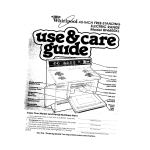
ELECTRIC RANGE
Model RF4900XL
Left Oven Vent
Bake Element
Removable
Copy
Your Model
and Serial Numbers
Here
If you need service, or call with a question, have this
Information ready:
1. Complete Model and Serial Numbers (from the plate
just behind the left oven door).
2. Purchase or installation
date from your sales slip.
Copy this Information
in these spaces. Keep this book,
your warranty and the sales slip together in a handy
place.
See the “Cooking
Guidel’for
important
-___
Model
Number
Serial
Number-.
-__
Purchase/Installation
Service
safety
Company
information.
Date
and Phone Number
Your responsibilities..
l
Proper installation and safe use of your range are your personal
responsibilities. Read this “Use and Care Guide” and the “Cooking
Guide”carefully
for important use and safety information.
Installation
You must be sure your range Is...
l installed
and leveled on a floor
that will hold the weight;
l installed
in a well-ventilated
area protected
from the
weather:
l
properly
connected
to the correct electric supply and
grounding.
(See “Installation
Instructions.“)
l
used only by people
operate it properly;
properly
maintained.
Proper use
You must be sure your range
l used only for jobs expected
of home ranges;
is...
l
Contents
Pespo
!qgc
Prsr
slbllrtle(CT )“
I ( .6‘
5 Cl fe
Using Your Range
Surfc :e IUnIt c3rld GrIddie
Con!
3:s
d
Settir 3 t7e C,ock
:
Usinc. the Mirute Timer
Over Control:.
Thf Right Cven Selector.
The Right ,C\er, Temperature
Cc l+rol
Tht left OvPT) Control
Ric-It Oven -Baking
or
Ro’ IstIng
Let Oven - Baking’ o’l’
Rot istIng
Ad .Jstlng the Oven
Ter oerature Controls
Brc IIng In the Right Oven
Brc 11ng in the Left Oven
p>
1,;jc‘1
;
2
.3
4
4
b
6
6
6
6
6
7
7
8
8
8
who can
Page
Uhrng the Automatic
MEALTIMER
Clock
9
Ttie Oven Lights
11
TheCooktopLight
1:. 12
The Oven Vents
12
Cleaning
and Caring’&
Your Range.
13
Control Panel and Kno’bs : : : : : : : 13
Surface Units and Reflector
Bowls
13
The Griddle :
: : : : : : : : : : : :. : : : : : 14
Removing the Storage
Drawer
15
The Continuous-Cleaning
Left Oven
16
The Right Oven
Self-Cleaning
Cycle
17
Cleaning
Chart.
20
If You Need Service or Help
21
1 Before You Call for Service
21
2. If You Need Service
22
3 If You Hove a Problem
22
Tmk
3
Using your range
Left Oven
Control
Right Oven
Temperature
Right Oven
Manual
Cooktop
Left Oven
Control
Signal
Light
Surface
Unit
Surface Unit
Signal Light
Selector
SURFACE UNIT AND GRIDDLE CONTROLS
Control knobs must
be pushed In before
turnlng. Turn either
way until the setting
you want shows in the
window.
Set them anywhere from HI to OFF.
Until you get used to the settings,
Use HI to start
foods cooklng
or
to brlng llquids
to a boil. Surface
unlt will not turn
red If good contact Is made wlth
bottom of pan.
Use MED-HI to
hold a rapld boil
or to fry chicken
or pancakes.
use the following
The signal light will
glow when a surface
unit or grlddle Is on.
Be sure the lights are
off when you are
not cooklng.
as a guide.
Use MED for
gravy, puddings
and icings, or
to cook large
amounts of
vegetables.
Use MED-LO to
keep food cooking after starting
it on a higher
settlng.
Use LO to keep
food warm until
ready to serve.
Set the heat
higher or lower
wlthln the LO
band to keep
food at the temperature
you
want.
Griddle
Automatic
MEALTIMER
Clock
\
Control
Minbte
Timer
Gridble
Signal Light
Stop Time
Knob
Start Time
Knob
Tmk
Before using the griddle for the first time:
Wash, rinse and dry griddle.
l
Use warm sudsy water.
l
DO NOT immerse griddle.
l
DO NOT use metal scouring pads or
abrasive
cleaners. They will
damage
the non-stick surface.
2. Lightly wipe with cooking oil to season. You
don’t have to grease the griddle every time
you use it. However, oil or butter adds flavoring
and aids browning.
1.
1.
2.
Lift and remove
griddle cover.
DO NOT
replace
until
griddle is cool.
Bacon
Grilled
Preheat for a
few minutes
(until butter
melts or beads
of water dance
on the griddle].
3.
Approxlmate
Griddle
,,,,,.,,,,,.,.,,,,,....,,,,,...,.._..,..,..,,,.,,.,,...........
Sandwiches
Pancakes
Hamburgers
Eggs
,,.,,,,,,,,.....,,,,,.....,,,.....,.,.....,.,,,.,,._._.._...
Add food. Use
only nylon or
plastic utensils.
Metal can
scratch the nonstick finish.
4.
TURN OFF the
griddle when
cooking is finished. Leaving it
ON will damage the griddle.
Settings
HI
HI
HI
MED-HI
MED
5
SETTING THE CLOCK
1.
Push in Minute Timer Knob and turn
clockwise
until clock digits show the right
time of day.
USING THE MINUTE
1.
2.
let the Mlnute Tlmer Knob pop out. Turn
counterclockwise
until the Minute Timer
dial is on OFF. If you push in on the knob, you
3.
4.
When the set time is up, a buzzer will sound
Turn the dial to OFF to stop the buzzing.
TIMER
Without pushing it in, turn the Minute Timer
Knob until the setting showing in the
window IS longer than the one you want.
THE OVEN CONTROLS
The right oven is controlled
by two knobs: a Selector and a Temperature
trol. Both must be on o setting for the oven to heof. The left oven is controlled
knob.
Conby one
THE RIGHT OVEN SELECTOR
With the Right Oven Selector
on BROIL, only the top element heats. (Broiling, pg.8).
With the Right Oven Selector
on BAKE, the bottom element
does most of the work. The
top element heats, but does
not turn red. [Baking, pg. 7).
With the Right Oven SeleCtOr
on TIMED BAKE, the
MEALTIMER Clock can be
used to turn the oven on and
off automatically.
(MEALTIMER
Clock, pg. 9).
THE RIGHT OVEN TEMPERATURE CONTROL
Use the Right Oven Temperature Control to set baking
or roasting temperature
when
the Oven Selector is on BAKE
or TIMED BAKE.
When both the Right Oven
Selector and Temperature
Control are on BROIL, the broil
element heats all the time.
The Right Oven Temperature
Control can be set on a temperature for slower broiling
(see Broiling, page 81.
al1 the time.
When the Left Oven Control
is set on a temperature,
the
bottom element does most of
the work. The top element
heats, but does not turn red.
THE LEFT OVEN CONTROL
When the Left Oven Control
is set on BROIL, only the top
element heats, and it heats
6
RIGHT OVEN - BAKING OR ROASTING
Lift rack at front and pull out
Set the Right Oven Selector
on BAKE.
Put the rack(s) where you
want them before turning on
the oven.
Rack(s) should be placed
so food can be centered
in
the oven. Always leave at
least 112 to 2 inches (4-5 cm]
between the sides of the pan
and the oven walls and pans.
For more information,
see the
“Cooking
Guide.”
Set the Right Oven
Temperature
Control to the
baking temperature
you
want.
Off.
7
6
Put food in the oven. Oven
rock, walls and door will be hot
Let the oven preheat until the
Right Oven Signal Light goes
During baking, the elements
will turn on and off to help
keep the oven temperature
at the setting. The Signal Light
will turn on and off with the
elements.
The top element helps heat
during baking, but does not
turn red.
When baking is done, turn
both knobs to OFF.
LEFT OVEN - BAKING OR ROASTING
The left oven is best used as a warming oven, for heating smaller casseroles, or
for baking many kinds of frozen convenience
foods. Baking and broiling times
may be longer than in the right oven. Large pans and bakeware
can block air
circulation
needed for proper baking. The right, or primary, oven should be used
Put the rack where you want it
before turning on the oven.
Allow
1% to 2 inches
Set the Left Oven Control to
the temperature
you want. Let
the oven preheat until the
Left Oven Signal Light goes off.
(4-5 cm] between
Put food in the oven. Oven
walls and door will be hot
rock
pans and oven walls for proper
air circulation.
7
ADJUSTING
THE OVEN TEMPERATURE CONTROLS
Does either oven seem to be hotter or colder than your old oven at the same
settings? The temperature
setting in your old oven may have changed
gradually
over the years. The accurate
setting of your new oven can seem different. If you
think the oven temperature
needs adjusting, follow these steps
1.
2.
Pull the Oven
Temperature
Control straight
Off
Tighten
BROILING
Loosen the locking screw;
NOTICE position
of notches.
the locking
screw.
3.
To lower the temperature, move
black part of
knob closer to
LO. Each notch
equals about
10-F (5’C).
Replace the knob.
4.
To raise the temperature, move
black part of
knob closer to HI
Each notch
equals about
IO-F (5-C).
IN THE RIGHT OVEN
1.
Place-the rack where you
want it for broiling. (See
2.
Put the broiler pan and
food on the rack.
3.
Set the Right Oven Selector on BROIL.
4.
Set the Right Oven Temperature Control on BROIL
(or on a lower temperature for slower broiling).
5.
During broiling, the oven
door must be partly
open. A built-in stop will
hold it there.
6.
When broiling is done,
turn both knobs to OFF.
For slower broiling, [Right Oven only) set the Oven Temperature
Control on
a temperature
instead of BROIL. The broil element will then turn on and off instead
of staying on, The lower the temperature
setting, the slower the broiling.
The Oven Selector
must be on BROIL and the door partly
BROILING IN THE LEFT OVEN
3.
1. Place a rack where you
want it for broiling. (See
page 9 for suggestions.)
2. Put broiler pan and food
on the rack.
a
open
Set Left Oven Control to
HIGH BROIL. [For slower
broiling, turn to HIGH
BROIL, then to a temperature setting.]
for all broiling
temperatures.
4. During broiling the oven
door must be partly open
-about
4 inches (10 cm).
5. When broiling is done,
turn the control to OFF.
Suggested
oven-rack
Food
Beef Steaks
Rare
Medium
Well done
Beef Steaks
Rare
Medium
Well Done
Hamburgers
Lamb Chops
Medium
Ham slice, precooked
or tendered
Canadian
Bacon
Pork Rib or Loin Chop
Well done
Chicken
Fish
Liver
positions
Minutesset to BROIL
2nd side
1 ‘(2.5 cm)
1 ” (2.5 cm]
1 ” (2.5 cm]
3”(a cm)
3”(a cm]
3” (a cm]
7-9
9-l 1
11-13
3-5
4-7
5-7
112’(4 cm)
1 12 (4 cm)
1 12” (4 cm]
‘~‘(1 cm]
4”-5’
4”-5’
4”-5”
3” (a
13-l 5
17-19
19-21
6-8
6-8
a-i 0
14-16
4-5
1 (2.5cm)
’ Y-1”
(I-2.5 cm]
1L’ II cml
3.) -1 ”
(2-2.5 cm)
2-3 lb.
(l-l.5 kg)
cut in half
whole
fillets
12 ‘lo4
(1-2 cm]
3” (a cm)
6-8
4-5
3” (a cm)
3” fa cm1
6-8
6
4-5
4
[ 1 O-l 3 cm)
[ 1 O-l 3 cm]
(1 O-l 3 cm)
cm]
4”-5” [ 1 O-l 3 cm]
15
IO
7”-9 [I a-23 cm)
3” (a cm)
3”(a cm]
25-30
11-16
7-a
IO-12
9-l 4
5-7
3” (a cm]
4”-5” (1 O-l 3 cm]
3
6-7
3
4-5
MEALTIMER”:
The Automatic
MEALTIMER Clock is designed
times you set...even when you are not around.
CLOCK
to turn the right oven on and off at
IMPORTANT: Follow these steps in order.
automatically:
Tmk
1.
Put the racks where you
want them and place the
food in the oven.
2.
Set the Right Oven Selector on TIMED BAKE.
3.
4.
Make sure the clock is set
to the right time of day.
5.
Push in and turn the Start
Time Knob clockwise
to the time you want baking to start.
6.
NEXT PAGE
Approximate
Temperature
tst side
Description
USING THE AUTOMATIC
CONTINUED
times
inches (cm) from top
of food to Broil Element
Frankfurters
To start and stop baking
and broiling
Set the Right Oven Temperature Control on the
baking temperature
you
want.
Push in and turn the Stop
clockwise
to the time you want the
oven to shut off.
Time Knob
9
AUTOMATIC
7.
After baking is done, turn
both knobs to OFF.
To stop baking
1.
2.
3.
4.
MEALTIMER”’
8.
CLOCK . . . CONTINUED
To stop the oven before
the preset time, turn both
knobs to OFF.
automatically:
Put the racks where you want them and
place the food in the oven.
Set the Right Oven Selector on TIMED BAKE.
Set the Right Oven Temperature
Control
on the baking temperature
you want.
Make sure the clock is set to the right time
of day.
SPECIAL CAUTION:
Use foods that will not go bad or spoil
while waiting
for cooking
to start. Avoid
using dishes with milk or eggs, cream
soups, cooked
meats or fish, or any item
with baking powder or yeast.
Smoked or frozen meats may be used;
so can vegetables,
fruits and casseroletype foods. Vegetables
can be cooked
in
If the steps for using the Automatic
MEALTIMER Clock are not followed
in
order, the electric oven door lock may be
turned on. The door will then either:
0 not open;
l not close
all the way (the oven light
stays on].
If the Door Won’t Open:
Make sure the Clock and Start and
Stop Times are set to the right time of
day.
2. Turn the Right Oven Selector to CLEAN.
3. Push in and turn the Stop Time Knob
past the right time of day.
4. Wait 30 seconds.
5. Turn the Right Oven Selector to OFF; the
door will be unlocked
within 10
seconds.
1.
10
5.
Push in and turn the Stop Time Knob clockwise to the time you want the oven to shut
Off.
6.
7.
After baking is done, tC!rn both knobs to
OFF.
To stop the oven before the preset time,
turn both knobs to OFF.
a covered
baking dish with about a halfcup (118 mL) of water for 1 to 1% hours.
Any food that has to wait for cooking
to
start should be very cold or frozen before
it is put in the oven. MOST UNFROZEN
FOODS SHOULD NEVER STAND MORE THAN
TWO HOURS BEFORE COOKING STARTS.
If the Door Won’t Close:
1. Make sure the Clock and Start and
Stop Times are set to the right time of
day; open the oven door.
2. Turn the Right Oven Selector to CLEAN.
3. Push in and turn the Stop Time Knob
past the right time of day.
4. Push the automatic
oven light switch in
and hold it in for10 seconds.
5. Let the oven light switch go and turn the
Right Oven Selector to OFF.
6. Push in the automatic oven light switch
and hold it for another IO seconds.
7. Close the oven door.
Tmk
THE OVEN LIGHTS
The right oven light will come on when you open the oven door or when you
push the manual OVEN LIGHT switch. Close the oven door or push the switch
again to turn off the light.
The left oven light will come on only when you open the oven door. Close the
door to turn it off.
To replace
1.
the right oven light bulb:
Turn off the electric
at the main power
power
supply.
2. Remove the bulb cover by
pulling out on the wire
holder and moving it to the
side.
3. Remove the light bulb from
its socket.
5. Replace the bulb cover
and snap the wire holder
in place. The bulb must
have this cover when the
oven is being used.
6.
-A
4. Replace the bulb with a
40-watt appliance
bulb
available
from most grocery, variety and
hardware stores.
To replace
1.
the left oven
Turn off the electric power at
the main power
supply.
2.
light
Turn electrical
power back
on at main power supply.
bulb:
Remove the light
bulb from its
socket.
3.
Replace the bulb
with a 40-watt
appliance
bulb
available
whereever light bulbs
are sold.
4.
Turn electric
power back on
at main power
supply.
11
THE COOKTOP LIGHT
To turn on the fluorescent
light over the Control Panel, push the button on the control
panel marked TOP LIGHT. Hold it in for a second before letting it go. Push it again to
shut off the light.
To replace
the light tube:
1.
Turn off the electric
at the main power
SUPPlY.
power
2.
Holding the light tube
cover at both ends, swing
it back.
3.
Turn the fluorescent tube
one qliarter turn toward
you.
4.
Replace with any 25-watt
cool-white
fluorescent
tube by inserting and
turning the tube one
quarter turn away from
you.
5.
Swing the cover
over the tube.
6.
Turn electric power back
on at the main power
SUPPlY.
THE OVEN VENTS
Hot air and moisture escape from the ovens
through vents under the rear surface units. You
can cock on the units, or keep food warm on
them while the ovens are on. Plastic utensils left
over the vents can melt.
Do not block the vents. Poor baking can result.
back
Cleaning and caring for your range
CONTROL PANEL AND KNOBS
SURFACE UNITS AND
REFLECTOR BOWLS
REMOVING
1.
First make sure oven and surface
unit
control
knobs are set on OFF. All knobs
pull straight off. Surface unit knobs have
a collar and spring.
2.
Use warm soapy water and a soft cloth to
wipe the panel. Rinse and wipe dry.
3.
Wash knobs and surface
unit collars
warm soapy water. Rinse well and dry.
4.
Push knobs straight back on. Make sure
they point to OFF. Make sure the collar and
spring on surface unit knobs are put together as shown.
in
I.
Be sure surface
2.
Lift the edge of the unit opposite the receptacle just enough to clearthe
reflector bowl.
3.
Pull the surface
receptacle.
4.
Lift out the reflector
units are OFF and COOL.
unit straight
away
from the
bowl and trim ring.
13
1.
Be sure surface
While pushing the surface unit terminal into
the receptacle,
lift a little on the edge of
the unit nearest the receptacle.
5.
When the terminal
is pushed into the receptacle
as far as it will go, the surface unit
will fit into the trim ring.
unit controls
\
are OFF.
Receptacle
Opening
I
4.
2.
Line up opening
in the reflector bowl
notch in trim ring with the surface
receptacle.
and
unit
3.
Hold the surface unit as level as possible
with the terminal
just started
into the
receptacle.
Reflector bowls reflect heat back to the
utensils on the surface units. They also help
catch spills. When they are kept clean, they
reflect heat better and look new longer.
If a trim ring gets discolored,
some of the
utensils used may not be flat enough. Or
some may be too large for the surface unit.
In either case, some of the heat that is meant
to go into or around a utensil goes down
and heats the trim ring. This extra heat can
discolor it.
THE GRIDDLE
1.
14
To remove, lift
and remove
griddle cover.
2.
Lift front slightly
by the handle.
3.
With both
hands, pull
griddle toward
you to unplug it.
Terminal
1.
To replace,
use
both hands to
line up the
terminal with
the receptacle.
2.
Slide so tabs on
the griddle fit
into the notches
on each side.
3.
Replace cover
only over clean,
cool griddle.
STORAGE DRAWER
The storage drawer is for storing pots and pans. Never store anything
in there
that can burn or melt In the drawer. Use care when handling the drawer.
REMOVING THE STORAGE DRAWER
1.
Pull drawer straight
the first stop.
out to
2.
Lift front and pull out to
the second stop.
3.
Lift back slightly and slide
drawer all the way out.
3.
Lift drawer front to clear
second stop and slide
drawer closed.
REPLACING THE STORAGE DRAWER
1.
Fit ends of Drawer Slide
Rails into drawer guides
or both sides of opening.
2.
Lift drawer front and push
in until metal stops [on
drawer slide rails] clear
white stops on drawer guides.
15
THE CONTINUOUS-CLEANING
LEFT OVEN
Standard oven walls are coated with smooth porcelain-enamel.
Your
continuous-cleaning
oven walls are coated with a special, rougher
porcelain-enamel.
A fat spatter beads up on the smooth surface, but spreads out on the rougher
surface. The bead of fat chars and turns black. The spread-out
fat gradually
burns away at medium to high baking temperatures
(350 -475 ‘F,176’-231’C) so
the oven can return to a presentably
clean condition.
Fat Spatter
Spreads Out,
Burns Away
Fat Spatter
Beads Up,
Turns Black
Standard
porcelain-enamel
Continuous-cleaning
porcelain-enamel
HAND CLEANING
DO NOT USE OVEN
CLEANING PRODUCTS.
Some can be trapped
in
the porcelain-enamel
surface and give off
harmful fumes.
WINDOW-Keep
clean
with hot sudsy water.
Do not use steel wool or
abrasive
cleansers. Use a
plastic scouring pad for
stubborn spots. Rinse well.
RACKS - Use a soapy
steel-wool
pad for best
results. Rinse well.
WALLS AND DOOR-Wash
with hot soapy
water. Use a soapy steel-wool
pad or
plastic scouring pad for stubborn spots.
Rinse well
16
TIPS
1.
The oven rack does not have the
continuous-cleaning
surface. Clean
by hand.
3.
it
If you do more broiling than baking,
cleaning
may be needed.
hand
2. The oven door does not get as hot as the
walls. Some hand cleaning
be needed.
may
THE RIGHT OVEN SELF-CLEANING
The self-cleaning
cycle uses very
you start, make sure you understand
safely.
high heat
exactly
CYCLE
to burn away soil. Before
how to use the cycle
BEFORE YOU START
1.
Clean areas that may not be cleaned
during the cycle. Use hot water and detergent or a soapy steel-wool pad on...
l the frame
around the oven
l the inside
of the door, especially
the part
outside the oven seal.
DO NOT try to clean the flberglass
seal. DO
NOT move it or bend It.
2.
3.
4.
Remove any pots or pans you may have
stored in the oven. They can’t stand the
high heat.
Wipe out any loose soil or grease. This will
help reduce smoke during the cleaning
%%en
racks on the top two guides. Put
two reflector bowls upslde down on
each. They should not touch each other or
the oven walls.
Clean Door
Clean Frame
17
SPECIAL TIPS
1.
Keep the kitchen well
ventilated
during the
cleaning
cycle to help
get rid of normal heat
odors and smoke.
4.
Oven racks lose their shine, discolor
and become harder to slide on their
guides when they are left in the oven
during the cleaning
cycle. To make
them slide easier, polish the edges of
the racks and rack guides with a soapy
steel-wool pad, rinse well, and wipe
on a thin coat of salad oil.
2.
Clean the oven before
it gets heavily soiled.
Cleaning
a very soiled
oven takes longer and
results in more smoke
than usual.
5.
3.
If the cleaning
cycle
doesn’t get the oven as
clean as you
expected,
the cycle
may not have been set
long enough. Set the
cleaning
time longer
for heavier soil.
To stop the cleaning
cycle after it has
started:
l Turn the Stop Time Knob clockwise
until the hand points to the right time
of day.
l Turn the Right Oven
Selector and Right
Oven Temperature
Control to OFF.
l When the oven
cools, you can open
the door. Wait until the oven is cool.
SPECIAL CAUTIONS
DO NOT block the vent
during the cleaning
cycle.
Air must move freely for
best results.
DO NOT touch the range
during the cleaning
cycle
...it can burn you.
DO NOT use foil or other
liners in the oven. During
the cleaning
cycle, they
can burn or melt.
DO NOT use commercial
oven cleaners in your oven.
Damage to the porcelain
finish may occur.
SETTING THE CONTROLS
1.
18
Make sure the clock
and start and stop
time dials all have the
right time of day.
2.
Push in the Stop Trme
Knob and turn the
hand clockwise
about two or three
hours. (Two hours for
light soil; three or
more for heavier soil.)
3.
Set the Right Oven
Selector to CLEAN. The
Clean Light will come
on and the door will
lock automatically.
4.
Set the Right Oven
Temperature
Control
to CLEAN.
5.
The Lock Light comes
on when the oven
gets above normal
baking temperatures.
The door can’t be
unlocked when the
Lock Light is on.
7.
Turn the Right Oven
Temperature
Control
to OFF.
8.
After the oven is cool,
wipe off any residue
or ash with a damp
cloth. If needed,
touch up spots with
cleanser or soapy
steel-wool pod.
6.
When the Lock Light
goes off, turn the Righl
Oven Selector to OFF.
This unlocks the door.
DO NOT TOUCH THE RANGE DURING THE CLEANING CYCLE. IT CAN BURN YOU.
HOW IT WORKS
During the self-cleaning
cycle, the oven gets much hotter than it does
for baking
or broiling...approximately
875” F (468” C). This heat breaks
up grease and soil, and burns it off.
The graph shows approximate
temperatures
and times during a selfcleaning
cycle set for two hours.
SELF-CLEANING
CYCLE -TWO
(Approximate
Temperatures
HOUR SETTING
and limes)
427 C
204 C
200 F
START
% hr.
1 hr.
1% hrs.
2 hrs.
Notice that the heating stops when the two-hour setting
while longer for the oven to cool down enough to unlock.
2% hrs
is up, but that it takes a
19
CLEANING CHART
PART
Outside
of range
WHAT TO USE
Soft cloth, worm soapy water
Nylon or plastic scouring pod
for stubborn spots
Surface
units
No cleaning
required
Worm, soapy
water
Griddle
Control
chrome
knobs and
rims
Worm, sudsy water
brush
and bristle
Porcelain-enamel
reflector bowls
Automatic
dishwasher
or worm,
soapy water
Self-Cleaning
Oven cycle
Chrome
Automatic
dishwasher,
soapy water or plastic
scrubbing
pod
trim rings
warm,
HOW TO CLEAN
l Wipe
off regularly when range is cool.
l
Do not allow food containing
acids (such
OS vinegar, tomato, lemon juice or milk] to
remain on surface. Acids will remove the
glossy finish.
l
Do not use abrasive or harsh cleansers.
l Spotters
or spills will burn off.
l
Wipe off excessive
spills with a damp
cloth when surface unit is cold.
l
Wash, rinse and dry well.
l
Do not immerse in water.
l
Do not use steel wool, metal scouring
pods or harsh cleaners.
l
Wash, rinse and dry Well.
l
Do not soak.
l
Wipe out excess spills. Wash with other
cooking utensils for routine cleaning.
l
Place upside down on oven rocks during
Self-Cleaning
cycle of oven.
l Wash with other
cooking
utensils.
Do not place in Self-Cleaning
Oven.
Wash with other cooking
utensils
l
Do not place in Self-Cleaning
Oven.
l
Make certain oven is cool. Wash, rinse
Worm, soapy water or plastic
Oven door gloss
and dry well with soft cloth.
and control panel
scrubbing
pod
l
Follow directions with cleaner.
Commercial
gloss cleaner
Self-Cleaning
Oven cycle
l
Leave in oven during Self-Cleaning
Oven racks
cycle.
Worm, soapy steel wool pods
l
Wash, rinse and dry. Use soapy steel
wool pods for stubborn areas.
For oreas outside Self-Cleaning
l Clean
before using Self-Cleaning
cycle
Self-Cleaning
to prevent burn-on of soil.
ore0 use worm, soapy water or
Right Oven
soapy steel wool pods
l
Follow directions given on pages 17-19.
Worm, soapy water or soapy
l
Clean stubborn spots or stains. Rinse well
Continuoussteel wool pods
with clean water.
Cleaning
Left
Oven
l
Follow directions on page 16.
Most fat spotters on the Continuous-Cleaning
porcelain-enamel
interior
surface gradually
reduce to CI presentably
clean condition
during normal
baking or roosting operations
Do not use foil to line the bottom of your Self-Cleaning
Oven.
Do not use commercial
oven cleaners
in either oven.
Broiler pans and
grids
20
~~
Worm, soapy water or soapy
steel wool pods
l
l
If you need service or help, we suggest you
follow these three steps:
1a
BEFORE YOU CALL
FOR SERVICE”‘:
If your range does not seem to be operating properly, check the following
before
calling for service.
If nothing operates:
l
Is the range plugged
into on operating
outlet or wired into a live circuit with the
proper voltage?
[See Installation
Instructions.)
l
Hove you checked
the main fuse or circuitbreaker box?
If the right oven will not operate:
l
Is the Right Oven Selector turned to a setting
(BAKE or BROIL, but not TIMED BAKE)?
l
Is the Right Oven Temperature
Control
turned to a temperature
setting?
l
Is the Stop Time Knob pushed in?
Is the left oven will not operate:
l
Is the Left Oven Control turned to CI setting?
If surface units will not operate:
l Are surface
units plugged
in all the way?
l
Do the control knobs turn?
If surface unit control knob or knobs will not
turn:
l Did you push in before
trying to turn?
l
Is the spring replaced
OS shown on page 13?
If the Right Oven Self-Cleaning
Cycle will nOf
operate:
l Are the Oven
Selector and the Oven Temperature Control set to “CLEAN?”
l
Does the Start Time Dial show the correct
time of day?
l
Is the Stop Time Dial set ahead to the time
you wont the cleaning
cycle to stop?
If cooking results aren’t what you expect:
l
Is the range level?
l Are you using
pans recommended
in the
Cooking Guide?
l
If baking, hove you allowed
I1/Z to 2 inches
(4-5 cm) on all sides of the pans for air
circulation?
l
Do the oven temperatures
seem too low or
too high? See page 8, “Adjusting the Oven
Temperature
Controls.”
l
Hove you preheated
the oven as the recipe
tolls for?
l Are the pans
the size called for in the
recipe?
l Are you following
a tested recipe from a
reliable source?
l
Do the cooking utensils hove smooth, flat
bottoms?
l
Do the cooking
utensils fit the surface unit
being used?
See the Cooking Guide for more information
on cooking
problems
and how to solve them.
If soil is visible on the continuous-cleaning
left oven finish:
l The special
finish is designed
to gradually
reduce oven soil during normal baking
or roasting. It is not designed
to keep your
oven spotless...only
presentably
clean.
l
If you broil often, you may see oven soil.
l The door
is coolerthan
oven walls. Soil will
be more visible on the door than other
areas in the oven. See page 16, “Hand
Cleaning.’
21
2
l
IF YOU NEED SERVICE”::
If your WHIRLPOOL” appliance
ever needs
service anywhere
in the United States, help is
just a phone
call away...to
your nearest
Whirlpool
franchised
TECH-CARE”
service
representative.
Whirlpool
maintains
a nationwide
network
of franchised
TECH-CARE service companies
to fulfill your warranty
and provide after-warranty service and maintenance
to keep your
WHIRLPOOL appliance
in peak condition.
You’ll find your nearest TECH-CARE service
company
listed in your local telephone
book
Yellow
Pages
under APPLIANCES - HOUSEHOLD - MAJOR-SERVICE
AND REPAIR. Should
you not find a listing,
dial the Whirlpool
COOL-LINE * service assistance
toll-free telephone number:
Continental
U.S. . . . . Dial (800) 253-1301
In Michigan
. . . . . . . . . Dial (800) 632-2243
Alaska and Hawaii
. Dial (800) 253-l 121
If you move...To make sure that your appliance is correctly
installed
and to insure its
continued
satisfactory
operation,
please telephone your nearest TECH-CARE service company for installation
or to get the name of a
qualified
installer.
(Installation
cost will, of
course, be paid by you.)
Helpful hints...You can help your TECH-CARE
service representative
give you faster service
if you include the model and serial number of
your appliance
when requesting service. Also,
retain your sales slip and warranty
to verify
your warranty status.
22
Remember...Your
TECH-CARE service
representative
is specially
trained
in the expert
repairing
and servicing
of your WHIRLPOOL
appliances.
He can help you maintain
the
quality
originally
built into your WHIRLPOOL
appliance.
So why not take the time, now, to
look up his telephone
number and jot it down
in the space provided
on the cover.
3
l
IF YOU HAVE A PROBLEM:“:
Call Whirlpool Corporation
in Benton Harbor
at the COOL-LINE service
assistance
telephone number (see step 2) or write:
Mr. Guy Turner, Vice President
Whirlpool Corporation
Administrative
Center
2000 U.S. 33 North
Benton Harbor, Michigan
49022
If you must call or write, please provide: your
name, address, telephone
number, type of appliance,
brand, model, serial number, date of
purchase, the dealer’s name, and a complete
description
of the problem.
This information
is
needed
in order to better respond to your request for assistance.
THIS PAGE
INTENTIONALLY
LEFT
BLANK
FSP
0R
FSP rs a registered
trademark
of Whirlpool
Corporation
for
quahty parts. Look for this
’ symbol of qualrty whenever
you need a replacement
part
for your Whirlpool
appliance.
FSP replacement
parts
will fit right and work right, because
they are
made to the same exacting
specrticatlons
used to build every new Whirlpool
appliance.
FKirlpool
Home
Apphances
Benlon Harbor, Michigan. Automatic Washers, Ciolhes Dryers.
Freezers, Refrigerator-Freezers,
Ice Makers, Dishwashers.
Built-in Owens and Surface Units, Ranges. Microwave Ovens.
Compactors, Room Air Conditioners. Dehumidiliers.
Cenlral
Healing and Air Conditioning Systems.
Quality. Our way of life.
Part
No. 1324839/877617
Printed
in U.S.A.