1
3
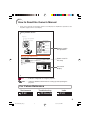
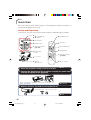
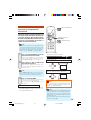
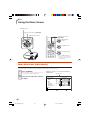
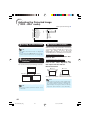
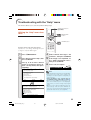
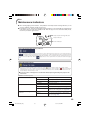
Press P or R and select “Bright”
to adjust.
• The selected item is highlighted.
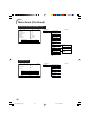
Picture
SCR
Picture Mode
Contrast
Bright
Red
Blue
CLR Temp
Bright Boost
Lamp Setting
Reset
PRJ
Net.
Help
Standard
0
0
0
0
7500K
1
Bright
SEL./ADJ.
Single ADJ
END
Items to be adjusted
Pict.
SCR - ADJ
Resize
Image Shift
Keystone
Auto Keystone
PRJ
Net.
Help
Normal
0
0
Off
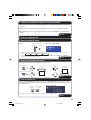
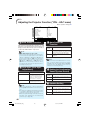
To adjust the projected
image while watching it
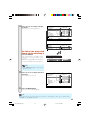
Press hENTER.
• The selected item (e.g. “Bright”) is displayed by itself at the bottom of the
screen.
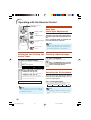
• When pressing P or R, the following item
(“Red” after “Bright”) will be displayed.
The item displayed by itself
Picture
Bright
SEL./ADJ.
0
Rtn. Menu
END
Note
• Press hENTER again to return to the
previous screen.
4
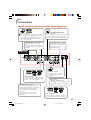
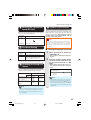
Press O or Q to adjust the item
selected.
• The adjustment is stored.
Picture
Picture Mode
Contrast
Bright
Red
Blue
CLR Temp
Bright Boost
Lamp Setting
Reset
SEL./ADJ.
5
SCR
PRJ
Net.
Help
Standard
0
15
0
0
7500K
1
Bright
Single ADJ
END
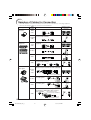
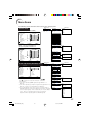
Press BMENU/HELP.
• The menu screen will disappear.
Note
• Menu buttons do not function while the projector is operating the “Auto Sync”, “Break Time”,
“FREEZE”, or “AV MUTE” functions.
41
EIP-3000N_EN_CD_i
41
06.5.10, 9:46 AM