1
8.6
Turn on/off the message alert
If the message alert is turned on, the base will give a short
alert beep at the speaker volume set, when there is a new
message recorded on the answering machine.
1.
2.
3.
4.
5.
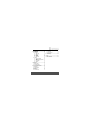
Press P when in idle mode to enter the feature menu.
Use , to scroll to >SETUP BS.
Press P and , to select >MESSAGE ALERT.
Press P and , to select ON or OFF.
Press P to save your preference and return to the
feature menu.
8.7
Remote access
Remote access allows you to operate your answering
machine and listen to your messages by calling your phone
from another phone.
1.
2.
3.
4.
5.
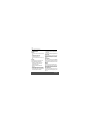
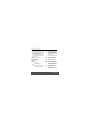
Press P when in idle mode to enter the feature menu.
Use , to scroll to >SETUP BS.
Press P and , to select >REMOTE ACCESS.
Press P and , to select ON or OFF.
Press P to save your preference and return to the
feature menu.
Using your Answering machine
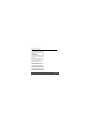
To remotely access your answering system:
1. Dial your telephone number from another telephone.
2. When the system answers, enter the three-digit remote
access code (default remote access code is 123). The
system will automatically announce the number of
messages (new and/or old) if there are any, and then
begin to play them.
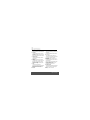
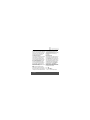
3. You can also enter the following remote commands.
4. Hang up to end the call and save all undeleted
messages.
Press...
To...
1
Listen to all messages.
2
Hear only new messages.
3
Delete the current message during
playback.
4
Repeat the current message duing
playback. Press twice to listen to the
previous message.
45