1
Mobile Apps: Accessing your DVR Using a Mobile Device
2
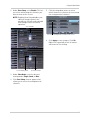
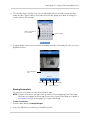
To view manual recordings, see “Viewing Screenshots” on page 85.
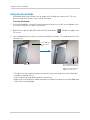
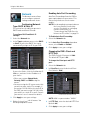
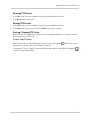
Using PTZ Controls
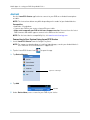
If you have a PTZ camera (not included) connected, you may control it using the app.
NOTE: You must configure the system to communicate with the PTZ camera locally before you
can control it using the app. For details, see “Appendix B: Connecting a PTZ Camera”
on page 102.
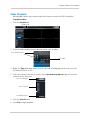
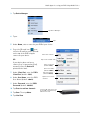
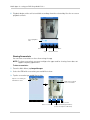
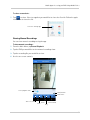
To use PTZ Controls:
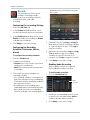
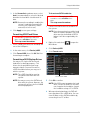
1 Tap the channel with your PTZ camera.
2
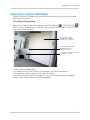
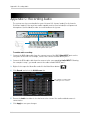
Tap
3
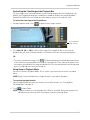
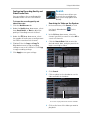
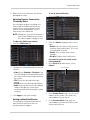
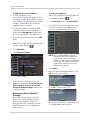
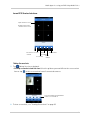
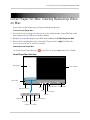
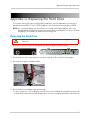
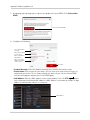
Double-tap the channel to select it in full screen. Use the PTZ controls.
to open PTZ controls.
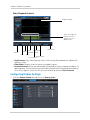
Click the arrows to
control the camera
Call Preset
Zoom in
Set Speed
Focus in
Zoom out
Close PTZ
controls
Iris out
Iris in
Focus out
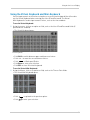
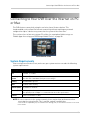
Using Remote Playback Mode on iPhone/iPad
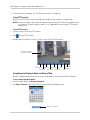
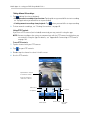
Remote Playback Mode allows you to view recorded video saved on your DVR’s hard drive.
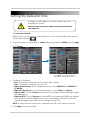
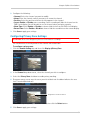
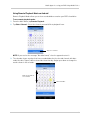
To use remote playback mode:
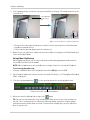
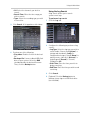
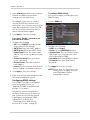
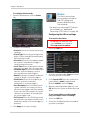
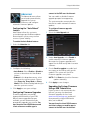
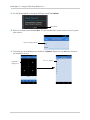
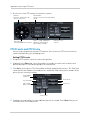
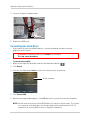
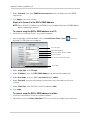
1 From the Main Menu, tap Remote Playback.
2
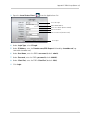
Tap Select Channel. Select the channel you would like to playback from.
Tap select channel
84