1
AWARD BIOS
Standard CMOS
Standard CMOS
Standard CMOS
Standard CMOS
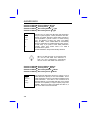
Type
Auto
User
None
1
2
...
45
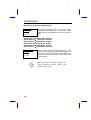
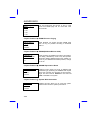
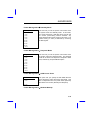
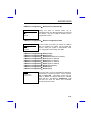
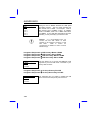
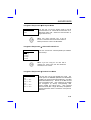
Primary Master Type
Primary Slave Type
Secondary Master Type
Secondary Slave Type
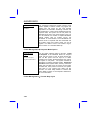
This item lets you select the IDE hard disk parameters
that your system supports. These parameters are Size,
Number of Cylinder, Number of Head, Start Cylinder for
Pre-compensation, Cylinder number of Head Landing
Zone and Number of Sector per Track. The default
setting is Auto, which enables BIOS to automatically
detect the parameters of installed HDD at POST (PowerOn Self Test). If you prefer to enter HDD parameters
manually, select User. Select None if no HDD is
connected to the system.
The IDE CDROM is always automatically detected.
Tip: For an IDE hard disk, we recommend that
you use the "IDE HDD Auto Detection" to
enter the drive specifications automatically.
See the section "IDE HDD Auto Detection".
Standard CMOS
Standard CMOS
Standard CMOS
Standard CMOS
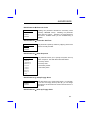
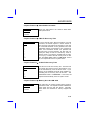
Mode
Auto
Normal
LBA
Large
3-4
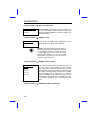
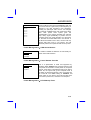
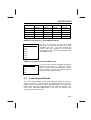
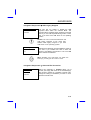
Primary Master Mode
Primary Slave Mode
Secondary Master Mode
Secondary Slave Mode
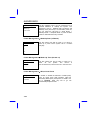
The enhanced IDE feature allows the system to use a
hard disk with a capacity of more than 528MB. This is
made possible through the Logical Block Address (LBA)
mode translation. The LBA is now considered as a
standard feature of current IDE hard disk on the market
because of its capability to support capacity larger than
528MB. Note that if HDD is formatted with LBA On, it
will not be able to boot with LBA Off.