1
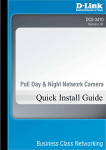
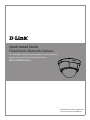
DCS-6112/DCS-6113 Quick Install Guide
This installation guide provides basic instructions for installing the DCS-6112/DCS-6113
Network Camera on your network. For additional information about how to use the camera,
please see the User Manual which is available on the CD include in this package or from the
D-Link support website.
Installation Steps
1.
2.
3.
4.
5.
6.
Verify the package contents against the list below.
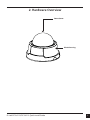
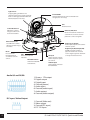
Hardware Overview
Hardware Installation
Configuration with Wizard
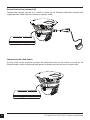
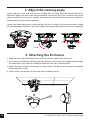
Adjust the Viewing Angle
Attaching the Enclosure
1. Package Contents
• DCS-6112/DCS-6113 Network Camera
• Manual and Software on CD-ROM
• CAT5 Ethernet Cable
• AV / Power cable
• Power Adapter
• Screwdriver
• Screw
• Alignment Sticker
• Quick Install Guide
• Cable Tie
If any of the above items are missing, please contact your reseller.
2
D-Link DCS-6112/DCS-6113 Quick Install Guide