1
S900 User Guide
I – CONSIDERATIONS
Time & Attendance (T&A) Software Consideration
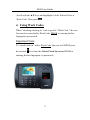
The S900 is designed to work as an Access Control terminal and a Time
& Attendance recorder.
The S900 runs ZK Software’s T&A software. In addition, the S900 will
run numerous 3rd party T&A software applications. Consult with your
local ZK Software office to determine which T&A software application
is suitable your specific needs (www.zk-usa.com).
Environmental Considerations
Do not install or operate the S900 where strong light is present. Intense
light will adversely impact the sensor’s ability to accurately read
fingerprints. The S900 is primarily used for indoor use. If it must be
installed outdoors, protect it with an all-weather protective covering
such as outdoor enclosures. This product is manufactured by STI USA
(www.sti-usa.com).
The S900 operating temperature range is 0° to 40° C (32° to 105° F).
Do not operate the S900 in very hot environments. Keep the S900 away
from direct heat sources and provide adequate ventilation to prevent the
S900 from overheating.
II - Abbreviated Operating Procedures
Step 1:Install the S900 and power it up.
Step 2: Enroll users by registering his/her fingerprints or passwords.
1