1
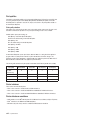
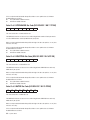
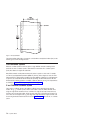
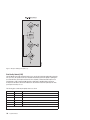
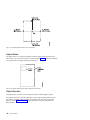
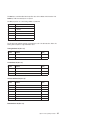
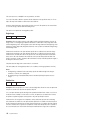
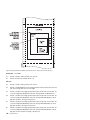
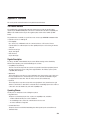
If byte 10A equals X'A0', the current logical page X and Y coordinates determine the origin. When the
block is within a page, GAP bytes 4 through 7 specify the offset from the X-coordinate and Y-coordinate
origin specified in a previously received LPP command (or from the printer default coordinates if no LPP
command was received). When the block is within an overlay that is invoked using an LCC command,
GAP bytes 4 through 7 specify the offset from the Xm-coordinate and Ym-coordinate origin. When the block
is within an overlay that is invoked using an IO command, GAP bytes 4 through 7 specify the offset from
the X-coordinate and Y-coordinate origin specified in the IO command.
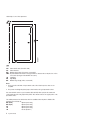
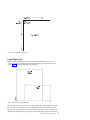
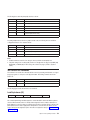
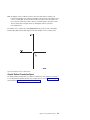
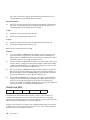
When you use the X,Y coordinate system or the I,B coordinate system with the inline orientation equal to 0
degrees, you must use the 0 degree orientation for graphics.
When you use the I,B reference system and the inline orientation is 180 degrees, you must use the 180
degree orientation for graphics.
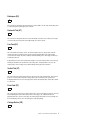
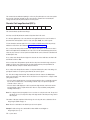
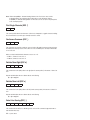
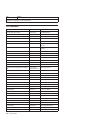
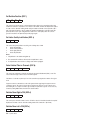
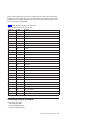
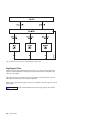
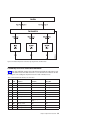
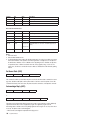
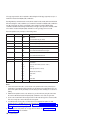
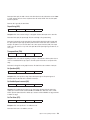
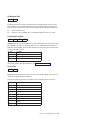
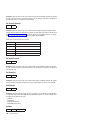
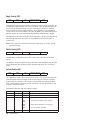
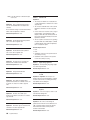
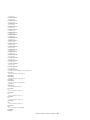
Graphic Output Control (GOC)
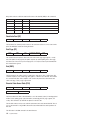
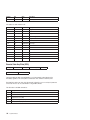
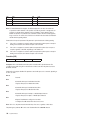
GAP
GOC
GDD
Length
ID
DATA
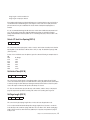
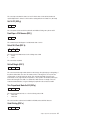
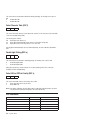
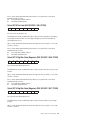
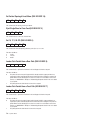
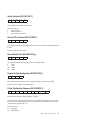
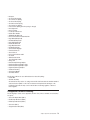
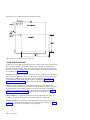
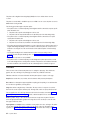
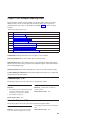
The Graphic Output Control structured field is the second structured field in the DATA portion of the Write
Graphics Control command. This field specifies the size of the graphic block area and a mapping option
for placing the graphic window into the graphic block area. This field is optional and does not need to be in
the Write Graphics Control command. If the GOC field is not present, the printer uses:
v The mapping option X'30' (where offset equals zero)
v X offset and Y offset equals zero
v Graphics block size equals the graphics medium presentation space window size defined in the GDD
self-defining field.
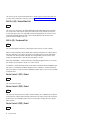
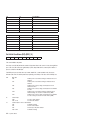
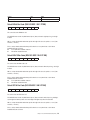
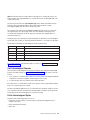
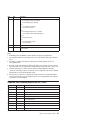
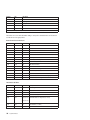
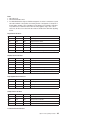
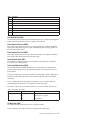
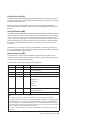
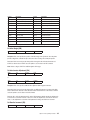
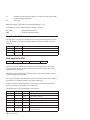
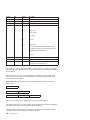
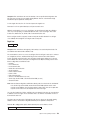
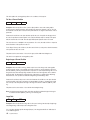
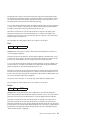
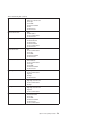
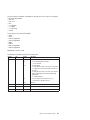
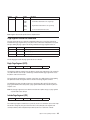
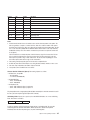
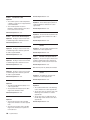
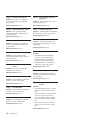
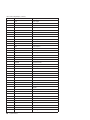
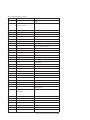
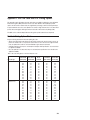
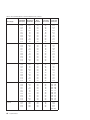
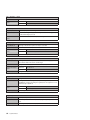
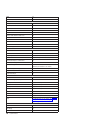
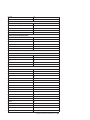
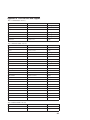
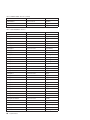
The format of the GOC field is:
Decimal
Hex
Value
Description
0-1
0-1
0010 - (n + 1)
Length of this Structured Field
2-3
2-3
A66B
Structured Field ID
4
4
00
Unit Base (10 in.)
01
Unit Base (10 cm)
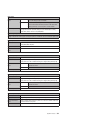
05A0 - 7FFF
Units per Unit Base (10 in.) (See Note 1)
1626 - 7FFF
Units per Unit Base (10 cm) (See Note 1)
1 - 7FFF
Width of Graphic Block Area in Units
FFFF
Use Value From LPD Command
1 - 7FFF
Height of Graphic Block Area in Units
FFFF
Use Value From LPD Command
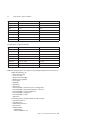
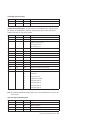
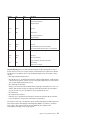
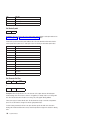
5-6
7-8
9-10
11
5-6
7-8
9-A
B
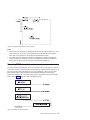
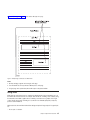
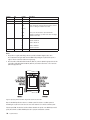
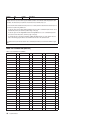
Area Mapping Control Option (See Note 2)
10
Scale-to-Fit
20
Center-and-Trim
30
Position-and-Trim
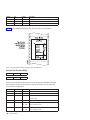
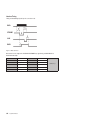
12-13
C-D
8000 - 7FFF
X Offset in Units (See Note 3)
14-15
E-F
8000 - 7FFF
Y Offset in Units (See Note 3)
150
Programmer Manual