1
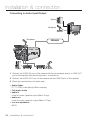
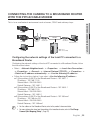
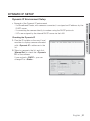
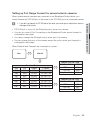
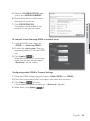
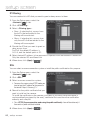
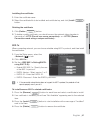
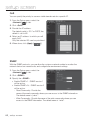
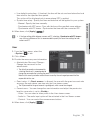
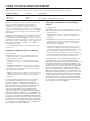
Setting up Port Range Forward for several network cameras When several network cameras are connected to one Broadband Router device, you should forward the TCP 943 port of the router to the TCP 943 port of a connected camera. If you don't set properly the TCP 943 port of the router, you cannot get any video stream from the web page of the camera. • TCP 943 port is a port for the Silverlight policy server of a camera. • You can set a rule of Port Forwarding on the Broadband Router device through its configuration web page. • You cannot change the Silverlight policy server port of a camera. • You can change the ports of the camera except the policy server port through its configuration web pages. When Camera1 and Camera2 are connected to a router : User Ù Internet Ú Start 943 3000 3001 4520 4521 8080 8081 Broadband Router End Protocol 943 TCP 3000 TCP/UDP 3001 TCP/UDP 4520 TCP/UDP 4521 TCP/UDP 8080 TCP/UDP 8081 TCP/UDP IP Address 192.168.1.100 192.168.1.100 192.168.1.101 192.168.1.100 192.168.1.101 192.168.1.100 192.168.1.101 Ù Camera1 (192.168.1.100) Web Server Port 8080 VNP Port 4520 RTSP Port 3000 Policy Server Port 943 Ù Camera2 (192.168.1.101) Web Server Port 8081 VNP Port 4521 RTSP Port 3001 Policy Server Port 943 English _33 ● NETWORK CONNECTION AND SETUP J