1
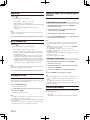
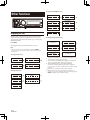
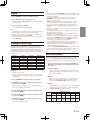
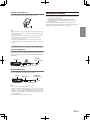
Remove the iPod/iPhone
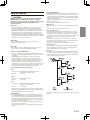
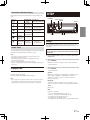
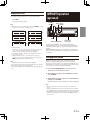
Mounting the Microphone
Remove the iPod/iPhone from Interface cable for iPod.
For the sake of safety, mount the microphone in the following location.
• In a stable and secure location.
• In a location that does not inhibit safely driving the vehicle.
• Mount the microphone in a location where the driver’s voice can
easily be picked up.
Choose a location for the microphone that can easily pick up the
driver’s voice. Requiring the driver to move towards the microphone for
audibility causes a distraction that could be dangerous.
Note
• After changing the unit to a source other than the USB iPod, remove the
iPod/iPhone. If the iPod/iPhone is removed in the USB iPod mode, data
may cause damage.
• If sound is not output or the iPod/iPhone is not recognized even when
the iPod/iPhone is connected, remove the iPod/iPhone once, then
connect it again, or reset the iPod.
• Do not leave the iPod/iPhone in a vehicle for a long time. Heat and
humidity may damage the iPod/iPhone and you may not be able to play
it again.
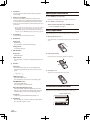
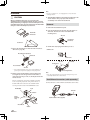
USB Memory Connection (sold separately)
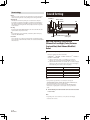
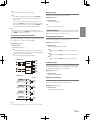
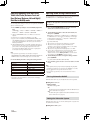
Connect USB Memory
Connect the USB cable to the USB connector of the unit, and then
secure the connection using the lock case supplied with USB cable as
shown below.
USB Memory
(sold separately)
This unit
lock case
USB Connector
Cable (Supplied)
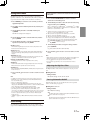
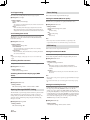
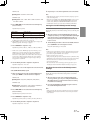
Remove USB Memory
Pull out USB Memory squarely from the USB cable.
This unit
USB Connector
USB Memory
(sold separately)
Cable (Supplied)
Note
• When removing USB Memory, pull it out straight..
• If sound is not output or USB Memory is not recognized even when USB
Memory is connected, remove USB Memory once, then connect it again.
• Change to a source other than the USB Memory mode, then remove the
USB Memory. If the USB Memory is removed in the USB Memory mode,
data may be damaged.
• Route the USB cable away from another cables.
49-EN