1
Contents
English
General Information
Disc Operations
Features ................................................................ 10
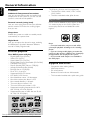
Discs for playback .............................................. 10
Supplied accessories .......................................... 10
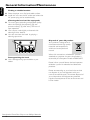
Environmental information .............................. 11
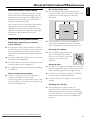
Care and safety information ...................... 11-12
Playing discs ......................................................... 24
Using the disc menu .......................................... 24
Basic playback controls ............................... 24-26
Pausing playback
Selecting a track/chapter/title
Resuming playback from the last stopped
point
Zoom
Repeat
Repeat A-B
Program
Forward/Reverse Searching
Time search & search by chapter/track
number
Information display during playback
Special disc features ........................................... 26
Playing a Title
Camera Angle
Changing the Audio Language
Changing the Audio Channel
Subtitles
Playing MP3/WMA disc ..................................... 27
General operation
Playback selection
Playing JPEG Picture CD ................................... 27
General operation
Playback selection
Special JPEG features ......................................... 28
Zoom picture
Slide show playback modes
Playback with multi-angles
Playing a DivX disc ............................................. 28
Connections
Step 1: Placing speakers .................................... 13
Step 2: Connecting speakers ............................ 14
Step 3: Antenna connection ............................. 14
Step 4: Connecting TV ................................. 14-16
Using SCART jack
Using Video In jack
Using S-Video In jack
Using an accessory RF modulator
Step 5: Connecting the power cord ............... 16
Optional: Connecting additional equipment 1617
Controls
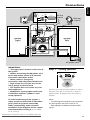
Controls on the system .................................... 18
Controls on the remote control .............. 18-19
Preparations
Step 1: Inserting batteries into the remote
control .................................................................. 20
Using the remote control to operate the
system
Step 2: Setting the clock ................................... 20
Step 3: Setting video preference ............... 21-22
Step 4: Setting language preference ................ 22
Basic Functions
Switching the system on ................................... 23
Switching the system to Eco Power Standby
mode ..................................................................... 23
Power-saving automatic standby ..................... 23
Sound control ..................................................... 23
DBB
Volume control ................................................... 23
Downloaded From Disc-Player.com Philips Manuals
8