1
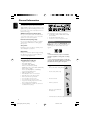
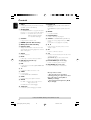
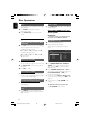
Fast search
Notes:
– This function is not available for DVD discs and
VCD 2.0 when PCB is on.
– If you open the disc compartment, the program
will be cleared.
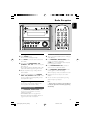
● Press and hold TUNING 4/¢ (22/33
on the remote) to fast reverse or forward the
disc.
For DVD/VCD
(reverse): 22 X2 p 22 X4 p 22 X8 p
22 X20 p PLAY 3
(forward): 33X2 p 33X4 p 33X8 p
33X20 p PLAY 3
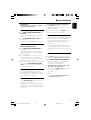
GOTO
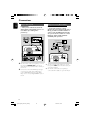
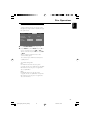
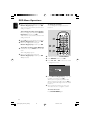
This function allows you to start playback at any
chosen time on the disc.
1
For CD
(reverse): 22 X2 pPLAY 3
(forward): 33X2 pPLAY 3
3
For DVD
To resume normal play, press 38 (PLAY/
PAUSE 38 on the remote).
Search
Time
Title/Chapter
Note:
– This function is not available for MP3/WMA
discs.
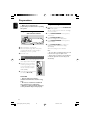
You can play the contents of the disc in the order
you want. At most 20 tracks can be stored.
Load the desired disc on the disc tray.
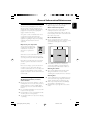
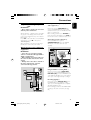
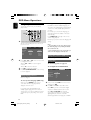
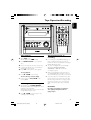
While playback is stopped, press PROGRAM
(ANGLE/PROG on the remote) to enter
program mode.
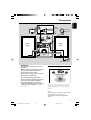
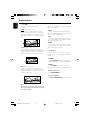
➜ The following menu is displayed on the TV
screen.
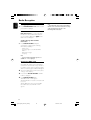
Program Input
1
6
2
7
3
8
4
9
5
10
-----------
-----------
-----------
-----------
11
12
13
14
15
16
17
18
19
20
3
Use the Numeric Keypad (0-9) to input the
track number in the order you want.
4
Press OK to store the track.
--:--:---/--
For CD/VCD/SVCD
Search
Time
Track
Programming favorite tracks
1
2
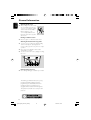
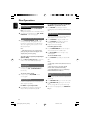
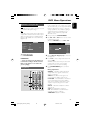
Press GOTO during playback.
➜ A window appears on the TV for you to input
time and title/chapter/track number.
2
--:--:----
Use the Numeric Keypad (0-9) to input the
time, from which playback will star t.
OR
Press 4 on the remote and then use the
Numeric Keypad (0-9) to input the desired
track number.
3
Press OK to confirm.
Notes:
– In the repeat all mode, you can search a desired
time point.
– This function is not available for MP3.
– It is impossible to set time and track number at
the same time.
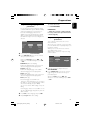
● Repeat step 3 to store other tracks.
5
Press 38 (PLAY/PAUSE 38 on the remote)
to play the program.
6
To exit the program mode, press 9 (STOP9 on
the remote).
25
pg001-pg040_MCD510_22-Eng
25
2005.9.5, 16:29
English
Disc Operations