1
5.9.1
Flash Sensor Limit for Auto and Auto Fill Modes
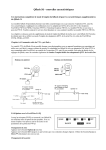
Flash sensor limit is an option that limits the distance that the sensor
“sees” when the Qflash is in Auto mode. If the subject has no background
(an open field outside) or the background is far away (a large catering
hall), the sensor tries to balance the light from the subject with the lack of
light coming from the background. The result is an over exposed subject.
By limiting the sensor distance, the sensor will no longer try to balance the
light from a far background, but will set exposure only for the subjects that
are within the sensor limit distance. Sensor limit works for any Auto mode
including Program Auto (Section 5.8).
Setting the Sensor Limit
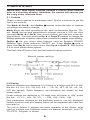
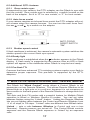
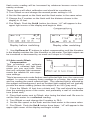
Press Option ■ once and push Set G once. The sensor limit will blink.
2. Use Up J or Down L buttons to change the sensor limit. The available
limits are:
∞ - no limit placed on sensor distance
20ft / 6m,
15ft / 4m,
10ft / 3m,
5ft / 2m,
When the Flash Sensor Limit is set to ∞ Ft, the flash will produce the
desired F/number for a subject within the flash’s minimum and maximum
flash distance.
If, for example, the Flash Sensor Limit is set to 15 Ft, the flash will have a
maximum output of the desired F/number up to the sensor limit in this
case 15 feet).
Quick turn ON / OFF of Sensor Limit
There are times you may want to quickly change from a Sensor Limit distance, to no sensor limit [∞]. For example, at a wedding reception you may
shoot close up from 5’ with no background, and next shoot a group shot
from 25’.
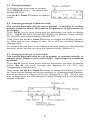
To set or cancel a sensor limit quickly: Press the Option ■ button. Then,
without pressing the Set G button, use the Up J or Down L buttons to
toggle between maximum sensor limit [∞] and the last sensor limit set (in
the procedure above).
You can also use Program to preset the sensor limits you want. Then, just
toggle between them using the Up J or Down L buttons.
10