1
handsfree speaker
You can use your phone’s handsfree speaker
to make calls without holding the phone to
your ear.
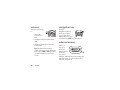
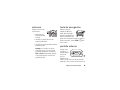
During a call (with the flip open), press and
hold the smart/speakerphone key to turn the
handsfree speaker on. Your display shows
Speaker Phone.
The handsfree speaker stays on until you
press and hold the smart/speakerphone key
again or turn off the phone.
Note: The handsfree speaker won’t work
when your phone is connected to a handsfree
car kit or headset.
codes & passwords
code is originally set to 000000. If your
service provider didn’t change these codes,
you should change them:
Press r > w Settings > Security > New Passwords.
If you forget your unlock code: At the
Enter Unlock Code prompt, try entering 1234 or the
last four digits of your phone number.
lock/unlock side keys
You can restrict the use of the volume keys,
the smart/speakerphone key, and the voice
key:
Press r > w Settings > Security > Lock Side Keys.
If necessary, enter your four-digit unlock code
and press the OK key. Then select Unlocked,
Flip Closed Only, or Always Locked.
Your phone’s four-digit unlock code is
originally set to 1234. The six-digit security
basics
25