1
Patrick Leahy Center for Digital Investigation (LCDI)
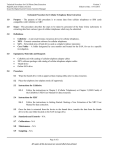
Once the phone is plugged in, you will need to insert the Micro Systemation USB Key into another USB port on
the extraction computer. The Indicator light on the USB will turn orange and then briefly flash green before
going dark again.
Micro Systemation XRY USB Key Upon Insertion, the indicator light will briefly activate. However it will not remain on. Overview of Attached Devices. Notice the USB key’s indicator light is no longer active, this is normal. You are now ready to open the XRY software and begin the extraction
(Skip to page 8)
Retrieving Data from Apple iOS Phones Using XRY
Page 4 of 18