1
24
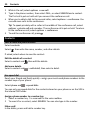
Write text
Type in a space
.
Select
Move the cursor to the next line
When predictive text is off, select
three times.
Type in a number
, then select the number.
Select
Type in a special character
Select the sym key, then select the special character.
Use the on-screen keyboard
When holding the phone in landscape mode, select a text box.
1
2
3
4
5
6
7
8
9
Close key
Character keys
Shift and caps lock key - To type in an upper case character when writing in lower
case, or vice versa, select the key before typing in the character. To switch to
caps lock mode, select the key twice. In some languages, this key opens a new
set of characters.
Symbol key - Type in special characters or numbers.
Input options key - Switch predictive text input on or off, change the writing
language, or switch to the on-screen keypad.
Space key
Enter key - Move the cursor to the next row.
Backspace key - Delete a character.
Done key
Close the keyboard
Swipe down on the keyboard. You can also select and hold the close key.