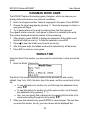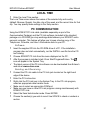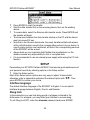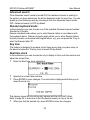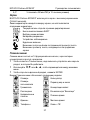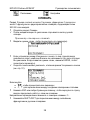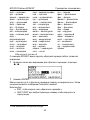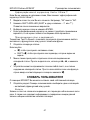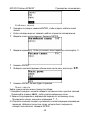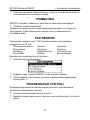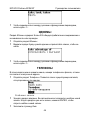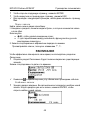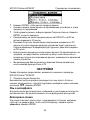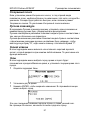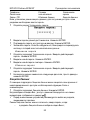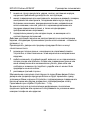
1
ECTACO Partner® EFR430T English French Russian Talking Electronic Dictionary & Business Organizer ECTACO Partner® EFR430T Англо французско русский говорящий электронный словарь с бизнес-органайзером ECTACO Partner® EFR430T Dictionnaire électronique parlant et organisateur d'affaires anglais français russe ECTACO Partner® EFR430T User Manual Ectaco, Inc. assumes no responsibility for any damage or loss resulting from the use of this manual. Ectaco, Inc. assumes no responsibility for any loss or claims by third parties which may arise through the use of this product. Ectaco, Inc. assumes no responsibility for any damage or loss caused by deletion of data as a result of malfunction, repairs, or battery replacement. Be sure to back up all important data on other media to protect against its loss. The contents of this manual are subject to change without notice. No part of this manual shall be reproduced, stored in a retrieval system, or transmitted by any means, electronic, mechanical, photocopying, recording, or otherwise, without permission from Ectaco, Inc. Partner® is the registered trademark of Ectaco, Inc., NY, USA © 1990–2006 Ectaco, Inc., New York, USA. All rights reserved. ECTACO Partner® EFR430T User Manual CONTENTS INTRODUCTION...................................................................................... 5 General View ....................................................................................... 6 Power Supply....................................................................................... 6 Initialization .......................................................................................... 7 Keyboard.............................................................................................. 8 Display ................................................................................................. 9 Main Menu ......................................................................................... 10 DICTIONARY ......................................................................................... 10 USER'S DICTIONARY ........................................................................... 14 GRAMMAR............................................................................................. 15 PHRASEBOOK ...................................................................................... 15 IRREGULAR VERBS ............................................................................. 16 POPULAR IDIOMS ................................................................................ 16 PHONES ................................................................................................ 16 SCHEDULE............................................................................................ 17 CALCULATOR ....................................................................................... 19 METRIC CONVERSION ........................................................................ 19 CURRENCY CONVERSION.................................................................. 19 HANGMAN WORD GAME..................................................................... 20 WORLD TIME ........................................................................................ 20 LOCAL TIME.......................................................................................... 21 PC COMMUNICATION .......................................................................... 21 SETUP ................................................................................................... 22 Interface language ............................................................................. 22 Slang lock .......................................................................................... 22 Advanced search ............................................................................... 23 Russian keyboard mode .................................................................... 23 Key tone............................................................................................. 23 Real time clock................................................................................... 23 Date format ........................................................................................ 24 Time format........................................................................................ 24 Schedule alarm .................................................................................. 24 Daily alarm ......................................................................................... 24 3 ECTACO Partner® EFR430T User Manual Memory check.................................................................................... 24 Data deletion...................................................................................... 24 Set password ..................................................................................... 24 Security mode .................................................................................... 25 Set contrast........................................................................................ 25 Speech options .................................................................................. 26 Set sleep time .................................................................................... 26 INTERNATIONAL WARRANTY ............................................................. 27 Warranty Registration ........................................................................ 29 4 ECTACO Partner® EFR430T User Manual INTRODUCTION Congratulations on purchasing the ECTACO Partner® EFR430T! This product is the result of the combined efforts of Ectaco’s linguists, engineers, and programmers, and represents the last generation of the highest-performance integrated linguistic systems available. The ECTACO Partner® EFR430T features: Main vocabulary (English French, English Russian, French Russian bidirectional dictionaries) of approx. 650,000 words in total, including medical, technical, legal, business terms, as well as slang, idioms, and general expressions Electronic English Grammar book A selection of the most popular American idioms English irregular verbs 12-topic book of common English phrases Advanced English, French and Russian speech synthesis Recording function for new words Instant reverse translation Award-winning Vector Ultima™ trilingual spell-checking system 128Kb English/French/Russian personal organizer for scheduling and telephone numbers, equipped with search function Local and World time High-speed data exchange with a PC Trilingual interface Data protection system Slang lock External power jack for AC operation As continuous efforts are made by the manufacturer to ensure the best quality and performance of the ECTACO Partner® products, some characteristics of the device you have purchased may slightly differ from their description in this manual. 5 ECTACO Partner® EFR430T User Manual General View The general view and external features of the EFR430T are shown below. Power Supply The EFR430T is powered by two AAA (LR03) batteries. When the batteries become weak, a warning message will be displayed. In order to prevent excessively discharging the batteries and undergoing a resulting loss of data in RAM, the Say function will be disabled if battery power is low. 6 ECTACO Partner® EFR430T User Manual To restore full functionality of the device and to avoid risk of losing user data, replace the complete set of batteries as soon as possible. Do not mix old and new batteries. How to replace the batteries Ensure the power is off. Press ON/OFF to turn the device off. Never try to remove batteries from the device when the power is on. This can seriously damage the device. If you experience difficulty turning the device off, press the RESET button on the right-hand side of the keyboard (over the O key) and reset the system. Remove the battery compartment cover by sliding it away from the device. Remove the used batteries and replace them with new ones. When replacing the batteries, you have 2 minutes to place new ones in the device without risk of losing any data stored in RAM. Do not exceed the 2minute limit! Neither the manufacturer nor the dealer may be held responsible for loss of user data. Make sure to place the batteries according to the polarity marks (+ -) inside the compartment. Replace the battery compartment cover by sliding it toward the device. Make sure the cover sits in place properly. The EFR430T is equipped with a jack for external power supply. Use of an inappropriate external power supply may cause failure of the device and may void the warranty. The AC/DC adapter should provide 6V and min 300mA DC. Communication with a PC consumes a considerable amount of energy. Always try to use an external power supply during these operations. Initialization The initialization routine is started ▫ when EFR430T is turned on for the first time; ▫ when you remove the batteries (e.g. during replacement); ▫ after the system has been reset with the RESET button. The RESET button is located on the right-hand side of the keyboard (over the O key). It can be accessed with any thin object like a paper clip. Never use a needle or pin for this purpose since it can damage the device. If you see Initialize system?(y/n), press the N key to abort initialization and customization. 7 ECTACO Partner® EFR430T User Manual Then you will see the Delete user’s data (y/n)? message. Press the N key to save your data. Keyboard The standard American QWERTY keyboard is combined with French and Russian standard layouts. To enter the additional letters marked above the keys, press ALT+ the desired key. 1 To enter such letters in caps, press SHIFT+ ALT+ the desired key. EFR430T has standard and phonetic modes of entering Russian letters. Russian standard mode allows you to enter Russian letters corresponding to the keyboard marks. Russian phonetic mode allows you to enter Russian letters by their phonetic consonance with English letters, e.g. you can press the F key to enter the Russian letter “Ф”. The table below shows the Russian and English layouts in the Russian phonetic mode. 2 q w e r t y u i o p я ш/щ е/э р т ы у/ю и о п a s d f g h j k l а с д ф г/ж х й к л z x c v b n m з ь/ъ ц/ч в б н м Unlike PC keyboards, there is no need to keep a key (such as SHIFT) down while pressing another one. It is enough to press it only once and release. The available set of national characters is dependent on which language input mode is selected. Language modes can be toggled by pressing the key. ENG, FRE, or RUS is displayed in the upper right corner respectively. Function shortcut keys ON/OFF Turn the device On or Off RESET Re-initialize system SPELLER Launch spell-checker (SHIFT+ uor t) Pronounce headword Key1+Key2 here and further on signifies the combination of keys to use – first press and release Key1, then press and release Key2. 2 Press ALT to enter letters shown after the slash (/) in the table. 1 8 ECTACO Partner® EFR430T User Manual Pronounce translation SHIFT+ Other shortcut keys open sections corresponding to the marks over the keys (press SHIFT+ shortcut key; for example, SHIFT+DICT). Control and edit keys , Move cursor / highlight / switch main menu , Highlight / scroll lines / switch main menu/ change values. Use to switch between the Insert and Overtype modes. Scroll pages u, t ENTER Execute Enter space ESC Close active window / cancel / return to the previous page ALT Enter additional letters marked on/above the buttons3 SHIFT Type in uppercase BS Delete character to the left of the cursor Switch language or translation direction SHIFT+ Input "@" SHIFT+ Input additional symbols4 SHIFT+ Open record to edit SHIFT+BS Delete record A, P Specify AM or PM (when the 12-hour format is set) Display ECTACO Partner® EFR430T features a high-resolution screen (160x64 pixels). The indicator line is at the top of the display and shows the following indicators: Current record opened in the edit mode SHIFT key pressed Insert mode selected Batteries low Device locked Press ALT+ corresponding key to enter lowercase French or Russian letters marked above the keys. To obtain the uppercase of these letters, press SHIFT+ALT+ corresponding key. 4 Press u, t to move between three lines of symbols. Press the corresponding number key to enter the desired symbol. 3 9 ECTACO Partner® EFR430T User Manual Daily Alarm on Vertical scrolling or paging enabled (more text available) Horizontal scrolling enabled Main Menu The EFR430T MAIN MENU consists of 16 functional icons, which visually organize access to the dictionary's sections. To display the MAIN MENU, turn the device on, or close a current section. Move between icons using , or , . To open a section, whose icon is highlighted, press ENTER. The icons shown in the MAIN MENU represent the following sections: Calculator Dictionary User’s Dictionary Metric Conversion Grammar Currency Conversion Phrasebook Hangman Word Game Irregular Verbs World Time Popular Idioms Local Time Phones PC communication Schedule Setup DICTIONARY The Dictionary section includes English-Russian, French-Russian and EnglishFrench - bidirectional dictionaries containing over 200,000 words each. Enter the Dictionary section. Following system initialization, the English-Russian dictionary is selected by default. Viewing entries To view a translation of a word, enter it from the keyboard. 10 ECTACO Partner® EFR430T User Manual If the Advanced Search mode is turned ON, the headword closest in spelling to the portion you have entered so far will be displayed under the input line. When the desired word is displayed, press ENTER to see its translation(s). If the Advanced Search mode is OFF, your Dictionary work will be faster (see page 23). Use: • , to scroll through the translations • t, u to switch between adjacent entries Press ESC or any letter key to return to the input line and translate another word in the same dictionary. You can change the translation direction by pressing . Press SHIFT+DICT hotkey to switch between English, French, and Russian dictionaries. Parts of Speech and Gender Labels Translations of a headword are listed in the alphabetical order by part of speech. A – adjective ID – idiom PHR – phrase ABBR – abbreviation INTRJ – interjection PREF – prefix ADV – adverb N – noun PREP – preposition ART – article NPR – proper noun PRON – pronoun AUX – auxiliary NUM – numeral SUFF – suffix CONJ – conjunction PART – particle V – verb French and Russian nouns are marked with gender and number labels. F – feminine MN – masculine or neuter FPL – feminine plural MPL – masculine plural M – masculine N – neuter MF – common gender PL – plural MFP – masculine or feminine plural 11 ECTACO Partner® EFR430T User Manual Certain words and expressions in the dictionaries are marked with abbreviations to indicate the use of such entries. aut. – motor transport ирон. – ironic поэт. – poetic презр. – contemptuous bot. – botany иск. – art constr. – building пренебр. – derogatory ист. – historical разг. – colloquial cul. – cooking канц. – office охот. – hunting géol. – geology геом. – geometry перен. – figurative méd. – medicine горн. – mining полигр. – printing mil. – military грам. – grammar полит. – political minér. – mineralogy груб. – vulgar рел. – religion mus. – music детск. – nursery с.-х. – agriculture naut. – nautical дип. – diplomacy ordinat. – computers сл. – slang ж.-д. – railways phys. – physics стр. – building жарг. – jargon rad. – radio театр. – theater жив. – painting rel. – religion текст. – textile зоол. – zoology sl. – slang тех. – technical карт. – cards zool. – zoology фехт. – fencing кино – cinema анат. – anatomy физ. – physics ком. – commerce арх. – archaic физиол. – physiology косм. – cosmonautics археол. – archaeology кул. – cooking филос. – philosophy архит. – architecture фин. – finance лингв. – linguistics астр. – astronomy фон. – phonetics лит. – literature биол. – biology хим. – chemistry мат. – mathematics бот. – botany хир. – surgery мед. – medicine бухг. – bookkeeping церк. – ecclesiastical метал. – metallurgy вет. – veterinary шахм. – chess метео – meteorology воен. – military шутл. – jocular мех. – mechanics вопр. – interrogative эк. – economics мин. – mineralogy вулг. – vulgar эл. – electronics миф. – mythology геогр. – geography юр. – law мор. – nautical геод. – geodesy муз. – music геол. – geology неценз. – obscene Instant Reverse Translation For your convenience, EFR430T provides an Instant Reverse Translation for all words and expressions in the Dictionary. Press , to select a word or expression for the reverse translation. 12 ECTACO Partner® EFR430T User Manual Press ENTER to obtain its instant reverse translation. You can make up to four reverse translations in succession (without closing windows). The message Last translation is displayed if the limit is reached. Use: • ESC to close the Reverse translation windows5; • SHIFT+DICT or any letter key to return to the input line. Spell-checker Vector Ultima™ When you are unsure of the spelling of a word, the multilingual spell-checker Vector Ultima™ will help you. Type the word as you hear it. For example, “foll” for “fall”. Press SHIFT+SPELLER (SHIFT and either of the t, u keys). A list of suggested variants appears on the screen. Select the desired word and press ENTER. If the spell-checker is unable to suggest alternative words, the No variants message is shown. Pronunciation of words and sentences The Text-To-Speech technology provides pronunciation of any English, French and Russian words and phrases. Display an entry. Use: to listen to the pronunciation of the headword; • • SHIFT+ to listen to the pronunciation of all translations currently displayed on the screen. You also can listen to any selected words or phrases listed in the entry. Simply make the selection by using , and press . The device is able to generate pronunciation of any text, not limited to dictionary entries. Simply type a word or phrase in the input line of the corresponding Dictionary and press to listen to its pronunciation. 5 The windows will be closed in the reverse order. 13 ECTACO Partner® EFR430T User Manual USER'S DICTIONARY EFR430T allows you to create your own vocabulary. Enter the User’s Dictionary subsection and choose one of the user’s dictionaries – English, French or Russian. Record The record consists of a word or expression, its translation, and its part of speech. It also has information about the index number of the current record and the total number of records. Creating a Record When in a record list, press ENTER to open a new record template. If the dictionary is empty, a new record template will be opened automatically. Type in a word or expression. Press ENTER. Type in a translation(s). Use to set the target language. Press ENTER again. Choose an appropriate abbreviation of the part of speech by scrolling by using , . 14 ECTACO Partner® EFR430T User Manual Press ENTER. The record will be saved. Finding a Record There are three ways to find a record: I. When in the record list, you may start typing the headword of a stored record. Use the Backspace key to delete the input word. II. The records are sorted alphabetically by headword. You can scroll the record list by using u or t. III. Open the main dictionary, set the corresponding translation direction, type in a word saved in the user's dictionary and press ENTER. When Security Mode is ON, words from the User's Dictionary are not shown in the Main Dictionary. GRAMMAR The EFR430T contains the English Grammar for non-English speakers. Enter the Grammar section. The Grammar contains three-level hierarchical menus. You can reach a menu’s third level by consecutively selecting topics from the menu. PHRASEBOOK The phrasebook contains over 1,100 English phrases with their translations in French and Russian. The phrases are divided into 12 conversational topics: Everyday conversation Shopping Transport Traveling Sightseeing Health Hotel Communication Beauty care In the restaurant At the bank Calling for police Most of the topics contain a number of subtopics. Enter the Phrasebook section. 15 ECTACO Partner® EFR430T User Manual Select a topic. Press ENTER to see its subtopics. Use to switch between Russian and French translations. IRREGULAR VERBS All commonly used English verbs are stored in alphabetical order in the Irregular Verbs section. Enter the Irregular Verbs section. Type the first letter of the desired verb and scroll through the list to find it. Use to switch between Russian and French translations. POPULAR IDIOMS Over 200 widely used American idioms and their equivalents or translations are included in the Popular Idioms section. Enter the Popular Idioms section. Type the first letter of the desired idiom and scroll through the list to find it. Use to switch between Russian and French translations. PHONES In this section you can store names, telephone and fax numbers, as well as postal and e-mail addresses. Enter the Phones section. You will see a list of existing telephone records sorted by name. 16 ECTACO Partner® EFR430T User Manual Creating a Record To open a new record template, press ENTER when you are in the record list. If there are no records stored, a new record template will be opened automatically when you enter the list. Start filling out the Name page. To open the next page, press ENTER. To return to the previous page, press ESC. It is necessary to complete the Name page to continue to the subsequent pages. Finding a Record There are two ways to find a record: I. When in the record list, you may start typing a name included in a stored record. Use: • BS to delete the input word; • to switch between English, French, and Russian input modes. II. The records are sorted alphabetically by name. You can scroll the record list using u or t. SCHEDULE You may effectively manage your time by using the Schedule section. Enter the Schedule section. The first of existing records will be shown. Records are sorted by date and time. The check in the upper right corner indicates that the event occurred in the past. 17 ECTACO Partner® EFR430T User Manual Creating a Record To open a new record template, press ENTER when you are in the record list. If there are no records stored, a new record template will be opened automatically when you enter the record list. The first page of a record includes information on Date, Time and the audible Reminder. Date and Time specify the moment of the Schedule alarm operation. The Reminder specifies the time period until a Schedule alarm will be issued. The second page – Content – includes information about the event. Set the date and time and specify the time period until a Schedule alarm will be issued. Press ENTER to open the Content page and fill it out. Press ENTER to save a record. The Schedule memory is limited to 50 records. The Not enough memory message is displayed when the record list is full. Finding a Record The records are sorted by date and time. Use u, t to scroll the record list. Reminder and Schedule alarm If enabled, the Reminder sounds at the determined time until a Schedule alarm will be issued, producing an audible beep. The Reminder is turned OFF by default for a new record. The Reminder time is adjusted separately for every individual record. Reminders and Schedule alarms sound even if the device is OFF. If a Reminder and a Daily alarm are timed to go off for the same time, only the Reminder will be displayed since it has higher priority. The corresponding Schedule record will be displayed in the view mode at this time. Press any key to interrupt a Schedule alarm or a Reminder beep. You can change the record and set the Reminder for a later time. Closing the Schedule reminder window will bring you back to the section (for example, Dictionary) as you were before the alarm went off. 18 ECTACO Partner® EFR430T User Manual CALCULATOR Enter the Calculator section. When entering numbers and operations from the keyboard, there is no need to press the SHIFT key while in the Calculator mode. Use this application as an ordinary pocket calculator. METRIC CONVERSION With your EFR430T you may easily convert measurements from the BritishAmerican system into the metric system commonly used in Europe and vice versa, as well as convert within each system. Enter the Metric Conversion section. Choose a subsection by pressing , . Press ENTER. Input the value. There may be more than four units of measure in the subsection. CURRENCY CONVERSION The Currency Conversion function allows you to instantly calculate conversion values between nine pre-installed currencies and three user-defined currencies. Enter the Currency Conversion section. Setting and Checking Rates Select the Set rate subsection to specify currency names and rates. Select a currency. Press ENTER. You can specify or change the names of any of the currencies listed. New currencies may be added in place of ???. Change/specify the currency name. Press ENTER to open the next window. Specify an exchange rate relative to the basic currency (whose rate should equal 1). The default exchange rate for all currencies is 1. Press ENTER to save changes. Conversion Enter the Calculation subsection. Select a currency name and enter an amount. While you are typing a new amount, the conversion is being performed. 19 ECTACO Partner® EFR430T User Manual HANGMAN WORD GAME The EFR430T features the learning game Hangman, which can improve your spelling skills and enhance your personal vocabulary. Enter the Hangman section. Select a language for the game. Press ENTER. Choose the target language by pressing . Once the language is chosen, a new game will begin. Try to guess letters in the word by entering them from the keyboard. If you guess a letter correctly, it will appear in place of an asterisk in the word. The number displayed shows the number of tries remaining. When playing, press ENTER to display the translation of the hidden word (which will count as one try). To hide the translation, press ESC. Press to hear the hidden word (counts as one try). After the game ends, the hidden word and its translation(s) will be shown. Press ESC to return to a new game. WORLD TIME Using the World Time section, you may view the current time in cities around the globe. Enter the World Time section. The World Time screen shows the names of the selected city and country (default: New York, USA), the date, day of the week, and the current time for that city. • To see information for another city, scroll through the alphabetic list by using , . • To see information for another city of the same country, scroll through the alphabetic list by pressing u, t. • Also, you can quickly find a desired city by pressing the first letter of its name and scrolling through the list by using , . When you find a desired city, press ENTER to save changes. The next time you enter this section, the city you have chosen will be displayed first. 20 ECTACO Partner® EFR430T User Manual LOCAL TIME Enter the Local Time section. The Local Time screen shows the names of the selected city and country (default: Moscow, Russia), the date, day of the week, and the current time for that city. You may specify these settings in the Setup section. PC COMMUNICATION Using the EFR430T PC-Link cable (available separately as part of the Communication Package) and the PC-Link software (included in the standard package on a CD-ROM) you may exchange data between your EFR430T and a personal computer. This feature will allow you to keep a backup copy of the Telephones, Schedule, and User’s Dictionaries data on your PC. Software Insert the supplied CD into the CD-ROM drive of a PC. If the installation program does not start automatically, run the INSTALL.exe file from the CD root catalog. Choose EFR430T PC-Link from the menu displayed on the PC. After the program is installed, start it from Start/Programs/Ectaco. The icon will appear in the System Tray. The latest version of the PC-Link software can be downloaded from Ectaco's web site at www.ectaco.com. Sending and Receiving Connect the PC-Link cable to the PC-Link jack located on the right-hand edge of the device. Enter the PC-Link section. Right click the PC-Link icon in the System Tray. In the PC-Link program, select an appropriate data transfer mode. Make sure to select an appropriate COM port. Make sure you have no other PC-Link program running simultaneously with EFR430T PC-Link. Select the Send data transfer mode. Press ENTER. Choose the section(s) you wish to send. Use SPACE to check or uncheck a section. 21 ECTACO Partner® EFR430T User Manual Press ENTER to start the transfer. Start the data transfer first on the receiving device, then on the sending device. To receive data, select the Receive data transfer mode. Press ENTER and the transfer will begin. The time span between the data transfer startup on the PC and the device must not exceed 30 sec. Note that in the Receive data mode, the newly transferred data will replace all the old information saved in the corresponding sections of your device. In case if empty sections are transferred, all data in the corresponding sections of the EFR430T will be erased. Always back up your important data! Neither the manufacturer nor the dealers assume any responsibility for lost or corrupted data. It is recommended to use an external power supply while using the PC-Link function. SETUP Partner® Personalize your ECTACO EFR430T and ensure good maintenance of your personal records by selecting options in the Setup section. Enter the Setup section. Most of the Setup section options are very easy to adjust. Unless stated otherwise, enter a subsection and select the desired option with , . Then press ENTER to confirm your choice. Interface language The default interface language of the EFR430T is English. You can switch interface language between English, French, and Russian. Slang lock In this subsection you can hide slang words or phrases contained in the dictionaries. For example, you may forbid your children to access slang. To set Slang lock OFF, enter the showslan password and press ENTER. 22 ECTACO Partner® EFR430T User Manual Advanced search If the Advanced search mode is turned ON, the headword closest in spelling to the portion you have entered so far will be displayed under the input line. You can speed up your dictionary work by choosing to turn the Advanced search mode OFF. Advanced search is OFF by default. Russian keyboard mode In this subsection you can choose one of the available Russian keyboard modes: Standard or Phonetic. Russian standard mode allows you to enter Russian letters in accordance with the keyboard marks. Russian phonetic mode allows you to enter Russian letters by their phonetic consonance with English letters, e.g. you can press the F key to enter the Russian letter “Ф”. Key tone This feature is designed to produce a short beep every time you press a key on the device’s keyboard. The key tone is turned ON by default. Real time clock In this subsection you can choose the city to display in the Local time section and adjust the current time. Enter the Real time clock subsection. Specify the current date and time. Press ENTER to save changes. The next section displayed will allow you to select the local city. This display shows the city and country names and the city's GMT offset. Refer to page 20 to learn how to find the desired country or city in the list. When you find the desired city, press ENTER to save the changes. 23 ECTACO Partner® EFR430T User Manual Date format The default Day-Month-Year date format can be changed to Month-Day-Year. Time format The default 24-hour time format can be changed to the American 12-hour format. Schedule alarm In this subsection you can turn the Schedule alarm ON or OFF. If turned on, which is the default setting, the Schedule alarm will go off at the date and time of the Schedule record, producing an audible beep. Daily alarm Enter the Daily alarm subsection. The default values are midnight, 00:00, and OFF. Use: • , to switch between hours and minutes; • A, P to specify AM or PM; • u, t to turn the alarm ON/OFF. Press ENTER to save changes. If turned on, the Daily alarm produces a signal at the set time. Press any key to interrupt the Daily alarm beep (otherwise, the beep will continue for 30 seconds). Memory check Instantly check the free memory status with this Setup option. Enter the Memory check subsection to check the remaining free memory. Data deletion The Data deletion subsection gives you the ability to free up memory resources by deleting records much faster than removing them one by one. Set password With no password set (default) all functions of the EFR430T are freely accessible. After a password has been set, the following sections may be locked against unauthorized access: Telephones User’s Set password Schedule dictionaries Security mode PC communication Data deletion To gain access to any of these sections in the locked mode, a valid password must be provided. 24 ECTACO Partner® EFR430T User Manual Enter the Set password subsection. Specify a password up to 8 characters in length. Press ENTER. Retype the password for confirmation. Press ENTER. Always remember your password. If you forget it, you will have to reset the system, which will cause irrevocable loss of user data. Changing the password Enter the Set password subsection. Input the current password. Press ENTER. Specify a new password. Press ENTER. Retype the password for confirmation. Press ENTER to save the password. Clearing the password Enter the Set password subsection. Input the current password. Press ENTER. Don’t input any characters into next two fields, just press ENTER twice. Security mode With the help of the Security mode subsection you can protect your personal records and lock up the PC communication function. Enter the Security mode subsection. Press ENTER. indicator is When the ON option is selected, data access is locked and the shown on the indicator line. It is recommended to close a password-protected section before you turn the device off. The Security mode may be canceled by entering a valid password at the prompt when: ▫ the OFF option in the Security mode subsection is selected; ▫ any protected section is opened. Set contrast The default contrast setting can be changed in the Set contrast subsection. Change the contrast level by using , . 25 ECTACO Partner® EFR430T User Manual Speech options Suit your own pronunciation by adjusting the speed and frequency of the built-in speech synthesizer. Use ENTER to move between Speech frequency and Speech speed bars and , to adjust the levels of each option. Set sleep time The automatic power off has a preset delay of 3 minutes. This feature saves battery life by shutting down the device after a specified period of inactivity. The adjustable range is from 1 to 5 minutes. 26 ECTACO Partner® EFR430T User Manual INTERNATIONAL WARRANTY ECTACO, Inc. (Ectaco) guarantees to the end user that this product will be free of defects in material and craftsmanship for a period of ONE YEAR from the date of original retail purchase, as evidenced by the sales receipt. This warranty does not apply if any other party has damaged the product by accident, abuse, and misuse, or as a result of service. Except for the limited warranties above, this product is provided on an “as is” basis, without any other warranties or conditions, expressed or implied, including but not limited to, warranties of merchantable quality, merchantability or fitness for a particular purpose, or those arising by law, statute, usage of trade, or course of dealing. Neither Ectaco nor its dealers or suppliers shall have any liability for any indirect, incidental, special, or consequential damages whatsoever, including but not limited to, loss of revenue or profit, lost or damaged data or other commercial or economic loss, even if we have been advised of the possibility of such damages, or they are otherwise foreseeable. We are also not responsible for claims by a third party. Our maximum aggregate liability to you, and that of our dealers and suppliers, shall not exceed the amount paid by you for the Ectaco product as evidenced by your purchase receipt. If the laws of the relevant jurisdiction do not permit full waiver of implied warranties, then the duration of implied warranties and conditions are limited to the duration of the express warranty granted herein. This warranty applies only to the products manufactured by Ectaco and does not include batteries etc. Any damages caused by batteries are not covered by this warranty. You may obtain additional information regarding the extended warranty program or reach a customer service representative at the following telephone numbers or addresses. North America USA, New York Ectaco, Inc. Ectaco Corporate Center, 31-21 31st Street Long Island City, NY, 11106 Tel.: +1-718-728-6110 E-mail: [email protected] Chicago 5700 W. Belmont Ave., Chicago, IL, 60634 Tel.: +1-773-202-0729 E-mail: [email protected] 27 ECTACO Partner® EFR430T User Manual Europe, Australia Germany, Berlin Ectaco-Germany, GmbH. Tel.: +49-30-8950-3535 E-mail: [email protected] Ukraine, Kiev Ectaco-Ukraine, HPKP Tel.: +380-44-516-5724 E-mail: [email protected] Belarus, Minsk Ectaco BEL Tel.: +375-17-232-9701 E-mail: [email protected] Australia United Kingdom, E-mail: London [email protected] Ectaco (UK) Ltd. Tel.: +44-207-936-9063 E-mail: [email protected] Russia Ectaco-Russia, Ltd. St. Petersburg Tel.: +7-812-545-3838 E-mail: [email protected] Moscow Czech Republic, Prague Israel, Tel-Aviv Tel.: +7-495-737-8910 Ectaco-Czech, Ltd. Ectaco-Israel 2000, Ltd. E-mail: [email protected] Tel.: +420-2-6126-3098 E-mail: E-mail: [email protected] [email protected] Visit us on the Internet at www.ectaco.com 28 ECTACO Partner® EFR430T User Manual Warranty Registration In case of malfunction, please fill out this registration slip and send it with your device to the Ectaco Corporate Center. Make sure to include your telephone number. Name Age Telephone number (required) Address Date and location of purchase Serial number (required) Description of defect(s) Copy of sales receipt 29 ECTACO Partner® EFR430T Руководство пользователя СОДЕРЖАНИЕ ВВЕДЕНИЕ............................................................................................ 32 Общий вид ........................................................................................ 33 Источники питания........................................................................... 33 Инициализация................................................................................. 34 Клавиатура ....................................................................................... 35 Экран................................................................................................. 37 Главное меню................................................................................... 37 СЛОВАРЬ .............................................................................................. 38 СЛОВАРЬ ПОЛЬЗОВАТЕЛЯ................................................................ 41 ГРАММАТИКА ....................................................................................... 43 РАЗГОВОРНИК..................................................................................... 43 НЕПРАВИЛЬНЫЕ ГЛАГОЛЫ............................................................... 43 ИДИОМЫ............................................................................................... 44 ТЕЛЕФОНЫ........................................................................................... 44 РАСПИСАНИЕ ...................................................................................... 45 КАЛЬКУЛЯТОР ..................................................................................... 46 ПЕРЕВОД МЕР И ВЕСОВ .................................................................... 47 КОНВЕРТАЦИЯ ВАЛЮТ ...................................................................... 47 ЯЗЫКОВАЯ ИГРА “ВИСЕЛИЦА” ......................................................... 47 ПОЯСНОЕ ВРЕМЯ ............................................................................... 48 МЕСТНОЕ ВРЕМЯ................................................................................ 49 СВЯЗЬ С КОМПЬЮТЕРОМ ................................................................. 49 НАСТРОЙКИ ......................................................................................... 50 Язык интерфейса ............................................................................. 50 Блокировка сленга ........................................................................... 50 Ускоренный поиск ............................................................................ 51 Русская клавиатура.......................................................................... 51 Сигнал клавиш ................................................................................. 51 Часы .................................................................................................. 51 Формат даты..................................................................................... 52 Формат времени............................................................................... 52 Сигнал расписания .......................................................................... 52 Будильник ......................................................................................... 52 30 ECTACO Partner® EFR430T Руководство пользователя Проверка памяти.............................................................................. 52 Удаление данных............................................................................. 52 Установить пароль........................................................................... 52 Защита данных................................................................................. 53 Установить контрастность............................................................... 54 Опции речи ....................................................................................... 54 Время до отключения ...................................................................... 54 МЕЖДУНАРОДНАЯ ГАРАНТИЯ.......................................................... 54 Гарантийный талон .......................................................................... 57 31 ECTACO Partner® EFR430T Руководство пользователя ВВЕДЕНИЕ Поздравляем Вас с приобретением ECTACO Partner® EFR430T! Этот словарь воплотил в себе многолетний опыт лингвистов, инженеров и программистов компании Эктако и представляет последнее поколение высокопроизводительных интегрированных лингвистических систем. Функции ECTACO Partner® EFR430T: Основной словарь (англо русский, французско русский, англо французский словари) на около 650 000 слов, включая медицинские, технические, юридические и деловые термины, а также идиомы, сленговые и общеупотребительные выражения Электронный справочник английской грамматики Наиболее популярные американские идиомы Английские неправильные глаголы Сборник часто употребляемых английских фраз Новейшая система воспроизведения английской, французской и русской речи Функция записи новых слов Функция обратного перевода Трехъязычный орфографический корректор Vector Ultima™ Трехъязычный бизнес-органайзер с памятью 128Кб Местное и поясное время Высокоскоростной обмен данными с персональным компьютером Трехъязычный интерфейс Система защиты данных от несанкционированного доступа Функция блокировки сленга Гнездо для подключения внешнего источника питания Поскольку производитель стремится к усовершенствованию дизайна и улучшению потребительских качеств изделий ECTACO Partner®, возможны незначительные отличия купленного Вами устройства от его описания в данном руководстве. 32 ECTACO Partner® EFR430T Руководство пользователя Общий вид Ниже приведен общий вид ECTACO Partner® EFR430T с указанием гнезд подключения внешних устройств. Источники питания EFR430T работает от двух батареек типа AAA (LR03). Когда батарейки разряжаются, на экране появляется предупреждающее сообщение. При этом блокируются функции произношения. Это дает возможность избежать полного разряда батареек, а вследствие этого – потери данных, хранящихся во временной памяти устройства. 33 ECTACO Partner® EFR430T Руководство пользователя Чтобы восстановить полную функциональность устройства, а также предотвратить возможную потерю Ваших данных, рекомендуем заменить батарейки, как только представится возможность. Не используйте одновременно старые и новые батарейки. Как заменить батарейки Нажмите клавишу ON/OFF, чтобы выключить устройство. Не вынимайте батарейки, если устройство включено. Это может привести к серьезным повреждениям. Если Вам не удается выключить устройство, нажмите клавишу RESET (Перезагрузка), которая находится на клавиатуре справа (над клавишей O) и перезагрузите систему. Откройте отделение для батареек, сдвигая крышку по направлению от центра устройства. Выньте использованные батарейки и замените их новыми. У Вас есть 2 минуты, чтобы заменить батарейки без риска потерять данные, хранящиеся в оперативной памяти устройства. Не превышайте лимит в 2 минуты! Ни производитель, ни продавец или представитель компании не несут ответственности за возможную потерю пользовательских данных. Убедитесь, что батарейки установлены в соответствии с полярностью, обозначенной значками (+ -) внутри отделения для батареек. Закройте отделение для батареек, задвинув крышку. Убедитесь, что крышка установлена правильно. EFR430T снабжен гнездом для подключения внешнего источника питания. Использование не соответствующего спецификации блока питания может привести к выходу устройства из строя. В этом случае гарантия аннулируется. Блок питания должен обеспечивать напряжение постоянного тока 6В и силу тока минимум 300 мА. Связь с компьютером требует значительных затрат энергии. Мы рекомендуем Вам пользоваться внешним блоком питания при использовании этой функции. Инициализация Процедура инициализации словаря осуществляется: ▫ при первом включении EFR430T; ▫ если устройство некоторое время находилось без питания (например, во время замены батареек); ▫ после перезагрузки с помощью кнопки RESET. 34 ECTACO Partner® EFR430T Руководство пользователя Кнопка RESET расположена на клавиатуре справа, над клавишей О. Доступ к ней осуществляется с помощью любого тонкого длинного предмета, например, скрепки. Ни в коем случае не пользуйтесь для этого иголкой или булавкой, это может повредить устройство. Чтобы сохранить пользовательские данные и настройки, при появлении запроса Инициализировать систему? (y/n), нажмите клавишу N. Затем появится сообщение Delete user’s data (y/n)? (Удалить данные пользователя?). Нажмите клавишу N, чтобы сохранить свои данные. Клавиатура В EFR430T используются стандартные раскладки для английского, французского и русского языка. Чтобы ввести французские или русские буквы, обозначенные над клавишами, нажмите ALT+ нужную клавишу. 6 Чтобы ввести их в верхнем регистре, нажмите SHIFT+ ALT+ нужную клавишу. EFR430T позволяет вводить русские буквы, пользуясь как стандартной, так и фонетической раскладкой клавиатуры: Русская стандартная раскладка позволяет вводить буквы в соответствии с тем, как они обозначены на клавиатуре. Русская фонетическая раскладка позволяет вводить буквы в соответствии с фонетическим созвучием русских и английских букв, например, чтобы ввести русскую букву “Ф”, надо нажать клавишу с английской буквой “F”. В приведенной ниже таблице показана английская и русская фонетическая раскладки. 7 q w e r t y u i o p я ш/щ е/э р т ы у/ю и о п a s d f g h j k l а с д ф г/ж х й к л z x c v b n m з ь/ъ ц/ч в б н м При работе с EFR430T, в отличие от компьютерной клавиатуры, при нажатии одной клавиши нет необходимости удерживать другую (например, SHIFT) в нажатом положении. Достаточно просто нажать один раз и отпустить. Комбинация клавиш Клавиша1+Клавиша2 здесь и далее означает, что вначале нужно нажать и отпустить Клавишу1, затем – Клавишу2. 7 Чтобы ввести буквы, приведенные в таблице после косой черты, нажмите ALT. 6 35 ECTACO Partner® EFR430T Руководство пользователя Набор доступных для ввода символов зависит от выбранной раскладки клавиатуры. Раскладка клавиатуры переключается при помощи клавиши . В правом верхнем углу показывается, какая раскладка включена: АНГ, ФРН или РУС. Функциональные клавиши ON/OFF Включить/выключить устройство RESET Перезагрузить систему SPELLER Выполнить проверку правописания (SHIFT+ uor t) Произнести заглавное слово или фразу Произнести перевод SHIFT+ Остальные функциональные клавиши открывают обозначенные над ними разделы (SHIFT+ функциональная клавиша, например, SHIFT+DICT). Управляющие клавиши , Переместить курсор / выделить , Выделить / просмотреть построчно / пролистать главное меню / изменить значения. Используйте для переключения между режимами вставки и замены. Пролистать u, t ENTER Выполнить Ввести пробел ESC Закрыть активное окно / отменить / вернуться на предыдущую страницу ALT Ввести букву, обозначенную над клавишей 8 SHIFT Печатать в верхнем регистре BS Удалить символ слева от курсора Переключить раскладку или направление перевода SHIFT+ Ввести символ "@" SHIFT+ Открыть таблицу дополнительных символов9 SHIFT+ Открыть запись для редактирования SHIFT+BS Удалить запись Чтобы ввести французские или русские буквы, обозначенные над клавишами, нажмите ALT+ нужную клавишу. Чтобы ввести их в верхнем регистре, нажмите SHIFT+ ALT+ нужную клавишу. 9 Используйте u, t, чтобы перемещаться между тремя линиями символов. Чтобы ввести нужный символ, нажмите соответствующую цифровую клавишу. 8 36 ECTACO Partner® EFR430T A, P Руководство пользователя Установить AM или PM (в 12-часовом режиме) Экран В ECTACO Partner® EFR430T используется экран с высоким разрешением (160x64 пикселей). Линия индикаторов находится вверху экрана, на ней появляются следующие индикаторы: Текущая запись открыта в режиме редактирования Была нажата клавиша SHIFT Выбран режим вставки Батарейки разряжены Устройство заблокировано Будильник включен Возможен построчный или постраничный просмотр текста Возможен просмотр текста, находящегося за пределами экрана Главное меню Главное меню состоит из 16 функциональных иконок, через которые осуществляется доступ к разделам. Чтобы попасть в Главное меню, надо включить устройство или закрыть раздел, в котором Вы работаете. Используйте , или , , чтобы перемещаться между иконками меню. Чтобы открыть выделенный раздел, нажмите ENTER. Иконки Главного меню обозначают следующие разделы: Словарь Калькулятор Словарь пользователя Перевод мер и весов Грамматика Конвертация валют Разговорник Неправильные глаголы Языковая игра “Виселица” Идиомы Местное время Телефоны Связь с ПК Поясное время 37 ECTACO Partner® EFR430T Руководство пользователя Расписание Настройки СЛОВАРЬ Раздел Словарь состоит из англо русского, французско русского и англо французского двунаправленных словарей, содержащих более 200 000 слов каждый. Откройте раздел Словарь. После инициализации по умолчанию открывается англо-русский словарь. Просмотр словарных статей Введите нужное слово, чтобы просмотреть его перевод(ы). Если установлен режим Ускоренного поиска, то под строкой ввода появляется слово, наиболее близкое по написанию к той части, которую Вы уже ввели. Когда появится нужное слово, нажмите ENTER, чтобы посмотреть перевод(ы). Скорость поиска можно увеличить, отключив режим Ускоренного поиска (см. стр. 51). Используйте: • , , чтобы просмотреть все переводы; • t, u для переключения между соседними словарными статьями. Нажмите ESC или любую буквенную клавишу, чтобы вернуться в строку ввода и продолжить работу с этим же словарем. Направление перевода можно изменить с помощью клавиши . Нажимайте SHIFT+DICT для переключения между английским, французским и русским словарями. 38 ECTACO Partner® EFR430T Руководство пользователя Части речи, род и число Переводы главного слова располагаются в алфавитном порядке частей речи. A – имя прилагательное NPR – имя собственное ABBR – аббревиатура NUM – имя числительное ADV – наречие PART- частица ART – артикль PHR – фраза AUX – вспомогательный глагол PREF – приставка CONJ – союз PREP – предлог ID – идиома PRON – местоимение INTRJ – междометие SUFF – суффикс N – имя существительное V – глагол Для французских и русских существительных также указываются род и число. F – женский род MN – мужской или средний род FPL – женский род множественное MPL – мужской род число множественное число M – мужской род N – средний род MF – общий род PL – множественное число MFP – мужской или женский род множественное число Список условных сокращений: aut. – автомобильный горн. – горное дело грам. – грамматика bot. – ботаника constr. – строительство груб. – грубо детск. – детское слово cul. – кулинария или выражение géol. – геология дип. – дипломатия méd. – медицина mil. – военное дело ж.-д. – minér. – минералогия железнодорожный mus. – музыка жарг. – жаргонизм naut. – морской жив. – живопись ordinat. – компьютеры зоол. – зоология phys. – физика ирон. – иронически rad. – радиотехника иск. – искусство rel. – религия ист. – исторический sl. – сленг канц. – канцелярский zool. – зоология карт. – карточный 39 перен. – в переносном значении полигр. – полиграфия полит. – политика поэт. – поэтический презр. – презрительно пренебр. – пренебрежительно разг. – разговорный рел. – религия с.-х. – сельское хозяйство сл. – сленг стр. – строительство театр. – театр текст. – текстильный ECTACO Partner® EFR430T Руководство пользователя анат. – анатомия кино – кинематография тех. – техника арх. – архаизм фехт. – фехтование ком. – торговля археол. – археология косм. – космонавтика физ. – физика архит. – архитектура физиол. – физиология кул. – кулинария астр. – астрономия филос. – философия лингв. – лингвистика биол. – биология фин. – финансы лит. – литература бот. – ботаника фон. – фонетика мат. – математика бухг. – бухгалтерия хим. – химия мед. – медицина вет. – ветеринария хир. – хирургия метал. – металлургия метео – метеорология воен. – военное дело церк. – церковный мех. – механика вопр. – шахм. – шахматы мин. – минералогия вопросительный шутл. – шутливо миф. – мифология вулг. – вульгаризм эк. – экономика мор. – морской геогр. – география эл. – электроника муз. – музыка геод. – геодезия юр. – юридический неценз. – нецензурно геол. – геология термин охот. – охота геом. – геометрия Обратный перевод С помощью EFR430T можно сделать обратный перевод любого слова или выражения. Выделите слово или выражение для обратного перевода с помощью , . Нажмите ENTER. Можно сделать до 4-х обратных переводов подряд, не закрывая окон. Затем на экране появится сообщение Последний перевод. Используйте: • ESC, чтобы закрыть окно обратного перевода10; • SHIFT+DICT или любую буквенную клавишу чтобы вернуться в строку ввода. 10 Окна закрываются в обратном порядке. 40 ECTACO Partner® EFR430T Руководство пользователя Орфографический корректор Vector Ultima™ Если Вы не уверены в написании слова, Вам поможет орфографический корректор Vector Ultima™. Введите слово так, как Вы его слышите. Например, “foll” вместо “fall”. Нажмите SHIFT+SPELLER (SHIFT и одну из клавиш – t или u). Появится список возможных вариантов. Выберите нужное слово и нажмите ENTER. Если орфографический корректор не сможет подобрать приемлемые варианты, то на экране появится сообщение Нет вариантов. Произношение слов и выражений Технология Text-To-Speech, позволяет прослушать произношение любого английского, французского или русского слова или фразы. Откройте словарную статью. Используйте: , чтобы прослушать заглавное слово; • • SHIFT+ , чтобы прослушать все переводы, которые видны на экране. Можно также прослушать отдельное слово или выражение из словарной статьи. Просто выделите его, используя , , и нажмите . Устройство может воспроизвести голосом любой текст, а не только содержание словарной статьи. Просто напечатайте слово или фразу в строке ввода соответствующего словаря и нажмите . СЛОВАРЬ ПОЛЬЗОВАТЕЛЯ С помощью EFR430T Вы можете составить свой собственный словарь. Откройте раздел Словарь пользователя и выберите один из словарей – английский, французский или русский. Запись Запись состоит из слова или выражения, его перевода и обозначения части речи. А также она содержит информацию о порядковом номере данной записи и общем количестве записей в словаре. 41 ECTACO Partner® EFR430T Руководство пользователя Создание записи Находясь в словаре, нажмите ENTER, чтобы открыть шаблон новой записи. Если в словаре еще нет записей, шаблон откроется автоматически. Введите слово или выражение. Нажмите ENTER. Введите перевод(ы). Чтобы установить язык перевода, используйте Нажмите ENTER. Выберите соответствующее обозначение части речи, используя , . . Нажмите ENTER. Запись будет сохранена. Поиск записи Найти нужную запись можно тремя способами: I. Находясь в разделе, начните набирать заглавное слово одной из записей. Используйте клавишу BS, чтобы удалить введенное слово. II. Записи отсортированы в алфавитном порядке по заглавному слову. Просмотрите список, пользуясь клавишами u,t. III. Откройте основной словарь и установите соответствующее направление перевода. Наберите полностью слово, которое было сохранено в словаре пользователя. Нажмите ENTER. 42 ECTACO Partner® EFR430T Руководство пользователя Если включен режим Защита данных, слова из Словаря пользователя не показываются в основном словаре. ГРАММАТИКА EFR430T содержит Грамматику английского языка для иностранцев. Откройте раздел Грамматика. Грамматика представлена в виде иерархического меню, состоящего из трех уровней. Чтобы просмотреть нужную главу, последовательно открывайте темы. РАЗГОВОРНИК Разговорник содержит около 1100 английских фраз и их переводов, разделенных на 12 тем: Повседневные фразы Покупки Транспорт Путешествие Экскурсии Здоровье Гостиница Средства связи Салон красоты В ресторане В банке Вызов полиции Большинство тем разделено на подтемы. Откройте раздел Разговорник. Выберите тему. Нажмите ENTER, чтобы открыть подтемы. Чтобы переключаться между русскими и французскими переводами, используйте . НЕПРАВИЛЬНЫЕ ГЛАГОЛЫ В разделе Неправильные глаголы содержатся часто употребляемые английские неправильные глаголы. Откройте раздел Неправильные глаголы. Введите первую букву нужного глагола и пролистайте список, чтобы его найти. 43 ECTACO Partner® EFR430T Руководство пользователя Чтобы переключаться между русскими и французскими переводами, используйте . ИДИОМЫ Раздел Идиомы содержит более 200 общеупотребительных американских и их эквиваленты или переводы. Откройте раздел Идиомы. Введите первую букву нужной идиомы и пролистайте список, чтобы ее найти. Чтобы переключаться между русскими и французскими переводами, используйте . ТЕЛЕФОНЫ В этом разделе можно хранить имена, номера телефонов и факсов, а также почтовые и электронные адреса. Откройте раздел Телефоны. Появится список существующих записей, отсортированных по именам. Создание записи Заходя в раздел впервые, Вы автоматически попадаете в шаблон новой записи. Когда в разделе уже есть записи, нажмите ENTER, чтобы открыть шаблон новой записи. Заполните страницу Имя. 44 ECTACO Partner® EFR430T Руководство пользователя Чтобы открыть следующую страницу, нажмите ENTER. Чтобы вернуться на предыдущую страницу, нажмите ESC. Для перехода к следующим страницам, необходимо заполнить страницу Имя. Поиск записи Найти запись можно двумя способами: I. Находясь в разделе, начните вводить буквы, с которых начинается запись в поле Имя. Используйте: • BS, чтобы удалить введенное слово; • для переключения между английской, французской и русской раскладками клавиатуры. II. Записи отсортированы в алфавитном порядке по именам. Просматривайте список, пользуясь клавишами u,t. РАСПИСАНИЕ Чтобы эффективно планировать свое время, воспользуйтесь разделом Расписание. Откройте раздел Расписание. Будет показана первая из существующих записей. Записи отсортированы по дате и по времени. Символом в правом верхнем углу обозначены прошедшие события. Создание записи Заходя в раздел впервые, Вы автоматически попадаете в шаблон новой записи. Когда в разделе уже есть записи, нажмите ENTER, чтобы открыть шаблон новой записи. 45 ECTACO Partner® EFR430T Руководство пользователя Первая страница записи содержит информацию о Дате, Времени и Напоминании. Дата и Время определяют момент срабатывания Сигнала расписания. Напоминание определяет период времени до срабатывания Сигнала расписания. Вторая страница – Содержание – предназначена для описания события. Установите дату, время и период времени до срабатывания Сигнала расписания. Нажмите ENTER, чтобы открыть Содержание. Нажмите ENTER, чтобы сохранить запись. Вы можете создать до 50 записей. Если список записей полон, появится сообщение Не хватает памяти. Поиск записи Записи отсортированы по дате и времени. Просматривайте список, пользуясь клавишами u,t. Напоминание и Сигнал расписания Если Напоминание включено, оно срабатывает в определенный момент времени до срабатывания Сигнала расписания. По умолчанию в новой записи Напоминание отключено. Время Напоминания устанавливается отдельно для каждой записи. Звуковой сигнал раздается, даже если устройство выключено. Если Напоминание и Будильник совпадают по времени, на экране появится Напоминание, т.к. оно имеет более высокий приоритет. Соответствующая запись из Расписания появится на экране в режиме просмотра. Нажмите любую клавишу, чтобы выключить сигнал. Вы можете изменить текущую запись, например, установить Напоминание на более поздний срок. Закрыв окно Расписания, Вы вернетесь в раздел (например, Словарь), где находились в момент подачи звукового сигнала. КАЛЬКУЛЯТОР Откройте раздел Калькулятор. Чтобы ввести число или знак математической операции, не надо нажимать клавишу SHIFT. Вычисления производятся как на обычном карманном калькуляторе. 46 ECTACO Partner® EFR430T Руководство пользователя ПЕРЕВОД МЕР И ВЕСОВ С помощью EFR430T можно легко перевести любое значение из англоамериканской системы измерения в метрическую, которая широко используется в Европе, и наоборот, а также производить вычисления в пределах одной и той же системы измерений. Откройте раздел Перевод мер и весов. Выберите подраздел, используя , . Нажмите ENTER. Введите числовое значение В подразделе может содержаться больше четырех единиц измерения. КОНВЕРТАЦИЯ ВАЛЮТ В разделе Конвертация валют можно произвести вычисление курсов 9 установленных и 3 устанавливаемых пользователем валют. Откройте раздел Конвертация валют. Просмотр и установка курса Выберите подраздел Установить курс, чтобы ввести названия валют и их курсы. Выберите валюту. Нажмите ENTER. Название любой валюты из списка может быть изменено. Вместо ??? можно ввести название новой валюты. Измените/установите название валюты. Нажмите ENTER, чтобы открыть следующее окно. Установите обменный курс по отношению к основной валюте (курс которой должен быть равен 1). По умолчанию для всех валют установлен курс 1. Нажмите ENTER, чтобы сохранить изменения. Вычисление Откройте подраздел Вычисление. Выберите валюту и введите сумму. Вычисление производится автоматически по мере ввода цифр в выбранной строке. ЯЗЫКОВАЯ ИГРА “ВИСЕЛИЦА” Лингвистическая игра Виселица поможет Вам расширить словарный запас. Откройте раздел Виселица. Выберите язык игры. Нажмите ENTER. 47 ECTACO Partner® EFR430T Руководство пользователя Используйте , чтобы выбрать язык перевода. После выбора языка начинается новая игра. Вводите буквы, из которых, как Вам кажется, состоит загаданное слово. Угаданная буква появляется на месте одной из звездочек. Цифра в нижней строке показывает количество оставшихся попыток. Во время игры, нажав ENTER, можно просмотреть перевод загаданного слова (засчитывается как одна попытка). Чтобы закрыть перевод, нажмите ESC. Чтобы прослушать скрытое слово, нажмите (засчитывается как одна попытка). После окончания игры на экране появляется загаданное слово и его перевод. Нажмите ESC, чтобы начать новую игру. ПОЯСНОЕ ВРЕМЯ С помощью этого раздела Вы всегда сможете узнать время в любом городе мира. Откройте раздел Поясное время. На экране раздела Поясное время показаны: название города и страны (по умолчанию: Нью-Йорк, США), дата, день недели и время указанного города. • Чтобы найти информацию о другом городе, пролистайте алфавитный список, используя , . • Чтобы найти информацию о другом городе той же страны, пролистайте алфавитный список, используя u, t. • Так же, нужный город можно быстро найти, нажав первую букву его названия и пролистав список при помощи , . Когда Вы найдете нужный город, нажмите ENTER, чтобы сохранить изменения. В следующий раз, когда Вы зайдете в этот раздел, на экране появится выбранный Вами город. 48 ECTACO Partner® EFR430T Руководство пользователя МЕСТНОЕ ВРЕМЯ Откройте раздел Местное время. На экране раздела Местное время показаны: название выбранного города и страны (по умолчанию: Москва, Россия), дата, день недели и время указанного города. Эти данные можно изменить в разделе Настройки. СВЯЗЬ С КОМПЬЮТЕРОМ Используя кабель PC-Link (приобретается отдельно в составе Комплекта PC-Link) и программу PC-Link (находится на диске, прилагаемом к словарю), можно передавать данные с EFR430T на персональный компьютер и обратно. Эта функция позволяет создавать копии данных, содержащихся в разделах Телефоны, Расписание и Словарь пользователя. Программное обеспечение Вставьте компакт-диск в привод CD-ROM. Если установка не началась автоматически, запустите программу INSTALL.exe, находящуюся в корневом каталоге компакт-диска. Выберите EFR430T PC-Link из меню, которое появится на экране компьютера. После установки программы запустите ее из меню Пуск, раздел Программы/Ectaco. В правом углу панели задач появится иконка . Последнюю версию программы PC-Link можно загрузить с сайта фирмы "ЭКТАКО" www.ectaco.com. Передача и прием данных Подключите кабель PC-Link к гнезду для связи с компьютером, расположенному справа на корпусе устройства. Откройте раздел Связь с ПК. Щелкните правой кнопкой мышки на иконке PC-Link, находящейся на Панели задач. В программе PC-Link выберите соответствующий режим передачи данных. Убедитесь, что выбран правильный COM-порт. Убедитесь, что одновременно с EFR430T PC-Link не запущена программа PC-Link для другого устройства. Выберите режим Отправить данные. Нажмите ENTER. Выберите раздел(ы), данные из которого Вы хотите передать. Используйте клавишу Пробел, чтобы выделить раздел или снять выделение. 49 ECTACO Partner® EFR430T Руководство пользователя Нажмите ENTER, чтобы начать передачу данных. Сначала начните прием данных на принимающем устройстве, а затем передачу на передающем. Чтобы принять данные, выберите режим Получить данные. Нажмите ENTER, начнется передача. Разница между началом передачи данных на EFR430T и на ПК не должна превышать 30 секунд. В режиме Получить данные перед сохранением переданных с ПК данных в соответствующих разделах устройства будет удалена вся старая информация. Информация будет удалена, даже если разделы на ПК пусты. Всегда храните резервную копию важных данных! Ни производитель, ни продавец, ни представитель компании не несут ответственности за возможную потерю или повреждение данных, хранящихся во временной памяти устройства. Мы рекомендуем Вам пользоваться внешним блоком питания при использовании функции Связь с ПК. НАСТРОЙКИ Раздел Настройки предоставляет возможность изменить параметры ECTACO Partner® EFR430T. Откройте раздел Настройки. Большинство настроек раздела регулируются очень просто. Если не описано дополнительно, откройте подраздел и выберите нужное значение, используя , . Нажмите ENTER. Язык интерфейса В качестве языка для вывода всех сообщений по умолчанию используется английский язык. Вы можете изменить его на французский или русский. Блокировка сленга Эта опция позволяет скрыть сленг, содержащийся в Словаре, например, чтобы его не увидели дети. Чтобы снять блокировку, введите пароль showslan и нажмите ENTER. 50 ECTACO Partner® EFR430T Руководство пользователя Ускоренный поиск Если установлен режим Ускоренного поиска, то под строкой ввода появляется слово, наиболее близкое по написанию к той части, которую Вы уже ввели. Словарь будет работать быстрее, если отключить режим Ускоренного поиска. По умолчанию Ускоренный поиск выключен. Русская клавиатура В подразделе Русская клавиатура можно установить один из возможных режимов ввода русских букв: стандартный или фонетический. Русская стандартная раскладка позволяет вводить буквы в соответствии с тем, как они обозначены на клавиатуре. Русская фонетическая раскладка позволяет вводить буквы в соответствии с фонетическим созвучием русских и английских букв, например, чтобы ввести русскую букву “Ф”, надо нажать клавишу с английской буквой “F”. Сигнал клавиш В этом подразделе можно включить или отключить короткий звуковой сигнал, который раздается при нажатии любой клавиши. По умолчанию эта функция включена. Часы В этом подразделе можно выбрать город, время которого будет показываться в разделе Местное время, и установить текущее время этого города. Откройте подраздел Часы. Установите дату и время. Нажмите ENTER, чтобы сохранить изменения. В открывшейся секции можно выбрать город. Это окно показывает название города и страны, а также часовой пояс. На странице 48 описано, как искать в списке город или страну. 51 ECTACO Partner® EFR430T Руководство пользователя Когда нужный город будет найден, нажмите ENTER, чтобы сохранить изменения. Формат даты Установленный по умолчанию формат день-месяц-год можно изменить на месяц-день-год. Формат времени Установленный по умолчанию 24-часовой формат можно изменить на 12часовой. Сигнал расписания В этом подразделе можно включить или отключить Сигнал расписания (включен по умолчанию). Если он включен, в установленное в Расписании время прозвучит сигнал. Будильник Откройте подраздел Будильник. По умолчанию установлены: полночь, 00:00 и Выкл. Используйте: • , для перемещения курсора между часами и минутами; • A, P, чтобы установить AM или PM; • u, t, чтобы установить значение Вкл. или Выкл. Нажмите ENTER, чтобы сохранить изменения. Если Будильник включен, в установленное время прозвучит сигнал. Нажмите любую клавишу, чтобы выключить сигнал (в противном случае он будет звучать 30 секунд). Проверка памяти В этом подразделе можно проверить объем свободной памяти. Откройте раздел Проверка памяти, чтобы оценить объем свободной памяти. Удаление данных Подраздел Удаление данных дает возможность быстро очистить память устройства. Установить пароль Если пароль не установлен (по умолчанию), все разделы EFR430T открыты для неавторизированного доступа. После установки пароля перечисленные ниже разделы будут защищены: 52 ECTACO Partner® EFR430T Руководство пользователя Телефоны Словарь Установить Расписание пользователя пароль Связь с ПК Удаление данных Защита данных Если установлен режим защиты данных, для получения доступа к этим разделам необходимо ввести пароль. Откройте раздел Установить пароль. Введите пароль длиной до 8 символов. Нажмите ENTER. Подтвердите пароль его повторным вводом. Нажмите ENTER. Запомните пароль. Если Вы забудете его, Вам придется перезагрузить систему с потерей всех пользовательских данных. Изменение пароля Откройте подраздел Установить пароль. Введите действующий пароль. Нажмите ENTER. Введите новый пароль. Нажмите ENTER. Введите новый пароль повторно. Нажмите ENTER. Удаление пароля Откройте подраздел Установить пароль. Введите действующий пароль. Нажмите ENTER. Не вводите никаких символов в следующие два поля, просто дважды нажмите ENTER. Защита данных С помощью подраздела Защита данных можно защитить свои данные от неавторизированного доступа и заблокировать функцию Связь с компьютером. Откройте подраздел Защита данных. Нажмите ENTER. Когда выбрана позиция Вкл., доступ к данным блокируется и на линии . индикаторов отображается символ Перед выключением устройства рекомендуется выйти из раздела, защищаемого паролем. Режим Защита данных можно отключить, введя пароль, когда: ▫ в разделе Защита данных выбрана опция Выкл.; 53 ECTACO Partner® EFR430T ▫ Руководство пользователя открыт один из защищенных разделов. Установить контрастность В этом подразделе можно изменить установленную по умолчанию контрастность. Измените контрастность, используя , . Опции речи Настройте скорость и частоту, с которыми устройство произносит слова и выражения, в соответствии с Вашими потребностями. Используйте ENTER, чтобы перейти от опции Частота речи к опции Скорость речи, и , , чтобы изменить уровень частоты и скорости. Время до отключения Устройство автоматически выключится через 3 минуты после того, как Вы прекратите на нем работать. Эта функция позволит продлить срок службы батареек. Параметр Время до отключения может быть изменен в пределах от 1-ой до 5-ти минут. МЕЖДУНАРОДНАЯ ГАРАНТИЯ ECTACO, Inc. (Ectaco) гарантирует покупателю, что данное Устройство (ECTACO Partner® EFR430T) не будет иметь производственных дефектов или дефектов материалов в течение ОДНОГО ГОДА со дня приобретения, указанного в гарантийном талоне. При обнаружении дефектов покупатель может вернуть неисправное Устройство либо продавцу, либо в Ectaco Corporate Center. Ectaco, по своему выбору, произведет ремонт или бесплатно заменит неисправное Устройство. Претензии по качеству Устройства не принимаются при отсутствии правильно оформленного гарантийного талона или при наличии исправлений в нем, а также при непредъявлении неисправного Устройства. Гарантийные обязательства не распространяются на Устройства, которые: имеют механические повреждения, повреждения входных цепей, гнезд соединения, царапины, сколы, трещины на дисплее и корпусе, следы вскрытия корпуса; подвергались воздействию высоких (более 40°С) или низких (менее 0°С) температур, прямых солнечных лучей, электрического, магнитного и других полей, агрессивных и химических сред, пыли, песка и других сыпучих веществ; 54 ECTACO Partner® EFR430T Руководство пользователя вышли из строя в результате ударов, сжатия, растяжения корпуса, нарушения требований руководства по эксплуатации; имеют повреждения или неисправности, вызванные аварией, пожаром, неисправностью электросети, попаданием влаги внутрь корпуса, бытовыми насекомыми, домашними животными, неправильным использованием, износом, работой с нерекомендованными или текущими элементами питания, а также неподходящими преобразователями напряжения; подвергались ремонту или наладке лицом, не имеющим на то соответствующих полномочий. Действие настоящей гарантии не распространяется на комплектующие изделия, обладающие ограниченным сроком использования – элементы питания и т. д. Производитель, дилеры или продавцы продукции Ectaco не несут ответственности за: возможную потерю данных, находящихся в оперативной памяти Устройства, а также связанные с этим моральные и материальные издержки; любой косвенный, случайный ущерб, включая, но не ограничиваясь, потерю дохода или прибыли, потерю или повреждение данных или иные коммерческие или экономические убытки, даже если нам сообщали о возможности подобного ущерба или его можно было предвидеть иным способом; рекламации третьей стороны. Максимальная совокупная ответственность перед Вами фирмы Ectaco, дилеров или продавцов продукции Ectaco не будет превышать сумму, уплаченную Вами за данное Устройство, подтверждаемую товарным или кассовым чеком или другим документом, подтверждающим оплату. Гарантийный срок службы Устройства – 1 год. Вы можете получить дополнительную информацию относительно продления гарантии или сервисного обслуживания по указанным ниже номерам телефонов или адресам: 55 ECTACO Partner® EFR430T Руководство пользователя Северная Америка США, Нью-Йорк Ectaco, Inc. Ectaco Corporate Center, 31-21 31st Street Long Island City, NY, 11106 Teл.: +1-718-728-6110 E-mail: [email protected] Чикаго 5700 W. Belmont Ave., Chicago, IL, 60634 Teл.: +1-773-202-0729 E-mail: [email protected] Европа, Австралия Россия Ectaco-Russia, Ltd. Санкт-Петербург Teл.: +7-812-545-3838 E-mail: [email protected] Москва Teл.: +7-495-737-8910 E-mail: [email protected] Германия, Берлин Ectaco-Germany, GmbH. Teл.: +49-30-8950-3535 E-mail: [email protected] Чехия, Прага Ectaco-Czech, Ltd. Teл.: +420-2-6126-3098 E-mail: [email protected] Великобритания, Лондон Ectaco (UK) Ltd. Teл.: +44-207-936-9063 E-mail: [email protected] Израиль, Тель-Авив Ectaco-Israel 2000, Ltd. E-mail: [email protected] Украина, Киев Ectaco-Ukraine, HPKP Teл.: +380-44-516-5724 E-mail: [email protected] Австралия E-mail: [email protected] Беларусь, Минск Ectaco BEL Teл.: +375-17-232-9701 E-mail: [email protected] Посетите наш сайт www.ectaco.com 56 ECTACO Partner® EFR430T Руководство пользователя Гарантийный талон В случае возникновения неисправностей, пожалуйста, заполните этот гарантийный талон и вышлите его вместе с устройством в Ectaco Corporate Center. Обязательно заполните графу Номер телефона. Имя и фамилия Возраст Номер телефона (обязательно) Адрес Место и дата покупки Серийный номер (обязательно) Описание дефекта(ов) Копия чека 57 ECTACO Partner® EFR430T Manuel de l’utilisateur Vue générale Alimentation L’appareil ECTACO Partner® EFR430T fonctionne avec deux piles AAA (LR03). Lorsque l’intensité des piles est faible, un message d’avertissement s’affiche. Pour éviter toute décharge excessive des piles et perte de données dans la mémoire vive (RAM), la fonction (Prononcer) et les canaux de communication seront désactivés en cas de perte de puissance des piles. Pour restaurer le fonctionnement intégral de l’appareil et éviter toute perte de données de l’utilisateur, remplacez le jeu de piles dès que possible. Évitez d’associer une pile usée et une nouvelle pile. 58 ECTACO Partner® EFR430T Manuel de l’utilisateur Remplacement des piles Vérifiez que l’appareil est hors tension. Pour cela, appuyez sur ON/OFF. Ne retirez jamais les piles alors que l’appareil est sous tension. Vous pourriez l’endommager sérieusement. Si vous n’arrivez pas à le mettre hors tension, appuyez sur le bouton de réinitialisation situé sur la droite du clavier (au-dessus de la touche O) et réinitialisez le système. Retirez le couvercle du logement des piles en le faisant glisser hors de l’appareil. Retirez les piles usées et remplacez-les par de nouvelles piles. Lors du remplacement des piles, vous disposez de 2 minutes pour placer nouvelles piles dans l’appareil sans risque de perte des données enregistrées dans la RAM. Ne dépassez pas la limite de 2 minutes ! Ni le fabricant ni le revendeur ne peut être responsable de la perte des données de l’utilisateur. Veillez à placer les piles en respectant les marques de polarité (+ -) situées à l’intérieur du logement. Replacez le couvercle du logement des piles en le faisant glisser vers l’appareil. Vérifiez qu’il est bien en place. L’appareil ECTACO Partner® EFR430T est équipé d’une prise d’alimentation externe. L’utilisation d’une alimentation externe inappropriée peut entraîner une défaillance de l’appareil et annuler la garantie. L’adaptateur CA/CC doit fournir 6V et 300mA CC au minimum. Au cours de communication avec un ordinateur, essayez d’utiliser une alimentation externe. Initialisation L’initialisation démarre ▫ lors de la première mise sous tension de l’appareil ECTACO Partner® EFR430T ; ▫ lors du retrait des piles (par exemple, pour les remplacer) ; ▫ après la réinitialisation du système à l’aide du bouton de réinitialisation. Le bouton de réinitialisation se trouve sur la droite du clavier (au-dessus de la touche O). Il est accessible au moyen d’un objet fin tel qu’un trombone. Ne jamais utilisez une aiguille ou une épingle qui pourrait endommager l’appareil. 59 ECTACO Partner® EFR430T Manuel de l’utilisateur Si vous obtenez Initialiser le système (y/n) ?, appuyez sur la touche N pour abandonner l’initialisation et la personnalisation. Vous obtiendrez ensuite le message Delete user's data? (y/n). Appuyez sur la touche N pour enregistrer vos données. Clavier Pour entrer des lettres supplémentaires (marqués en bleue au-dessus des touches à gauche), appuyez sur ALT+ la touche choisie.11 Pour entrer ces signes en majuscules, appuyez sur SHIFT+ ALT+ la touche choisie. Contrairement aux claviers d’ordinateurs, il n’est pas nécessaire de maintenir une touche enfoncée (telle que SHIFT) tout en appuyant sur une autre touche. Il suffit de l’appuyer une seule fois et de la relâcher. Le jeu disponible de caractères nationaux dépend de la langue sélectionnée. La touche permet de basculer d’une langue à l’autre. ANG, FRA ou RUS s’affiche dans le coin supérieur droit, respectivement. Touches de raccourci de fonction ON/OFF Activation et désactivation de l’appareil Réinitialisation Réinitialisation du système Correcteur Lancement du correcteur orthographique orthographique (SHIFT+ uou t) Prononciation d’un mot-clé ou d'une portion sélectionnée de traduction Prononcer la traduction SHIFT+ D’autres touches de raccourci ouvrent les sections correspondantes aux marques des touches (appuyez sur SHIFT+ une touche de raccourci). Touches de contrôle et d’édition , Déplacement du curseur / mise en évidence / affichage du menu principal , Mise en évidence / défilement des lignes / affichage du menu principal / modification des valeurs. Utilisez pour basculer entre les modes Insertion et Remplacement. Défilement des pages u, t Touche1+Touche2 ici et plus loin indique la combinaison des touches à utiliser – appuyez d’abord sur la Touche1, puis relâchez et appuyez sur la Touche2 et relâchez. 11 60 ECTACO Partner® EFR430T ENTER ESC ALT SHIFT BS SHIFT+ SHIFT+ SHIFT+ SHIFT+BS A, P Manuel de l’utilisateur Exécution Entrée d’un espace Fermeture de la fenêtre active / annulation / retour à la page précédente Entrée de symboles marqués au-dessus des touches12 Majuscules Suppression du caractère à gauche du curseur Changement de langue ou de sens de traduction Entrée du caractère "@" Ouverture de symboles supplémentaires13 Ouverture d’un enregistrement à modifier Suppression d’un enregistrement Indication de AM ou PM (quand le format de 12 heures est choisi) Écran ECTACO Partner® EFR430T a un écran haute résolution (160x64 pixels). En haut de l’écran, se trouve une ligne contenant les indicateurs suivants : Enregistrement en cours sélectionné en mode Édition Touche SHIFT enfoncée Mode Insertion sélectionné Piles faibles Unité verrouillée Alerte activée Défilement vertical ou pagination activé(e) (plus de texte disponible) Défilement horizontal activé Dictionnaire La section Dictionnaire inclut les dictionnaires bidirectionnels anglais-français, anglais-russe et français-russe de plus de 200 000 mots chacun. Appuyez sur ALT+ la touche correspondant pour entrer des lettres minuscules marquées en bleu dans le coin supérieur gauche des touches. Pour obtenir des lettres majuscules, appuyez sur SHIFT+ALT+ la touche correspondante. 13 Appuyez sur u, t pour vous déplacer sur les trois lignes de symboles. Appuyez sur un des touches avec les chiffres, qui correspondent aux symboles, pour entrer le symbole choisi. 12 61 ECTACO Partner® EFR430T Manuel de l’utilisateur Lors de l’initialisation du système, le dictionnaire anglais-russe est sélectionné par défaut. Pour afficher la traduction d’un mot, saisissez-le au clavier. Utilisez : • , pour faire défiler les traductions ; • t, u pour passer d’une entrée adjacente à l’autre. Appuyez sur ESC ou sur une touche comportant une lettre pour revenir à la ligne d'entrée et traduire un autre mot du même dictionnaire. Vous pouvez modifier le sens de la traduction en appuyant sur . Appuyez sur SHIFT+ la touche de raccourci DICT pour passer dans les dictionnaires anglais, français et russe. Appuyez sur , pour sélectionner un mot ou une expression et obtenir la traduction inverse. Appuyez sur ENTER pour obtenir la traduction inverse instantanée. Correcteur orthographique Vector Ultima™ Saisissez le mot tel que vous l’avez entendu. Par exemple, “foll” pour “fall”. Appuyez sur les touches SHIFT+ SPELLER (SHIFT et l’une des touches t, u). Une liste des variantes s’affiche. Sélectionnez le mot approprié et appuyez sur ENTER. Prononciation des mots et des phrases Affichez une entrée. Appuyez sur pour entendre la prononciation d’un mot-clé. Vous pouvez aussi écouter la prononciation de mots et expressions dans la traduction. Faites la sélection en pressant , . Appuyez sur la touche . Configuration La section Configuration contient les options suivantes : Langue de l'interface, Verrou d'argot, Recherche avancée, Russe clavier mode, Bip sonore, Horloge, Format de date, Format de l’heure, Signal d’agenda, Réveil, Vérification de mémoire, Élimination de données, Définir mot de passe, Mode de sécurité, Régler contraste, Options de discours et Régler mise en veille. Certaines de ces options sont décrites ci-dessous. 62 ECTACO Partner® EFR430T Manuel de l’utilisateur Verrou d'argot. Vous pouvez interdire l’accès à l’argot à vos enfants. Le verrou argot est activé par défaut. Pour le désactiver, entrez le mot de passe showslan et appuyez sur ENTER. Définir mot de passe. Lorsqu’un mot de passe a été défini, il est possible d’interdire l’accès aux sections suivantes en les verrouillant : Téléphones, Agenda, Connexion au PC, Dictionnaire de l'utilisateur, Élimination de données, Définir mot de passe et Mode de sécurité. Mode de sécurité. Lorsque l’option Activé est sélectionnée, l’accès aux données apparaît sur la ligne des indicateurs. Il est est verrouillé et l’indicateur recommandé de fermer une section protégée par mot de passe avant de mettre l’appareil hors tension. Le Mode de sécurité peut être annulé en entrant un mot de passe valide à la ligne lorsque : - l’option Désactivé de la sous-section Mode de sécurité est sélectionnée - une section protégée est ouverte. 63