1
Crestron C2N-FTB-D
FlipTop Control Center, Dual AC Outlets
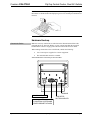
Cable Support Plate
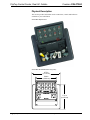
The C2N-FTB-D is shipped with a cable support plate that provides an easy pullout
cable solution for the computer input and LAN pass through cables.
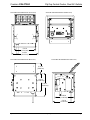
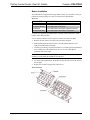
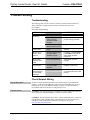
Parts Supplied for Cable Support
DESCRIPTION
PART NUMBER
QUANTITY
2011563
1
Cable Bushing, 0.55” ID, 0.80” OD
2010496
2
Cable Bushing, 0.39” ID, 0.64” OD
2011070
2
Cable Support Plate
Cable Bushing, 5/16“ ID, 0.5” OD
2009522
4
#4-40- x ¼”, Pan Head Phillips Screws
2007158
4
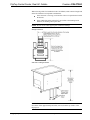
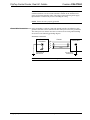
The cable support plate must be installed before mounting the C2N-FTB-D to a
surface. The cables are looped through the plate.
A Phillips screwdriver is required to install the plate.
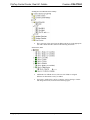
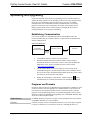
1.
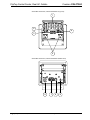
Place the bushings on the cables (eight bushings supplied).
2.
Thread the cables through the appropriate slot on the plate.
3.
Snap the bushings into the plate slots. The bushings protect the cables from
chafing against the metal edge of the plate.
4.
Feed all the excess cable through the opening.
5.
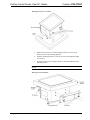
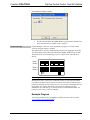
Use a Phillips screwdriver to attach the plate using the four #4-40 x ¼” black
screws.
6.
The cables may be secured to the bottom bar using tie wraps (not supplied).
Plate Installation
Operations & Installation Guide – DOC. 6639B
FlipTop Control Center, Dual AC Outlets: C2N-FTB-D • 11