1
Using The Keyboard
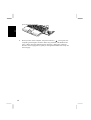
Your computer, equipped with the Windows Enhanced Keyboard, provides all the
functionality of a full-sized desktop keyboard.
2
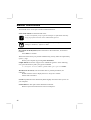
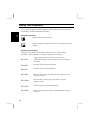
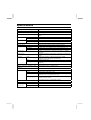
Windows Logo Keys
Opens the Windows Start menu.
Opens an application-specific short-cut menu equivalent to rightclicking.
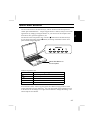
System Function Keys
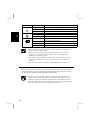
When pressed together with the Fn key, function keys set specific system
parameters. This combination is sometimes referred to as “hot keys”.
Fn + F5
Toggles display mode in LCD only, CRT only, and
simultaneously display. See the Display section in Chapter 4
for details.
Fn + F6
Decreases the LCD screen brightness.
Fn + F7
Increases the LCD screen brightness.
Fn + F8
Maximize the LCD screen brightness. Press again to set it to
the previous status.
Fn + F10
Stop the battery warning beep. (This doesn’t work for
Windows battery
Fn + F11
Turns on and off the screen backlighting.
Fn + F12
Forces the computer into System standby/hibernate. See also
Chapter 3.
2-6