1
CONTENTS
P.1
P.1
P.1
P.2
P.2
P.2
P.2
P.2
P.3
P.3
P.4
P.4
P.4
P.4
P.5
P.5
P.16-24
Do not use or leave the calculator under direct sunlight. Areas subject to rapid
temperature changes, high humidity, dust and dirt should also be avoided.
Use a dry cloth to clean the casing of the unit. Do not use water or detergents.
Only use the printer when the paper roll is loaded.
Avoid using the calculator in places where there are iron filings, as this may
affect the electrical circuits of the calculator.
Do not place anything on top of the machine, particularly on top of the printer
mechanism.
Turn the calculator off before removing the plug from the electrical outlet.
In case of electrical fault (i.e. smoke), disconnect the plug from the electrical
point immediately. The socket outlet should be near to the equipment and
easily accessible.
BEFORE USING THE PRINTER FOR FIRST TIME
1)
2)
BEFORE STARTING
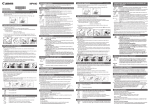
1) Plug in AC power cord. (Figure a )
2) Turn power switch on. (Power switch is located on
the right side of the cabinet.) "C" will automatically
be printed on the paper if the switch is set to print.
(Figure b )
1
F (Floating Decimal point) – All effective numbers up to 10
digits (CP1013D II) or 12 digits (CP1213D II) are printed or
displayed.
+1, +2 (Add-Mode) – Addition & subtraction (+1) or
Multiplication (+2) functions are performed with an 2-digit
decimal. It is convenient for currency calculations.
ROUNDING SWITCH
– Used for round-up [ ] , round-off [5/4], or round-down
[ ] to the pre-selected decimal digits in the result.
5/4
GENERAL MAINTENANCE
Remove the tape on the ink ribbon of the
calculator before use.
– Used for designating the decimal point position
(F, 6, 4, 3, 2, 1, 0, +1, +2) for calculated results.
a
b
CONSTANT SWITCH
– Set the switch to "K" for performing multiplication and
division by a constant.
ACCUMULATION SWITCH
– Set the switch to "AM", the entered number will be
automatically accumulated in the memory regiter by
pressing the
key
ITEM COUNT / AVERAGE CALCULATION SWITCH
At "n+" or "n+/–" position, the calculator count and print the
number of calculation items up to 9999.
<ITEM COUNTER>
When the "ITEM" switch is set at "n+", the calculator counts
the number of times the
and
keys are pressed.
When the switch is set at "n+/–", the calculator counts the
number of times the
key is pressed and subtracts from
the total numbers of times the
key is pressed.
<MEMORY ITEM COUNT>
When the "ITEM" switch is set at "n+", the calculator counts
number of times
and
keys are pressed.
When the switch is set at "n+/–", the calculator counts the
number of times the
key is pressed and subtracts from
the total number of times the
key is pressed.
2
ENGLISH
DECIMAL POINT SELECTOR SWITCH
GENERAL MAINTENANCE
BEFORE USING THE PRINTER FOR FIRST TIME
BEFORE STARTING
DECIMAL POINT SELECTOR SWITCH
ROUNDING SWITCH
CONSTANT SWITCH
ACCUMULATION SWITCH
ITEM COUNT / AVERAGE CALCULATION SWITCH
PRINT / PAIR MODE CALCULATION SWITCH
STORE / RECALL MEMORY KEY
RECALL ITEM COUNT / ITEM PLUS KEY
OVERFLOW FUNCTION
SPECIFICATIONS
CARRYING HANDLE
REPLACING THE INK RIBBON
INSTALLING PRINTING PAPER
CALCULATION EXAMPLE