1
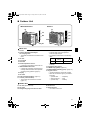
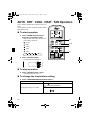
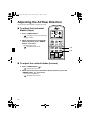
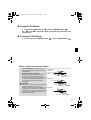
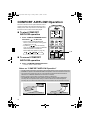
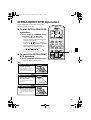
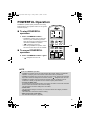
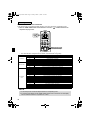
01_EN_3P207037-2D.fm Page 6 Friday, March 13, 2009 9:39 AM Remote Controller 1 R 2 5 ECONO ON/OFF 3 POWERFUL TEMP 6 4 7 MODE QUIET 9 10 FAN COMFORT SWING 8 11 SENSOR 13 ON CANCEL 12 16 OFF TIMER 15 18 17 14 <ARC433A85> 1. Signal transmitter: • It sends signals to the indoor unit. 2. Display: • It displays the current settings. (In this illustration, each section is shown with all its displays ON for the purpose of explanation.) 3. ECONO button: ECONO operation (page 19.) 4. POWERFUL button: POWERFUL operation (page 17.) 5. TEMPERATURE adjustment buttons: • It changes the temperature setting. 6. ON/OFF button: • Press this button once to start operation. Press once again to stop it. 7. MODE selector button: • It selects the operation mode. (AUTO/DRY/COOL/HEAT/FAN) (page 10.) 6 8. QUIET button: OUTDOOR UNIT QUIET operation (page 18.) 9. FAN setting button: • It selects the airflow rate setting. 10. SWING button: • Ajusting the Airflow Direction. (page 12.) 11. SWING button: • Louvers (vertical blades) (page 12.) 12. COMFORT/SENSOR button: • COMFORT AIRFLOW and INTELLIGENT EYE operation (page 14, 15.) 13. ON TIMER button: (page 21.) 14. OFF TIMER button: (page 20.) 15. TIMER Setting button: • It changes the time setting. 16. TIMER CANCEL button: • It cancels the timer setting. 17. CLOCK button: (page 9.) 18. RESET button: • Restart the unit if it freezes. • Use a thin object to push.