1
2.2.4
2.2.5
3.
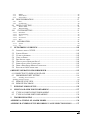
Operation in Configuration Menu.........................................................................................................25
Field Input Options ...............................................................................................................................26
GENERAL DVR OPERATIONS...................................................................................... 28
3.1
3.2
3.3
3.5
3.6
RECORD ......................................................................................................................... 28
LOGIN............................................................................................................................. 28
SELECT CAMERA OPERATION................................................................................. 29
PLAYBACK.................................................................................................................... 30
PTZ .................................................................................................................................. 31
General PTZ control (if PTZ cameras are installed)..................................................................................31
Express Control of PTZ.........................................................................................................................32
3.6.1
3.6.2
3.7
LAYOUT......................................................................................................................... 34
3.7.1
Bring a camera to full screen mode.......................................................................................................34
3.8 CHANNEL SWITCHING............................................................................................... 34
3.9 DISPLAY ........................................................................................................................ 35
3.10
SEQUENCE.................................................................................................................. 35
3.11
ZOOM........................................................................................................................... 35
3.12
SEARCH....................................................................................................................... 36
3.12.1
3.12.2
3.12.3
3.12.4
3.13
3.14
Time Search...........................................................................................................................................37
Event Search..........................................................................................................................................37
Smart Search .........................................................................................................................................38
Snapshot Search ....................................................................................................................................41
COPY............................................................................................................................ 43
LOGOUT ...................................................................................................................... 44
DVR CONFIGURATION .................................................................................................. 45
4
4.1
4.2
4.3
4.3.1
4.3.2
4.3.3
4.3.4
4.4
4.4.1
4.4.2
4.4.3
4.5
4.5.1
4.5.2
4.6
4.6.1
4.6.2
4.6.3
4.6.4
4.7
4.7.1
4.7.2
CONFIGURATION MENU............................................................................................ 45
EXPRESS ........................................................................................................................ 45
CAMERA SETTING ...................................................................................................... 48
Basic Setting..........................................................................................................................................48
Video Adjust (apply to analog camera only) .........................................................................................50
Motion ...................................................................................................................................................51
Video Loss .............................................................................................................................................54
RECORD & PLAY SETTING........................................................................................ 56
Record ...................................................................................................................................................56
Built-in Calculator ................................................................................................................................57
Play .......................................................................................................................................................58
ALARM & EVENT SETTING....................................................................................... 59
Alarm.....................................................................................................................................................59
Event......................................................................................................................................................61
SCHEDULE SETTING................................................................................................... 69
Express Setup .......................................................................................................................................69
Holidays ................................................................................................................................................70
Schedule ................................................................................................................................................71
Alarm Action .........................................................................................................................................76
NETWORK SETTING.................................................................................................... 80
LAN .......................................................................................................................................................80
EMAIL ...................................................................................................................................................82
vi