1
Contents
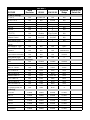
Introduction ------------------------------------------------------------------------ 1
Understanding the Basics ......................................................................... 1
Integrating Peripherals With Host Systems ............................................... 1
Changing Interfaces .................................................................................. 2
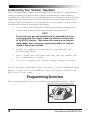
Customizing Your Scanner Operation ....................................................... 4
Programming Overview .................................................................................... 4
What Is Programming Mode? ................................................................... 5
How To Program Using Bar Codes ........................................................... 5
The Programming Session ....................................................................... 6
Scanner Response When In Programming Mode ..................................... 6
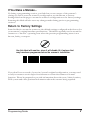
If You Make a Mistake... ............................................................................ 7
Return to Factory Settings ........................................................................ 7
Where To Go From Here ........................................................................... 8
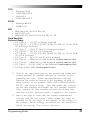
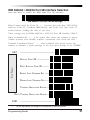
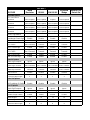
IBM 4683/84 • 4693/94 Port 5B Interface Selection .................................. 9
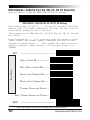
IBM 4683/84 • 4693/94 Port 9A, 9B, 9C, 9E I/F Selection ...................... 10
IBM 4682/92 Port E Interface Selection .................................................. 11
Datalogic OCIA1 Interface Selection ...................................................... 12
NCR OCIA Eight Bit (short format) Interface Selection ........................... 12
NCR OCIA Nine Bit (long format) Interface Selection ............................. 12
SNI OCIA Interface Selection ................................................................. 12
OCIA Options ......................................................................................... 13
Wand Emulation Interface Selection ....................................................... 14
RS-232 Interface Selection ..................................................................... 16
SNI RS-232 Interface Selection .............................................................. 16
Hardware Control ................................................................................... 19
Software Control ..................................................................................... 20
RS-232 ACK/NAK Options (QuickScan 6000 Plus ONLY) ...................... 21
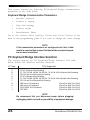
PC Keyboard Wedge Interface Selection ................................................ 24
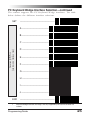
PC Keyboard Wedge Interface Selection—continued ............................. 25
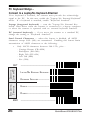
PC Keyboard Wedge –
Connect to a Laptop/No Keyboard Attached ........................................... 26
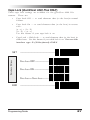
Caps Lock (QuickScan 6000 Plus ONLY) ............................................... 27
Country Mode (QuickScan 6000 Plus ONLY) ......................................... 28
Intercharacter Delay ............................................................................... 30
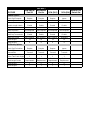
Label Transmit Format Configuration Items .................................................... 32
(RS-232 and Keyboard Wedge Interfaces Only) ..................................... 32
Prefix & Suffix ......................................................................................... 32
Non-Symbology Specific Items ............................................................... 34
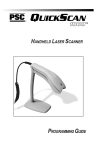
Programming Guide