1
CRYSTALCUBE—User Manual
MAINTENANCE AND SECURITY
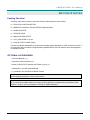
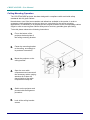
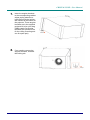
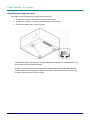
Replacing the Projection Lamp
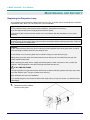
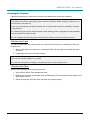
The projection lamp should be replaced when it burns out. It should only be replaced with a certified
replacement part, which you can order from your local dealer.
Important:
a. The projection lamp used in this product contains a small amount of mercury.
b. Do not dispose this product with general household waste.
c. Disposal of this product must be carried out in accordance with the regulations of your local
authority.
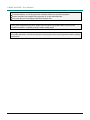
Warning:
Be sure to turn off and unplug the projector at least 30 minutes before replacing the lamp. Failure to
do so could result in a severe burn.
Caution:
In rare cases the lamp bulb may burn out during normal operation and cause glass dust or shards
to be discharged outward from the rear exhaust vent.
Do not inhale or do not touch glass dust or shards. Doing so could result in injury.
Always keep your face away from the exhaust vent so that you do not suffer from the gas and
broken shards of the lamp.
When removing the lamp from a ceiling-mounted projector, make sure that no one is under the
projector. Glass fragments could fall if the lamp has been burned out.
! IF A LAMP EXPLODES
If a lamp explodes, the gas and broken shards may scatter inside the projector and they may come
out of the exhaust vent. The gas contains toxic mercury.
Open windows and doors for ventilation.
If you inhale the gas or the shards of the broken lamp enter your eyes or mouth, consult the doctor
immediately.
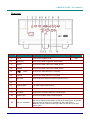
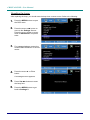
1.
Disconnect all the cables
from the rear panel.
— 36 —