1
ENGLISH
CD30
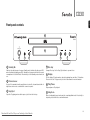
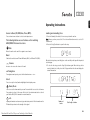
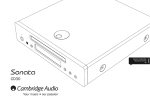
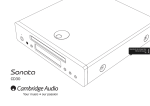
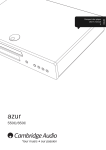
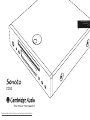
Front panel controls
4
CD30
Standby / On
5
1
2
3
1 Standby/On
Switches the unit between a low power Standby mode (indicated by dim power LED)
and on (indicated by bright power LED). Standby is a low power mode where the power
consumption is less than 5 Watts. The unit may be left in Standby mode when not in
use.
2 Infrared sensor
Receives IR commands from the supplied remote control. A clear, unobstructed line of
sight between the remote control and the sensor is required.
3 Stop/Eject
Stops the CD playing and on a futher press ejects it from the disc tray.
Downloaded From Disc-Player.com Cambridge Audio Manuals
6
7
4 Disc tray
Compact Disc tray. Use the Stop/Eject button to open and close.
5 Display
Used to display CD track number, elapsed/remaining time and other CD functions.
Please refer to the 'CD player setup' section of this manual for more information.
6 Play/Pause
Plays and pauses CD playback.
7 Skip/Scan
Allows for skipping between tracks and also searching within tracks. Press briefly to
skip track, press and hold to search within a track.
9