1
Unit 6: Maintenance
ADJUSTMENT PROCEDURES
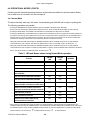
This section provides information on user maintenance for the SATO Ct4xxi printer. This section
contains the following information.
• Adjusting the Print Quality
• Cleaning the Print Head, Platen and Rollers
• Replacing the Print Head
ADJUSTING THE PRINT QUALITY
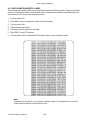
The SATO CT4xxi printer is equipped with two different methods of adjusting the quality of the print—
print darkness and print speed.
When adjusting the printer for optimum print quality, a barcode verifier system is highly recommended
for evaluating the printouts. The human eye is a poor judge of the relative widths of the bars in a symbol,
a characteristic that is extremely important for good bar code quality.
Print Darkness
This adjustment allows the user to control (within a specified range) the amount of power that is used to
activate the print head heating elements. It is important to find a proper print darkness level based on
your particular label. The printed images should not be too light nor should the edges of text or graphics
be smudged. Instead, the edges of each image should be crisp and well defined.
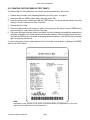
Once the range has been selected, the PRINT Potentiometer (VR1) on the front panel can be used to
make finer adjustments. It provides a continuous range of adjustment, allowing you to make precise
changes. Use a small cross-point screwdriver, turning clockwise for darker print and counterclockwise
for lighter print. See page 3-3 for instructions on performing potentiometer adjustments
Print Speed
The other method of controlling print quality is by controlling the speed at which the label is printed. It is
especially critical when printing "ladder" bar codes (bar codes printed with the bars parallel to the print
line). When printing a "ladder" bar code, it is important to allow the head to cool sufficiently before
stepping to the next position. If it does not have sufficient time to cool, the bar will be "smeared" on the
trailing edge. The adjustment can be made via standard SBPL commands. For more information refer to
the SBPL Programming Reference.
CT4i Series Operator Manual
6-3