1
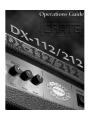
D X - 1 1 2 / 2 1 2 D i g ita l G u ita r A m p l i f i e r
The Amp Models
Descriptions of the Models . . . . . . . . . . . . . . . . . . . . . . . . . . . . . . . . . .11
Equalization and Channel Level . . . . . . . . . . . . . . . . . . . . . . . . . . . . . . .13
AMP MODELS
Making the Right Connections
The Input Jacks . . . . . . . . . . . . . . . . . . . . . . . . . . . . . . . . . . . . . . . . . . . . . .7
The Stereo Line In and Line Out Jacks . . . . . . . . . . . . . . . . . . . . . . . . . . .7
Using a MIDI Footswitch . . . . . . . . . . . . . . . . . . . . . . . . . . . . . . . . . . . . . .9
Using the Crate Foot Controller . . . . . . . . . . . . . . . . . . . . . . . . . . . . . . . .9
The MIDI Out/Thru Jack . . . . . . . . . . . . . . . . . . . . . . . . . . . . . . . . . . . . . .9
The Stereo Headphones Jack . . . . . . . . . . . . . . . . . . . . . . . . . . . . . . . . . .9
CONNECTIONS
Quick Start: Plug In and Go!
Making Sound . . . . . . . . . . . . . . . . . . . . . . . . . . . . . . . . . . . . . . . . . . . . . .1
A Look at the Front Panel Controls . . . . . . . . . . . . . . . . . . . . . . . . . . . . .3
A Look at the Rear Panel . . . . . . . . . . . . . . . . . . . . . . . . . . . . . . . . . . . . .5
QUICK START
Contents
The Digital Effects
Descriptions of the Effects . . . . . . . . . . . . . . . . . . . . . . . . . . . . . . . . . . .15
Effects Selection and Adjustment . . . . . . . . . . . . . . . . . . . . . . . . . . . . .17
iii
FAVORITES
Appendices
A. Designer’s Note: Amplifier Modeling . . . . . . . . . . . . . . . . . . . . . . .43
Block Diagrams . . . . . . . . . . . . . . . . . . . . . . . . . . . . . . . . . . . . . . . . .44
B. MIDI Implementation Chart . . . . . . . . . . . . . . . . . . . . . . . . . . . . . . .45
C. Specifications . . . . . . . . . . . . . . . . . . . . . . . . . . . . . . . . . . . . . . . . . .46
THE KEYPAD
Playing Favorites
Factory Presets 1–10 . . . . . . . . . . . . . . . . . . . . . . . . . . . . . . . . . . . . . . .21
User Presets 1–100 . . . . . . . . . . . . . . . . . . . . . . . . . . . . . . . . . . . . . . . .23
EFFECTS
The Keypad
Recalling The Presets . . . . . . . . . . . . . . . . . . . . . . . . . . . . . . . . . . . . . . . .19
Saving New Presets . . . . . . . . . . . . . . . . . . . . . . . . . . . . . . . . . . . . . . . . .19
The Tap Button . . . . . . . . . . . . . . . . . . . . . . . . . . . . . . . . . . . . . . . . . . . .20
The Manual (“MAN”) Button . . . . . . . . . . . . . . . . . . . . . . . . . . . . . . . . .20
Restoring Factory Default Presets . . . . . . . . . . . . . . . . . . . . . . . . . . . . . .20