1
SPEAKERS
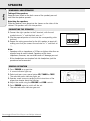
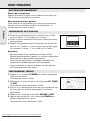
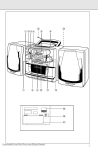
REMOVABLE LOUDSPEAKERS
English
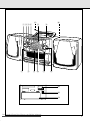
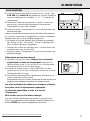
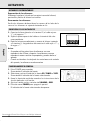
Taking off the speakers
Keep the lever (found on the back corner of the speaker) pressed
and slide the speaker upwards.
Attaching the speakers
Slide the speakers from above into the sleeves on the sides of the
cabinet. The speakers will click into position.
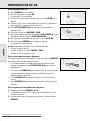
CONNECTING THE SPEAKERS
1. Connect the right speaker to the R terminal, with the red
marked wire to "+" and the black wire to "-".
2. Clip the exposed portion of wire into the corresponding color
terminal.
3. Repeat the wiring procedure for the left speaker to terminal L,
making sure that you connect the red wire to "+" and black to
"-".
+
R
–
+
L
SPEAKERS 4
–
Note:
– Speakers with an impedance of 4 Ohms or higher other than as
supplied may be used instead. Speakers with a lower
impedance, however, are unsuitable and will damage your set.
– When headphones are inserted into the headphone jack the
speakers are disconnected.
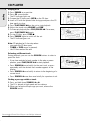
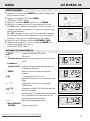
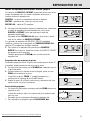
GENERAL OPERATION
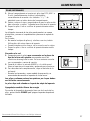
1. Press POWER to on position.
– A source indicator lights up.
2. Select and press your source button CD, TUNER or TAPE.
– The selected source indicator lights up.
3. Operate sound source according to the instructions of the
respective chapter about the function.
4. Adjust the sound using the VOLUME and DBB controls.
5. Press POWER again to switch off the set.
– The selected source indicator goes out.
Downloaded From Disc-Player.com Philips Manuals
10
POWER
AZ2750 CD RADIO
CASSETTE RECOR
DE
DBB
SHUFFLE
CD
TUNER