1
400-104-004-D (TH104PLUS) ENG.fm Page 3 Tuesday, January 29, 2008 4:21 PM
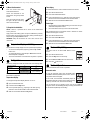
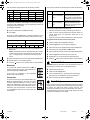
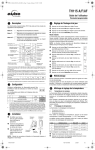
The thermostat is preprogrammed with the following schedule:
Period
Monday to Friday
The economy mode has two periods which should be set as follows:
Saturday & Sunday
Start Time Temperature Start Time Temperature
1 Wake
2 Leave
3 Return
4 Sleep
6:00
8:00
18:00
22:00
21°C (70°F)
16°C (62°F)
21°C (70°F)
16°C (62°F)
6:00
--22:00
Period Temperature Setting
21°C (70°F)
--16°C (62°F)
To temporarily override the current setpoint, set the desired temperature using the Up or Down button. The new setpoint will be used until
the beginning of the next period.
Start Time Setting
1
Set to a comfortable
level.
Set the day and time that you
want the temperature to start
rising so that a comfortable level
is attained by the time you arrive.
2
Set to an economy
level.
Set the day and time that you
want the temperature to start
dropping to an economy level if
you do not show up.
To modify the schedule:
The economy mode should be used as follows:
n
o
Press the Mode button until Auto is selected.
Place the thermostat in economy mode during your absence.
Press Pgm.
When you arrive, place the thermostat in automatic mode or in
manual mode before the temperature drops back to the
economy level.
When you leave, switch the thermostat back to economy mode.
Each time you press the Pgm button, the thermostat displays one of
the periods of the schedule in the following order (from left to right):
Weekdays
Weekend
MO TU WE TH FR
SA SU
1
p
q
r
s
2
3
4
1
2
3
To program the two periods of the economy mode:
4
Set the start time for the displayed period using the Hour and
Min buttons.
NOTE: To deactivate the period, press the Mode button. Instead
of displaying the start time of the period, the thermostat will display --:--. During operation, the thermostat will skip over that
period.
Set the temperature for the period using the Up or Down button.
Repeat steps 2 to 4 for remaining periods.
Press the
button to return the thermostat to normal operation.
Manual mode
To use this mode, press the Mode button until Man is
selected (outlined) on the screen. Set the desired temperature using the Up or Down button.
n
o
p
q
r
s
t
u
Press the Mode button until Econo is selected.
Press the Pgm button. The first period is displayed.
Set the start day for the displayed period using the Day button.
Set the start time using the Hour and Min buttons.
Set the temperature for the period using the Up or Down button.
Press the Pgm button to select the next program (2).
Repeat steps 2 to 4 to set the day, time and temperature.
Press the
t
button to return the thermostat to normal operation.
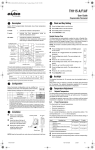
Thermostat Reset
7.
WARNING: When the thermostat is reset, all parameters (clock, configuration and schedules) return to their default settings.
n
o
p
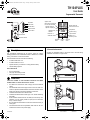
Open the thermostat’s door.
Economy mode
q
Wait one second and release the Pgm button.
To use the economy mode, press the Mode button until
Econo is selected (outlined) on the screen. This mode
is ideal for weekend residences as it can be used as
follows: The temperature is kept at an economy level
during most of your absence and is raised to a comfortable level by your usual arrival time. If you do not show
up, the temperature returns to the economy level until
next weekend.
u
In this mode, any modification to the temperature
setpoint must be done manually.
TH104PLUS
Press and hold the Pgm button.
Insert a pointed object (e.g., paperclip) in the reset opening.
Remove it when the thermostat’s screen becomes blank.
Power Outage
8.
During a power outage, the thermostat display remains lit for approximately the next 15 minutes during which the LP (low power) indicator appears. The settings are stored in memory. However, if the
power failure exceeds 5 hours, only the thermostat’s clock must be
re-adjusted. When power returns, the thermostat returns to the mode
of operation preceding the power outage.
400-104-004-D
2008-01-29
3/4