1
vSphere Upgrade
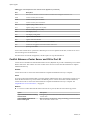
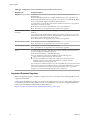
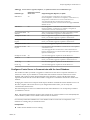
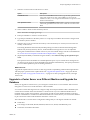
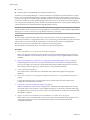
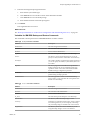
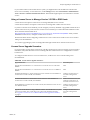
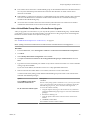
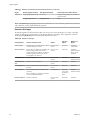
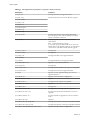
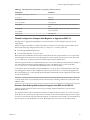
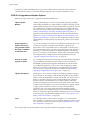
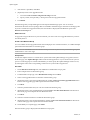
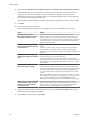
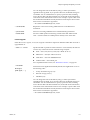
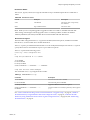
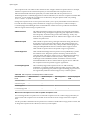
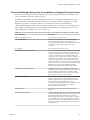
Table 6‑9. Error and Warning Codes That Are Returned by the Installation and Upgrade Precheck Script
(Continued)
Error or Warning
Description
PARTITION_LAYOUT
Upgrading or migration is possible only if there is at most
one VMFS partition on the disk that is being upgraded and
the VMFS partition must start after sector 1843200
POWERPATH
This test checks for installation of EMC PowerPath
software, consisting of a CIM module and a kernel module.
If either of these components is found on the host, the test
checks to make sure that matching components (CIM,
vmkernel module) also exist in the upgrade. If they do not,
the test returns a warning that indicates which PowerPath
components were expected on the upgrade ISO and which,
if any, were found.
PRECHECK_INITIALIZE
This test checks that the precheck script itself can be run.
SANE_ESX_CONF
The file /etc/vmware/esx.conf must exist on the host.
SPACE_AVAIL_ISO
vSphere Update Manager only. The host disk must have
enough free space to store the contents of the installer CD
or DVD.
SPACE_AVAIL_CONFIG
vSphere Update Manager only. The host disk must have
enough free space to store the 4.x configuration between
reboots.
SUPPORTED_ESX_VERSION
Upgrading or migration to ESXi 5.0 is possible only from
version 4.x ESXi or ESX hosts.
TBOOT_REQUIRED
This message applies only to vSphere Update Manager
upgrades. The upgrade fails with this error when the host
system is running in Trusted Boot mode (tboot), but the
ESXi upgrade ISO does not contain any tboot VIBs. This
test prevents an upgrade that can make the host less secure.
UNSUPPORTED_DEVICES
Warning. This test checks for unsupported devices. Some
PCI devices are not supported in ESXi 5.0.
UPDATE_PENDING
This test checks the 4.x host for VIB installations that
require a reboot. This test fails if one or more such VIBs is
installed, but the host has not yet been rebooted. In these
conditions, the precheck script is unable to reliably
determine which packages are currently installed on the
host, so it might not be safe to rely on the rest of the
precheck tests to determine whether an upgrade is safe.
If you encounter this error, restart the host and retry the
upgrade.
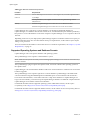
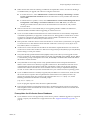
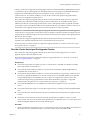
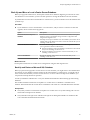
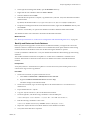
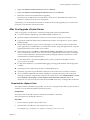
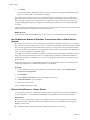
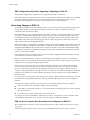
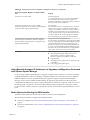
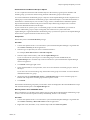
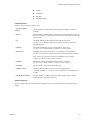
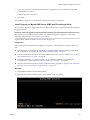
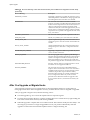
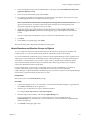
After You Upgrade or Migrate Hosts
A host upgrade or migration is not complete until you have ensured that the host is reconnected to its
managing vCenter Server and reconfigured if necessary, and that the host license is reapplied or upgraded.
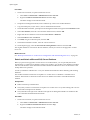
After you upgrade or migrate a host, take the following actions:
144
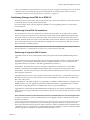
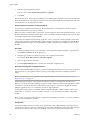
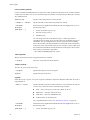
n
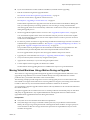
View the upgrade logs. You can use the vSphere Client to export the log files.
n
If vCenter Server manages the host, you must reconnect the host to vCenter Server by right-clicking the
host in the vCenter Server inventory and selecting Connect.
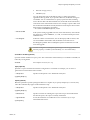
n
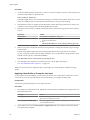
When the upgrade is complete, ESXi is in evaluation mode. The evaluation mode period is 60 days. You
must reapply your license or assign an upgraded license to your product within 60 days after the
upgrade. Use the License Portal and the vSphere Client to configure licensing. See
VMware, Inc.