1
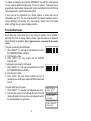
3. Scroll through the log using the MENU/NEXT key.
4. The screen will display the end of the event log.
** END OF LOG **
To clear the event log:
1. Press “SELECT” 6, 2 or scroll through the menu.
2. Enter your authorized user code. The display will indicate
the end of the event log and the log will then be erased.
PARTITIONED/UNPARTITIONED OPERATION
The Summit 3208GLD control panel can be operated in partitioned mode, enabling one
Summit security system to operate as up to four separate sub-systems. Ask your
security installer about partitioning.
The Summit security system acts as it normally does in partitioned mode, except for
during the following:
•
Should a sub-system be communicating with the control panel through its keypad,
the other sub-systems will not be able to communicate with the control panel using
their system’s keypad until the operating sub-system has completed its desired
function.
•
The system number needs to be entered when performing system functions.
In unpartitioned mode, the system number is one.
ADDITIONAL FEATURES
The following is a listing of the additional features offered by the Summit security
system. Consult with your installer for programming these features using the LED
keypad.
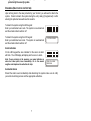
SET TIME
HHMM
00:00
SET DATE DDMMYY
21/11/98
Setting the Time and Date
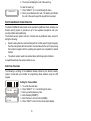
1. To set the time and date:
2. Press “SELECT” 4, 1 or scroll through the menu.
3. Enter your authorized user code.
4. Enter the date (DDMMYY).
5. Enter the time in 24 hour format (HHMM).
6. Press “AWAY” to return to the normal system display.
10