1
StarChoicePolaris Remote Rev 1 FRA.fm Page 3 Monday, January 8, 2007 4:57 PM
QUICK START GUIDE
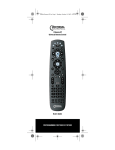
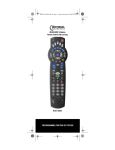
Welcome to the Polaris Remote Control Quick
Start Guide. To start using your remote control
right away, just follow the steps below.
Note: This Quick Start Guide assumes your
Polaris Remote Control has battery power. If
your remote control does not have power,
please refer to the section, See “Installing
Batteries” on page 11.
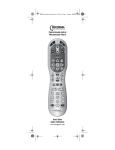
Your Polaris Remote Control preprogrammed
to control and operate the Star Choice satellite
receiver and was designed for comfort,
convenience, and simplicity. Use the TV and
SAT keys to turn the power on and off for your
television and satellite receiver. The Volume
and Mute keys are locked to control your TV’s
volume, and all other functions control your
satellite receiver.
PROGRAM CONTROL OF YOUR
TELEVISION
You can control your television and your
satellite receiver with your Polaris Remote
Control. Follow these steps to program the
Polaris remote control to control your TV.
Note: Please refer to “Device Table” on
page 11 to find out which devices you
can program onto each device key.
1.
Turn on the device you wish to
control.
2.
Press the TV key. The key blinks once.
Then press and hold the SETUP key
until the TV key blinks twice.
3.
Use the “Manufacturer’s TV (or DVD/
VCR TV Combination Device) Codes
(Codes du fabricant )” on page 36 to
locate the type of device and its brand
name. Enter the first four-digit code
for that device and brand. If the code
www.urcsupport.com
3