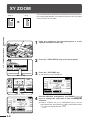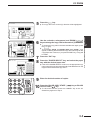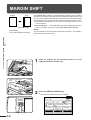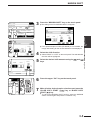
1
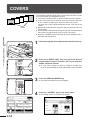
IMAGE EDITING FUNCTIONS
4
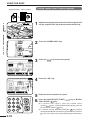
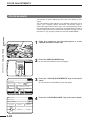
READY TO COPY.
OK
SPECIAL MODES
IMAGE EDIT
PHOTO REPEAT
●
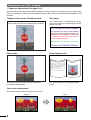
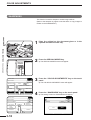
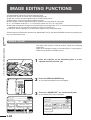
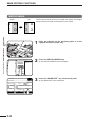
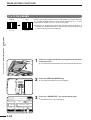
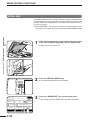
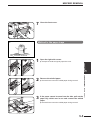
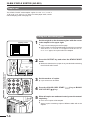
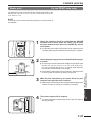
The setting screen for PHOTO REPEAT will appear.
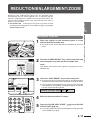
PLEASE SELECT REPEAT TYPE.
OK
MIRROR
IMAGE
MULTI-PAGE
ENLARGEMENT
NEG./POS.
REVERSE
11 17
FULL-BLEED
SINGLE COLOR
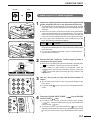
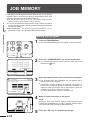
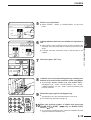
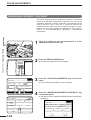
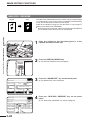
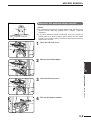
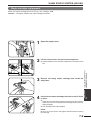
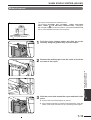
Press the “PHOTO REPEAT” key on the touch panel.
OK
SPECIAL MODES
PHOTO REPEAT
ORIGINAL SIZE
EXTRA SIZE
CANCEL
OK
REPEAT TYPE
8/1 2 11 11 17 1/2
CHAPTER
~3 5"
~5 7"
LEASE SELECT REPEAT TYPE.
INFOR
CUS
SETT
5
~3 5"
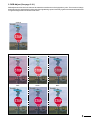
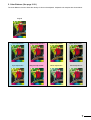
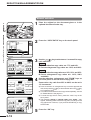
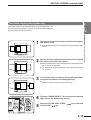
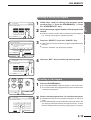
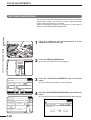
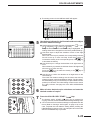
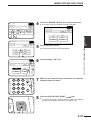
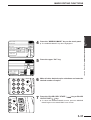
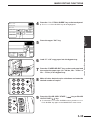
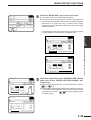
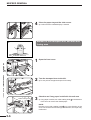
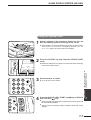
Select the desired repeat type.
●
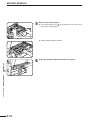
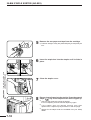
Select the copy paper size depending on the original size.
●
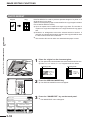
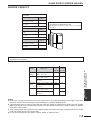
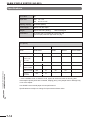
When making PHOTO REPEAT copies of a ~2 ½" x4" or ~2 ½"
x 2 ½" original, press the
key to change the screen, and then
press the desired repeat type key (8 ½" x 11" or 11" x 17") as
appropriate for the original to be copied.
~5 7"
EAT TYPE.
INFORMATIO
OK
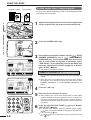
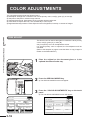
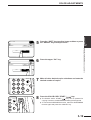
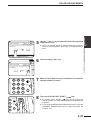
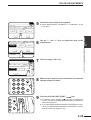
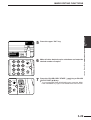
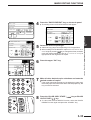
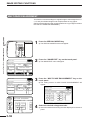
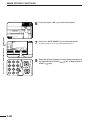
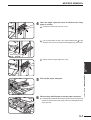
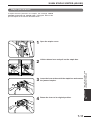
Press the upper “OK” key.
7
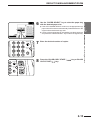
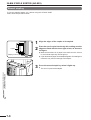
Make all other desired copier selections and enter the
desired number of copies.
8
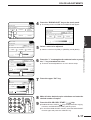
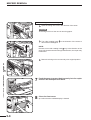
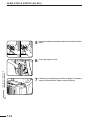
Press the COLOR COPY START (
COPY START (
) key.
CUSTOM
SETTINGS
CANCEL
OK
REPEAT
TYPE
8/1 2 11 11 17
E
6
11 17
N
1
2
3
4
5
6
INTERRUPT
CLEAR
ALL
7
8
AUDIT
0
3
INTERRUPT
6
CLEAR
ALL
●
CA
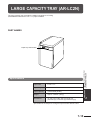
If the copier has another paper tray (including the bypass tray)
that holds paper of the same size as the selected paper tray, the
tray can also be selected.
9
PROGRAM
C
P
CLEAR
●
) key or BLACK
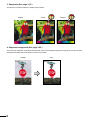
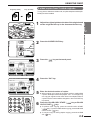
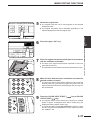
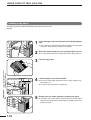
To cancel the PHOTO REPEAT function, select the PHOTO
REPEAT function again and press the “CANCEL” key.
CA
9
PROGRAM
C
P
CLEAR
3-33
SPECIAL FUNCTIONS Image editing functions
CANCEL
OK
REPEAT TYPE
1
8/2 11 11 17 1/2
3
OK
PECIAL MODES
HOTO REPEAT
ORIGINAL SIZE