1
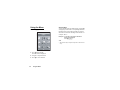
Messages (M 4)
Your phone allows you to send and receive text or
multimedia and to receive WAP alerts.
Multimedia (MMS) (M 4-2)
About Multimedia Messaging
Multimedia Messaging Service (MMS) allows you to
send and receive multimedia messages with graphical
images, photographs, sound, animations or video clips
attached.
Note
• Some MMS functions may not always be available
depending on your network. Contact your network
operator for more information.
Creating a New MMS (M 4-2-1)
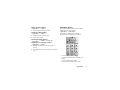
A → “Multimedia” → “Create Message”
1. Enter the message.
To use the text template, move the cursor to the
point you wish to insert the template. Press
[Options] and select “Text Options”. Select “Add
Text Template” and then select the desired
template.
2. Select the desired recipient from the Contacts List
entries.
If the desired entry does not exist, select “Enter
Number” or “Enter Email Address” and enter the
phone number or Email address.
3. Select “Send”.
After the message is sent, the message is moved to
the Sent box.
Messages
47