1
2G. Camera
1. Press
⽧
Taking Pictures (page 59)
Shortcut: To activate camera mode menu, you can also
⽧
Camera Settings (page 60)
⽧
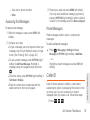
Erasing Photos (page 64)
⽧
Sending a Picture (page 65)
⽧
Assigning Photos (page 65)
Taking Pictures
Taking pictures with your phone’s built-in camera is as
simple as choosing a subject, pointing the lens, and
pressing a button. You can activate the phone’s
camera mode whether the phone is open or closed.
> Pictures > Camera to activate camera
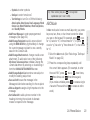
mode. Additional camera options are available
through the camera mode OPTIONS (right softkey)
menu.
press the camera key (
) twice or press and
hold the side camera button to open the camera
function.
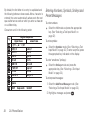
2. Using the phone’s display screen as a viewfinder,
aim the camera lens at your subject.
3. Press
or
until the shutter sounds. (Your
phone automatically saves the picture to the
Album.)
4. Press
or
to return to camera mode to take
another picture.
To take a picture with the phone closed:
1. Press and hold
and the volume up key to
activate camera mode.
Note: The keys are locked when the phone is closed. Press
and hold the camera key and volume key together to
unlock the keys.
2G. Camera
59
Camera
To take a picture with the phone open: