1
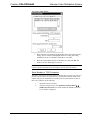
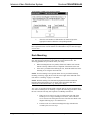
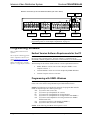
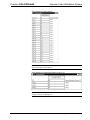
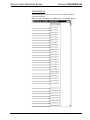
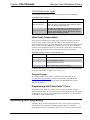
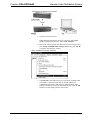
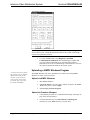
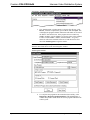
Crestron C2N-IVDS24x24 Intercom Video Distribution System SIMPL Windows is Crestron's primary software for programming Crestron control systems. It provides a well-designed graphical environment with a number of workspaces (i.e., windows) in which a programmer can select, configure, program, test, and monitor a Crestron control system. SIMPL Windows offers drag and drop functionality in a familiar Windows environment. This section explains how to create a SIMPL Windows program that includes the IVDS. Configuration Manager is where programmers “build” a Crestron control system by selecting hardware from the Device Library. In Configuration Manager, drag the PRO2 from the Control Systems folder of the Device Library and drop it in the upper pane of the System Views. The PRO2 with its associated communication ports is displayed in the System Views upper pane. PRO2 System View The System Views lower pane displays the PRO2 system tree. This tree can be expanded to display and configure the communications ports. Expanded PRO2 System Tree C2Net-Device Slot in Configuration Manager To incorporate the IVDS into the system, drag the C2N-IVDS from the Cresnet Control Modules | Cresnet Video Modules folder of the Device Library and drop it in the System Views. The PRO2 system tree displays the device in slot 9 with a default Net ID of 45 as shown in the following illustration. NOTE: The first IVDS in a system is preset with a Net ID of 45, when its symbol is dragged into the upper pane of System Views. Additional IVDS devices are assigned different Net ID numbers as they are added. Operations Guide - DOC. 6171 Intercom Video Distribution System: C2N-IVDS24x24 • 15