1
AXIS 221/223M Installation Guide
Page 5
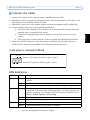
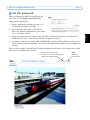
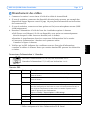
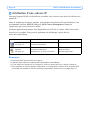
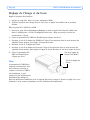
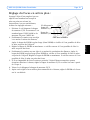
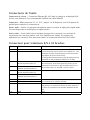
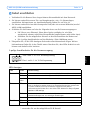
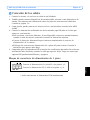
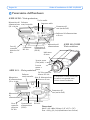
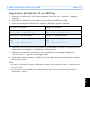
Connect the cables
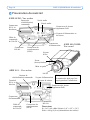
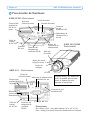
3 pin power connector block
AC AC
1
2
GND DC+
Connect AC power (10-24V) on pins 2 and 3.
3
Connect DC power (7-24V) on pins 1 and 2.
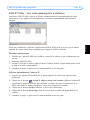
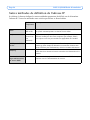
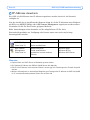
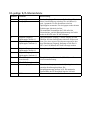
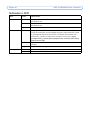
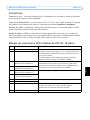
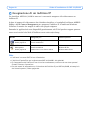
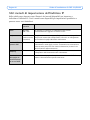
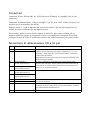
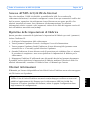
LED indicators
LED
Color
Description
Network
Green
Status
Amber
Unlit
Green
Steady for connection to 100 Mbit/s network. Flashes for network
activity.
Steady for connection to 10 Mbit/s network. Flashes for network activity.
No connection.
Shows steady green for normal operation. Note: The Status LED can be
configured to be unlit during normal operation, or to flash only when the
camera is accessed. See the online help files for more information. Go to
Setup > System Options > LED settings
Steady during startup, reset to factory default or when restoring settings.
Slow flash for failed upgrade.
Normal operation.
Flashes green/amber during firmware upgrade.
Power
Amber
Red
Green
Amber
* only use the supplied PS-K power adapter
ENGLISH
ENGLISH
ENGLISH
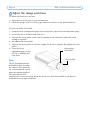
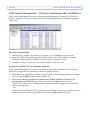
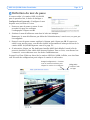
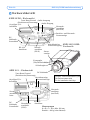
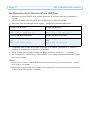
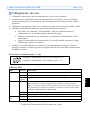
1. Connect the camera to the network using a shielded network cable.
2. Optionally connect external input/output devices, such as alarm devices. See page 13 for
information on the terminal connector pins.
3. Optionally connect an active speaker and/or external microphone (AXIS 223M only).
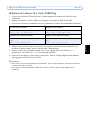
4. Connect power, using one of the methods listed below:
• PoE (Power over Ethernet). If available, this is automatically detected when the
network cable is connected (see above).
• Connect the supplied indoor power adapter* to the power connector on the
camera.
• The 3 pin power connector block on the rear panel. See the illustration below.
5. Check that the LED indicators show the correct conditions. See the table below for
further details. Note that some LEDs can be disabled and may be unlit.