1
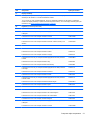
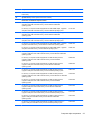
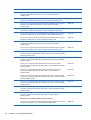
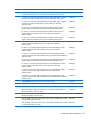
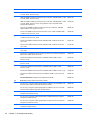
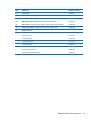
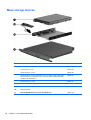
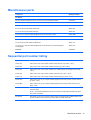
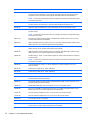
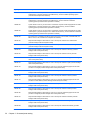
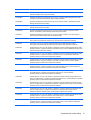
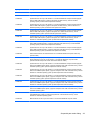
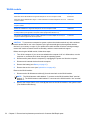
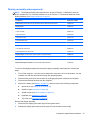
WLAN module
Description
Spare part number
Qualcomm Atheros QCA9485 802.11b/g/n WiFi Adapter for use on all computer models
675794-001
Qualcomm Atheros AR9565 802.11b/g/n 1×1 WiFi + Bluetooth 4.0 Combo Adapter for use on all
computer models
733476-001
Ralink RT3290LE 802.11b/g/n 1×1 WiFi and Bluetooth 4.0 Combo Adapter for use on all
computer models
690020-001
Realtek RTL8188EE 802.11b/g/n WiFi Adapter for use on all computer models
709848-001
Intel Centrino Wireless-N 2230 Combo Adapter for use only on computer models equipped with
an Intel processor (not supported on computer models equipped with Windows 8.1)
670290-001
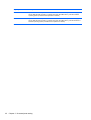
Intel Wireless-N 7260BN 802.11b/g/n 2×2 WiFi + Bluetooth 4.0 Combo Adapter for use only on
computer models equipped with an Intel processor
717384-001
CAUTION: To prevent an unresponsive system, replace the wireless module only with a wireless
module authorized for use in the computer by the governmental agency that regulates wireless
devices in your country or region. If you replace the module and then receive a warning message,
remove the module to restore device functionality, and then contact technical support.
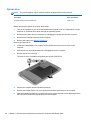
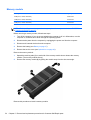
Before removing the WLAN module, follow these steps:
1.
Turn off the computer. If you are unsure whether the computer is off or in Hibernation, turn the
computer on, and then shut it down through the operating system.
2.
Disconnect the power from the computer by unplugging the power cord from the computer.
3.
Disconnect all external devices from the computer.
4.
Remove the battery (see Battery on page 47).
5.
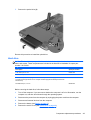
Remove the service cover (see Optical drive on page 48).
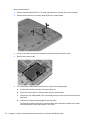
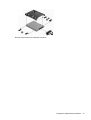
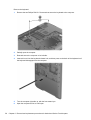
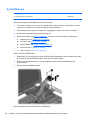
Remove the WLAN module:
1.
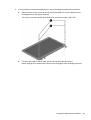
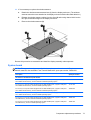
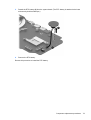
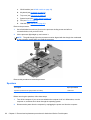
Disconnect the WLAN antenna cables (1) from the terminals on the WLAN module.
NOTE: The WLAN antenna cable labeled “1” connects to the WLAN module “Main” terminal
labeled “1”. The WLAN antenna cable labeled “2” connects to the WLAN module “Aux” terminal
labeled “2”.
2.
52
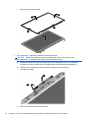
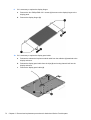
Remove the Phillips PM2.5×3.25 screw (2) that secures the WLAN module to the system board.
(The WLAN module tilts up.)
Chapter 5 Removal and replacement procedures for Customer Self-Repair parts