1
BROADBAND
Learn about…
4 Check broadband service status by calling 0800 169 0199.
BROADBAND
5 We recommend
that you install and run Desktop Help (see page 6) to help
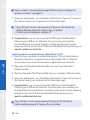
you fix connection problems. When you’ve installed Desktop Help, you’ll see
the
icon on your desktop.
6 If the
Broadband light isn’t steady green, there may be a fault or interference on
INTERNET
your line. Call us on 0800 169 3809 (please make sure you’re at your computer,
and that it’s switched on, when you call).
F
INTERNET
Internet light is green
Extra features
Your Fibre Hub is connected to broadband, but there may be a problem with your
computer and/or its connection to your Fibre Hub. Try the following:
POWER
1 restart
your Fibre Hub by unplugging the power cable, waiting a minute and
plugging back in
2 restart your computer
3 wait for your Fibre Hub’s Internet light to turn steady green
4aif you’re using an Ethernet cable
Check that this cable between your Fibre Hub and computer is inserted correctly.
Help
> For more help, follow the manual set-up steps on page 34
> If you’re connecting to the internet but it’s very slow or unreliable, see page 36
4bif you’re using wireless
There are many things that can affect a wireless connection, including settings
on your computer, position of your computer and Fibre Hub in your office, and
interference with the wireless signal. The following tips may help:
• check that your computer’s wireless adapter is fitted and/or turned on.
Some laptop computers have a small switch – see your computer manual for help
Your Fibre Hub
• check your wireless connection software – it should show if your computer’s
connected to your Fibre Hub
22 Help