1
Audio Select
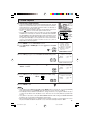
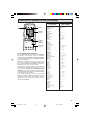
L MTS (MULTICHANNEL TV SOUND)
This circuit allows reception of stereo or bilingual TV sound.
1
2
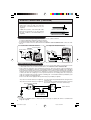
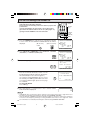
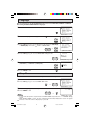
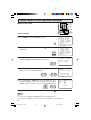
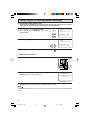
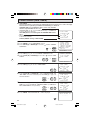
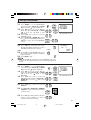
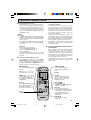
Press MENU to access MAIN MENU screen.
Press CH UP (8) or DOWN (9) to move the “ ” mark to “AUDIO
SELECT”.
CH
→
CH
S L E E P T I ME R
V I D EO A D J U S T
AUD I O S E L EC T
C L O S E D C A P T I ON
P A R E N T CON T RO L
E N E RG Y S A V E
SE T UP
(MAIN MENU screen)
3
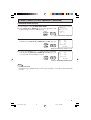
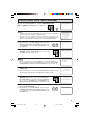
Press VOL (+) or (–) to access AUDIO SELECT mode.
VOL
—
4
VOL
+
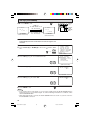
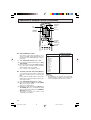
Press VOL (+) or (–) to select “STEREO”, “SAP” or “MONO”.
AUD I O S E L EC T
MT S
STEREO
SAP
MONO
VOL
—
: SAP
VOL
+
(AUDIO SELECT mode)
5
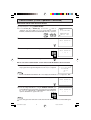
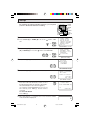
Press MENU to exit.
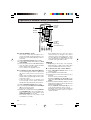
Ex:
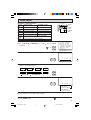
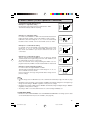
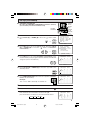
Actual screen indicating ON AIR when receiving STEREO broadcasts.
Actual channel number
“← ON AIR” will appear next to STEREO or
SAP when receiving STEREO or SAP
broadcasts.
12
S T E R E O ON
ON
SAP
MO N O
AIR
AIR
(Channel call on screen)
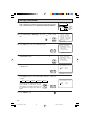
L You can enjoy Hi-Fi stereo sound or SAP broadcasts where available.
• Stereo broadcasts
Live television transmission of sports, shows, concerts, etc. can be received in dynamic stereo sound.
• SAP broadcasts
Television broadcast can be received with either MAIN or SAP sound.
MAIN sound: The normal program soundtrack. (Monaural or stereo where available.)
SAP sound: Second language, supplementary commentaries, etc. (SAP sound is monaural.)
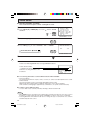
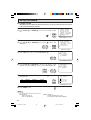
L If stereo sound is difficult to hear.
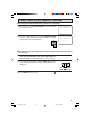
• You can obtain clearer sound by manually switching to fixed monaural mode.
Note:
• Once MONO mode is selected, the TV sound remains monaural even if the TV set receives a stereo
broadcast. You must switch the mode back to STEREO if you want to hear stereo sound again.
• Selecting MTS while in the INPUT mode does not change the type of sound; in this case, sound is
determined by the video source.
14
12-14 25R-S100.p65e
14
19/1/01, 4:39 PM